AI coding agents are software assistants that can inspect codebases, make changes, run checks, and prepare code for human review.
The important point is that an AI coding agent is not only a chat window. Once it starts editing files, installing dependencies, running tests, or preparing pull requests, it needs a real software environment. That environment may be local, hosted by a tool provider, or created by the team on a cloud VM. The infrastructure decision matters because the agent can only work as reliably as the environment around it.
Raff Technologies is relevant here because many developers and small teams do not need a complex enterprise developer platform to begin using AI-assisted workflows. They often need something simpler: a clean Linux VM, a predictable test server, enough CPU and memory for the project, and a safe boundary between development and production.
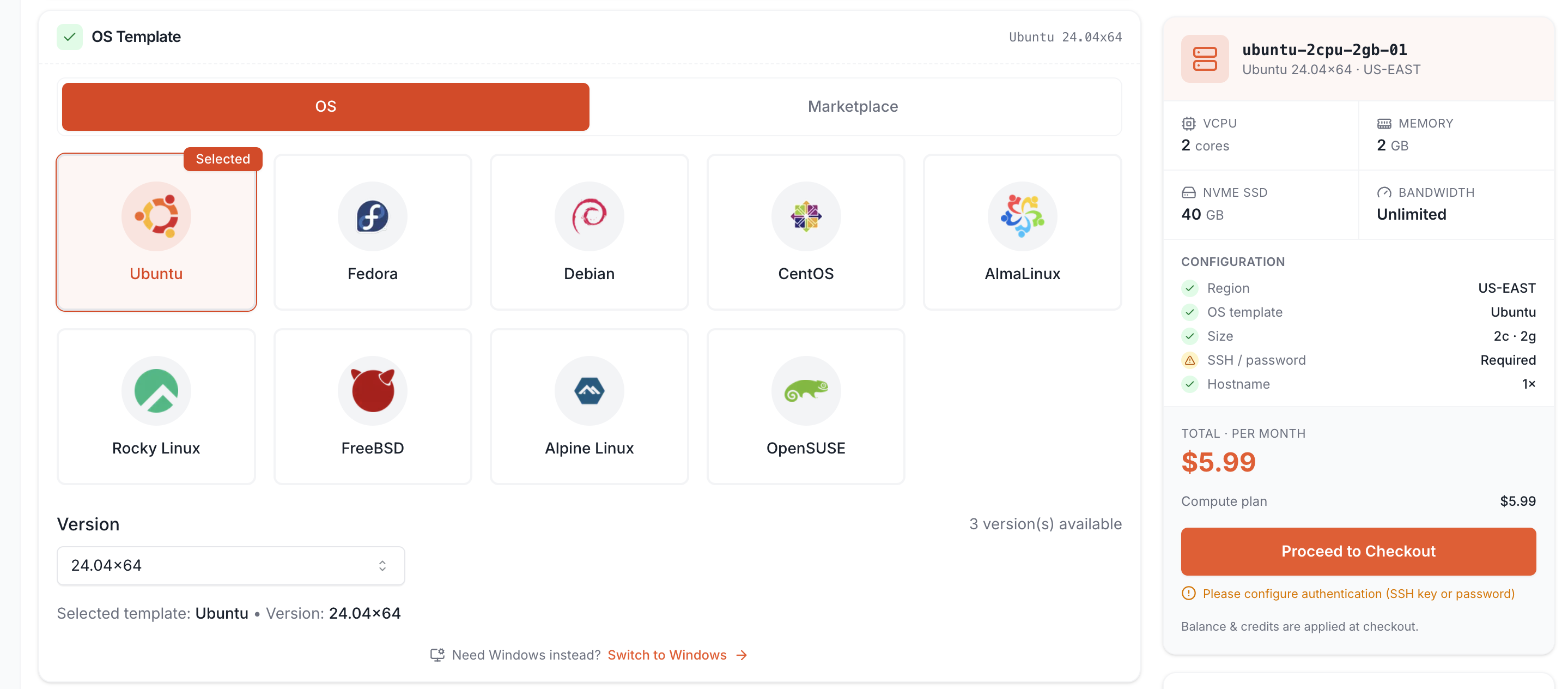
This guide is part of the broader Cloud VM Hosting Guide series. It explains what infrastructure AI coding agents need, when a cloud dev environment makes sense, and how to choose a VM for agent-assisted development.
AI coding agents still need real development environments
AI coding agents can generate code, propose changes, explain errors, write tests, and refactor files. But every useful coding task eventually meets the same practical question: where does the code actually run?
A useful agent workflow needs an environment that can:
- Clone or access the repository
- Install project dependencies
- Run package managers
- Execute tests
- Start local services
- Read logs and errors
- Build the application
- Validate changes before review
Without that environment, the agent is mostly guessing. It can still suggest code, but it cannot reliably prove whether the change works.
This is why cloud dev environments are becoming more important. They give developers and agents a repeatable workspace that is separate from the local machine. Instead of every developer configuring dependencies manually, the team can create a clean server or containerized environment where the project behaves consistently.
For AI-assisted work, consistency is not a luxury. It is how you reduce false positives, broken patches, and “works on my machine” problems.
Cloud dev environments create a safer place for agent work
A cloud dev environment is a remote workspace used to write, test, build, or review software outside the developer’s local laptop.
For AI coding agents, this has a practical advantage: the agent can work in a controlled environment without touching production systems or personal machines. That boundary matters because coding agents are still tools that need review. They can be useful, but they should not be treated as trusted production operators.
A good cloud dev environment gives the agent a place to:
- Work on a branch
- Install dependencies
- Run tests
- Build the project
- Produce logs
- Generate a patch or pull request
- Fail safely without affecting production
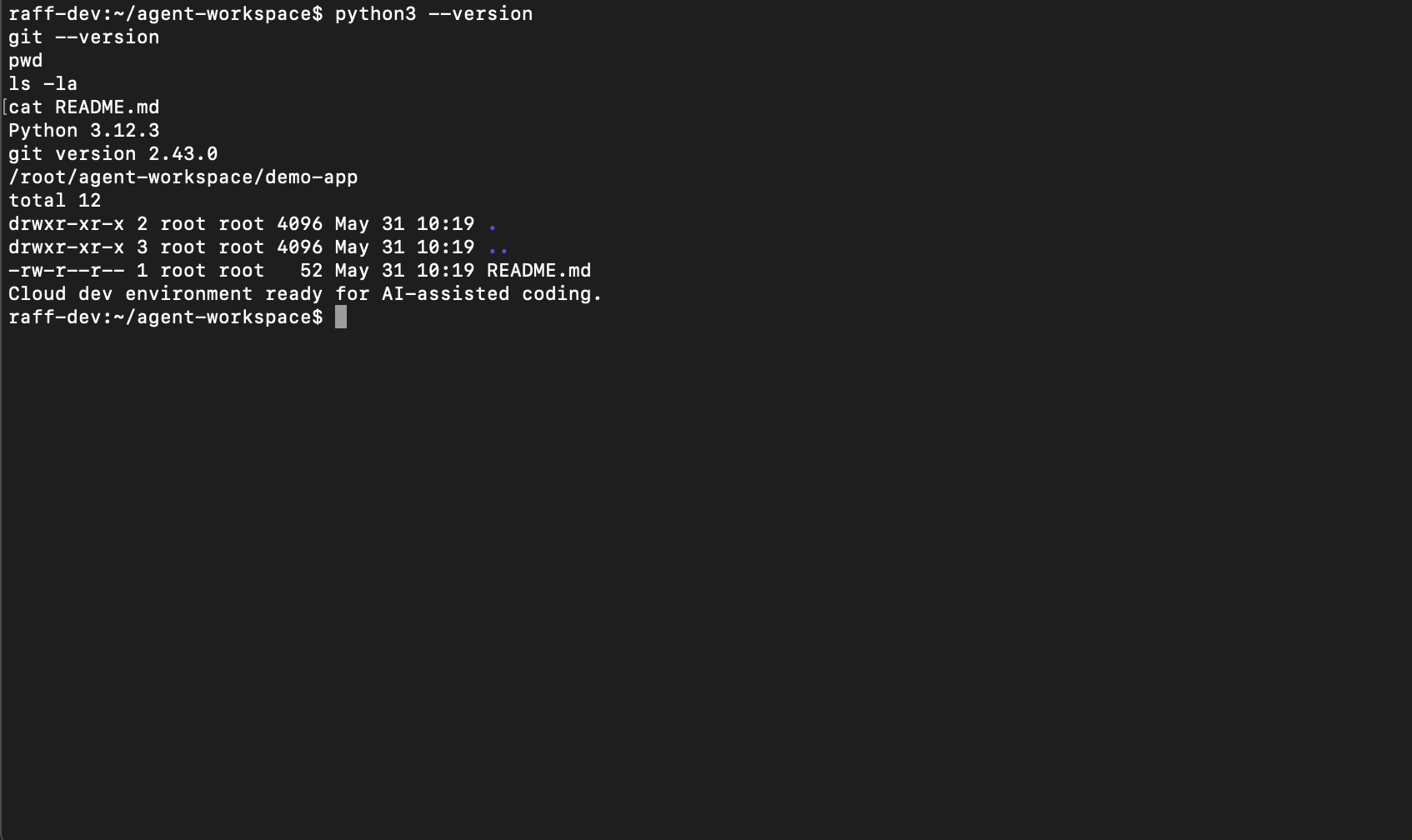
This environment should be disposable or easy to reset. If the agent breaks dependencies, creates temporary files, or produces a failed build, the team should be able to clean the workspace and start again.
That is one reason VMs remain useful even when modern tools offer managed agent sandboxes. A self-managed cloud VM gives teams a familiar place to test code, reproduce bugs, host staging versions, or run workloads that need more control than a browser-based environment provides.
The main infrastructure need is isolation
The first infrastructure requirement for AI coding agents is isolation.
An agent should not have unlimited access to production databases, customer data, deployment keys, or internal systems. It should work in a limited environment where mistakes are contained.
There are several useful isolation boundaries:
- Repository branch isolation
- Development VM isolation
- Staging environment isolation
- Test database isolation
- Limited secrets access
- Separate SSH keys
- Separate deployment permissions
- Human review before production deployment
This does not mean the agent is dangerous by default. It means the environment should assume mistakes are possible. A human developer can also run the wrong command or deploy the wrong branch. The difference is that an agent may perform more steps faster, so guardrails matter earlier.
For small teams, the simplest isolation pattern is often this:
Use one VM for development or testing, keep production separate, and avoid giving the agent direct access to production credentials.
That one decision prevents many problems.
CPU, memory, and storage needs depend on the project
There is no single VM size that fits every AI coding workflow.
The infrastructure requirement depends less on the agent itself and more on the project the agent is working on. A small static website has very different needs from a monorepo with a large test suite, database, queue, frontend build process, and background workers.
A cloud dev environment must have enough resources for the project’s normal development loop.
CPU matters when the project runs builds, tests, compilers, bundlers, or analysis tools. If builds are slow and CPU usage stays high, the environment needs more processing power.
Memory matters when the project runs multiple services, containers, databases, dev servers, or large frameworks. If the VM starts swapping or services restart, the environment needs more RAM.
Storage matters when the project uses large dependency folders, Docker images, build artifacts, logs, datasets, or local database files. If the disk fills, the environment becomes unreliable no matter how much CPU it has.
For a small project, an entry cloud VM can be enough. For larger development workflows, the right answer may be a higher-memory VM, a higher-vCPU VM, or separate environments for app, database, and workers.
A decision framework for AI-agent infrastructure
Use this framework when choosing infrastructure for AI-assisted development.
| Workflow type | Infrastructure need | Recommended VM direction |
|---|---|---|
| Small website edits | Simple remote workspace | Entry General Purpose VM |
| Lightweight API changes | App runtime and basic tests | Small General Purpose VM |
| Documentation and refactoring | Low CPU, low memory | Entry General Purpose VM |
| Docker-based app | Multiple services and images | 4 GB or 8 GB RAM VM |
| Database-backed app | App plus database testing | HiMem VM |
| Large frontend build | CPU and memory for bundling | Larger General Purpose VM |
| Backend test suite | CPU for repeated tests | More vCPU or CPU-focused plan |
| Monorepo | CPU, RAM, and storage together | Larger VM or split environments |
| Staging review app | Stable demo environment | General Purpose or HiMem VM |
| Production deployment | Human-controlled release path | Separate production VM |
A useful rule is this: size the cloud dev environment for the test and build workload, not only for the app when idle.
A project may look lightweight when it is running, but become resource-heavy during installation, build, test, or dependency updates. AI coding agents often spend time in exactly those tasks, so the development environment must handle them.
Small projects can start with a modest cloud VM
A small project does not need an enterprise-grade developer platform.
A simple website, lightweight API, internal tool, or early MVP can often start with a modest cloud VM. The goal is not maximum power. The goal is to create a clean place where the project can be installed, tested, and reviewed.
A small cloud dev VM is useful for:
- Trying AI-assisted code changes
- Testing deployment scripts
- Running lightweight app builds
- Hosting a temporary staging version
- Reproducing bugs outside a laptop
- Keeping dependencies separate from the local machine
For this type of workflow, For small repositories, start with the smallest environment that can run installation, builds, tests, and the required services with operating headroom. Use 2 vCPU / 2 GB Cloud VM Workloads as a resource-shape reference, then verify current Raff configurations on the live pricing page. If the workflow adds several containers, a database, workers, or parallel tests, measure memory and CPU pressure before resizing.
Docker-based agent workflows usually need more memory
Docker is common in modern development environments because it makes services repeatable. It is also common in AI-assisted workflows because agents can use a defined environment instead of guessing local setup steps.
The challenge is that Docker stacks can consume memory quickly.
A single lightweight container may run well on a small VM. A real development stack may include:
- Application container
- Database container
- Cache container
- Queue container
- Worker container
- Frontend dev server
- Reverse proxy
- Test runner
Each service needs memory. Docker images and volumes also consume storage. If the agent installs dependencies, runs builds, and executes tests inside this environment, the VM needs enough headroom for more than idle runtime.
For Docker-based AI workflows, memory is often more important than raw CPU at the beginning. If containers restart, swap appears, or the database becomes unstable, a HiMem VM may be the better upgrade.
For more detail, read HiMem VMs Explained. That guide explains why more RAM can matter more than more CPU for databases, self-hosted tools, and multi-service environments.
Test-heavy repositories need CPU headroom
Some repositories are not memory-heavy first. They are test-heavy.
A backend service with many unit tests, integration tests, type checks, linters, or build steps may need more CPU to keep iteration fast. AI agents are often assigned tasks such as refactoring, adding tests, fixing bugs, or updating dependencies. Those tasks usually require repeated validation.
If every agent task waits several minutes for the test suite, the development loop becomes slow. The agent may still work, but the review cycle becomes less efficient.
CPU headroom matters for:
- Large test suites
- Compiled languages
- Type checking
- Frontend bundling
- Static analysis
- Dependency builds
- Multiple parallel checks
This does not mean every AI coding workflow needs a CPU-Optimized machine. Start by identifying the bottleneck. If memory is stable but tests are slow and CPU is busy, more CPU is useful. If CPU is idle but services are crashing, more RAM is the priority.
Use Cloud VM Machine Classes Explained to decide whether the workload needs balanced, memory-forward, or CPU-focused resources.
Secrets and permissions should be limited by design
AI coding agents should not receive broad production access by default.
A development environment may need environment variables, test credentials, package tokens, or API keys. But those should be scoped carefully. The agent should only access what it needs to install, test, and validate code.
Safer patterns include:
- Use test credentials instead of production credentials
- Keep production database access out of dev environments
- Use read-only tokens where possible
- Use separate SSH keys for development VMs
- Rotate credentials used in experiments
- Avoid storing secrets directly in repository files
- Require human review before deployment
For small teams, the simplest rule is enough: never give an agent more access than you would give a temporary junior developer working on a test branch.
That may sound conservative, but it protects the business. AI-assisted development is still development. It should follow the same security boundaries as any other code workflow.
Human review remains part of the infrastructure
Infrastructure is not only CPU, RAM, and storage. It is also the workflow that controls how code moves from idea to production.
AI coding agents should produce work that humans can inspect. That usually means branches, commits, pull requests, logs, test output, and clear summaries. The environment should make review easier, not bypass it.
A healthy workflow looks like this:
- Agent works in an isolated environment
- Changes are committed to a branch
- Tests and checks are visible
- Human reviews the diff
- Human approves or requests changes
- CI/CD runs under controlled permissions
- Production deployment remains separate
This is why cloud dev environments and staging VMs matter. They give the team a place to validate agent output before it becomes a production change.
The more autonomous the agent becomes, the more important the review path becomes.
Choosing the Deployment Surface for Agent-Assisted Work
A self-managed cloud VM is useful when the workflow needs operating-system access, custom runtimes, Docker, persistent development state, or direct control over networking and packages. Raff VM fits that model.
An application platform can fit a different workflow: the team wants to deploy application code while owning less guest-OS setup and maintenance. For those cases, compare Raff Apps with a self-managed VM before choosing the environment.
The decision should follow the workload and ownership boundary rather than the AI label. Agents still need isolated credentials, reproducible builds, test data boundaries, and a reviewed path to production whichever deployment surface is used.
Common mistakes when building AI-agent infrastructure
The first mistake is giving the agent production access too early.
AI agents should help prepare code for review. They should not directly control production systems unless the team has strong safeguards, audit logs, and approval gates.
The second mistake is sizing the VM only for idle runtime.
Agent workflows often install dependencies, run tests, build assets, and restart services. The environment must handle active development work, not only the app sitting idle.
The third mistake is mixing too many services on a small VM.
An app, database, queue, cache, worker, test runner, and monitoring tool can overwhelm an entry environment. When several services run together, memory pressure becomes the main risk.
The fourth mistake is treating local setup as the source of truth.
If every developer and agent uses a different environment, bugs become harder to reproduce. A shared cloud dev environment can create cleaner, more consistent validation.
Best practices for cloud dev environments with AI agents
Start with isolation before automation
Create a safe development or staging boundary before giving agents more responsibility. The agent should work where mistakes are contained.
Size the VM for build and test activity
Do not size only for the running app. Consider dependency installation, test suites, Docker builds, package caches, logs, and temporary files.
Keep production credentials out of agent workspaces
Use test credentials and limited permissions. Production deployment should remain behind human approval.
Use clear repository instructions
Agents perform better when the project documents setup commands, test commands, coding conventions, and expected review steps.
Resize when the workflow becomes slower or unstable
If tests are slow because CPU is saturated, move to more CPU. If containers restart or swap appears, move to more memory. If Docker images and logs fill storage, choose more NVMe capacity.
AI agents make development infrastructure more important, not less
AI coding agents can change how developers work, but they do not remove the need for infrastructure.
They still need clean environments, reliable dependencies, safe permissions, test execution, build capacity, logs, and human review. A good cloud dev environment gives the agent a place to work without risking production systems or polluting local machines.
For small teams, the best starting point is usually simple: one clean VM for development or testing, clear boundaries around secrets, and enough CPU, memory, and storage for the project’s real workflow.
For related infrastructure planning, read Raff General Purpose VM Plans Explained, 2 vCPU / 2 GB Cloud VM Workloads, and HiMem VMs Explained.
If your team is experimenting with AI-assisted development, Raff’s Linux VMs give you a clean place to run code, test changes, and resize the environment as your workflow grows.