
VPS hosting for developers should give you enough control to build, test, deploy, automate, and troubleshoot software without turning every project into a cloud-platform project.
For most developers and small DevOps teams, the best VPS is not the absolute cheapest plan. It is the smallest server that safely supports the workflow: SSH and root access, Docker, APIs, staging, CI/CD runners, databases, background jobs, internal tools, and production applications.
This guide owns the developer VPS buying decision. It explains what to look for, how much CPU and RAM common developer workloads need, when Linux or Windows makes sense, and when a VPS stops being the right architecture. For the broader VPS definition and hosting models, use the Virtual Private Server Hosting Guide.
Best VPS hosting for developers: quick answer
A developer-friendly VPS should provide:
- full root or administrator access;
- current Linux distributions or Windows Server when required;
- fast SSD or NVMe storage;
- predictable bandwidth pricing;
- enough RAM for containers, builds, and databases;
- SSH key support and firewall controls;
- snapshots and backups for important environments;
- a clear resize path;
- API or infrastructure automation when the team grows;
- support that can help when the problem is infrastructure rather than application code.
For many developer workloads, 2 vCPU and 2–4 GB RAM is a practical starting range. Build runners, Docker stacks, databases, and Windows environments can need substantially more.
| Developer workload | Practical starting point | Main resource to watch |
|---|---|---|
| Learning server / CLI sandbox | 2 vCPU / 2 GB | RAM |
| Small API or backend | 2 vCPU / 2–4 GB | RAM and CPU |
| Staging environment | 2 vCPU / 4 GB | Production parity |
| Docker Compose stack | 2–4 vCPU / 4–8 GB | RAM and disk |
| CI/CD runner | 4+ vCPU / 4–8+ GB | CPU and NVMe I/O |
| Small development database | 2–4 vCPU / 4–8 GB | RAM and storage latency |
| Windows dev/test server | 2–4 vCPU / 4–8+ GB | RAM |
These are starting directions, not universal requirements. Measure the application and resize from real usage.
What makes a VPS good for developers?
Developer hosting is different from ordinary website hosting because developers need control over the environment.
A useful VPS should let you:
- install packages and language runtimes;
- choose the operating system;
- configure Nginx or Caddy;
- run Docker and Docker Compose;
- create systemd services;
- run background workers and cron jobs;
- host an API or webhook endpoint;
- connect to private databases and caches;
- run CI/CD agents;
- inspect CPU, memory, disk, and network behavior;
- automate provisioning and changes.
Shared hosting can be enough for a simple CMS or website, but it usually hides the operating system and limits custom processes. Large hyperscalers can solve almost any infrastructure problem, but they can introduce IAM, networking, metered services, and billing complexity before a small team needs it.
A VPS sits between those extremes: a normal server environment with fewer platform abstractions.
Developer VPS decision framework
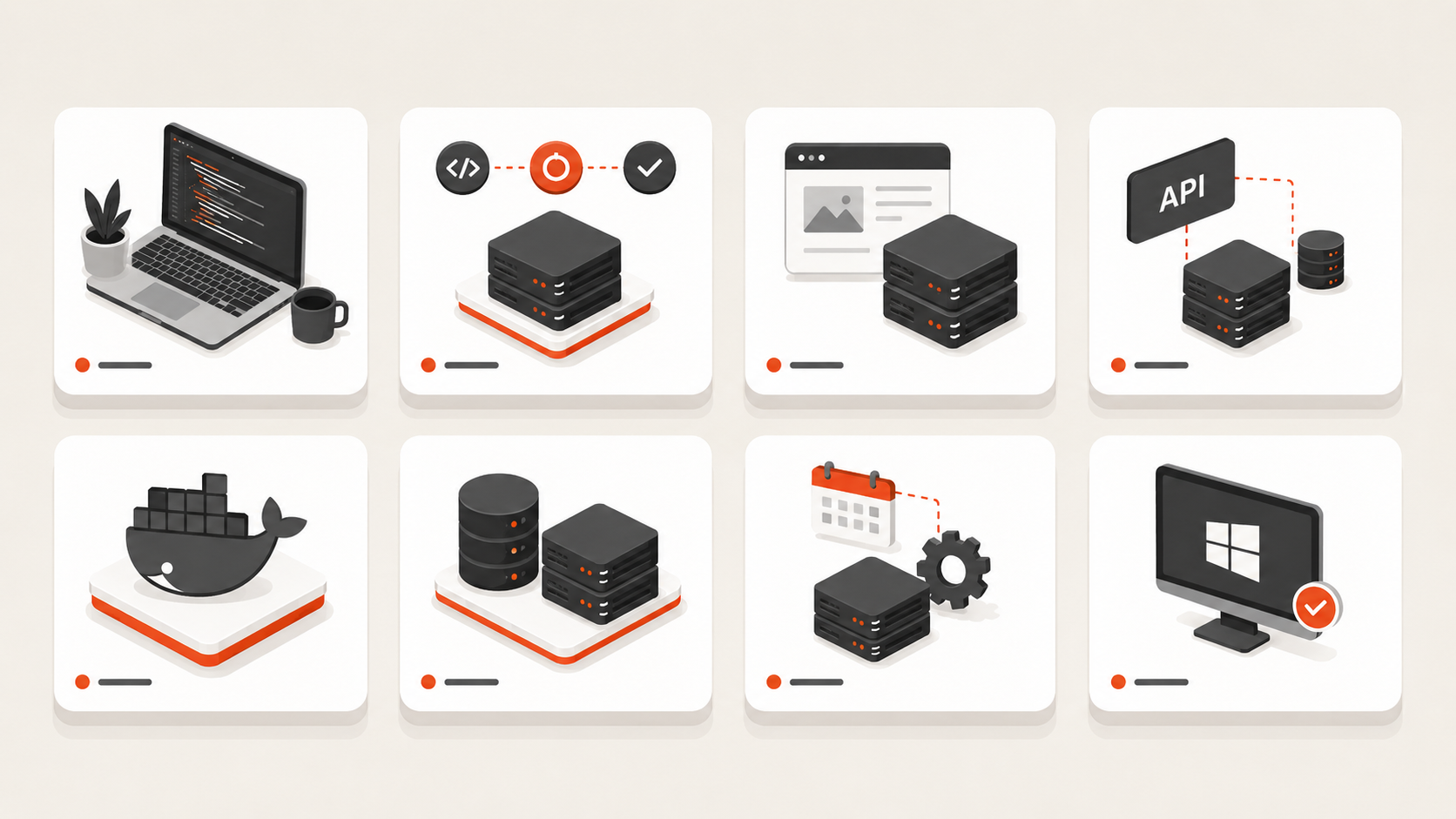
Evaluate a provider in this order.
| Decision area | What to verify | Why developers care |
|---|---|---|
| Access | Root, SSH keys, console, Windows admin when needed | You can actually control the server |
| CPU and RAM | Plan sizes and resize path | Builds, containers, databases, and workers need headroom |
| Storage | SSD/NVMe type and capacity | Package installs, Docker layers, DB I/O, builds, logs |
| Bandwidth | Included transfer, egress, or unmetered policy | Public APIs, downloads, CI artifacts, backups |
| Operating systems | Current Linux images, Windows, custom ISO if needed | Toolchain and application compatibility |
| Networking | IPv4/IPv6, firewall, private networking | Public edge vs private backend design |
| Recovery | Snapshots, backups, restore workflow | Staging and production failures are recoverable |
| Automation | API, CLI, Terraform or equivalent | Repeatable infrastructure as the team grows |
| Location | Regions close to users and dependencies | Latency, compliance, and architecture fit |
| Support | Availability and technical scope | Infrastructure failures should not become long ticket chains |
| Billing | Monthly cost and optional add-ons | Easier budgeting for side projects, SaaS, and client work |
A provider can be excellent and still be the wrong fit if its region, billing model, or operating system support does not match the project.
Linux VPS is the default for most developer workloads
Linux is the normal starting point for web-native developer infrastructure.
It fits:
- Node.js;
- Python, Django, and Flask;
- PHP and Laravel;
- Go;
- Ruby;
- Java;
- PostgreSQL, MySQL, MariaDB, Redis, and MongoDB;
- Docker and Docker Compose;
- Nginx and Caddy;
- GitHub Actions and other CI/CD runners;
- self-hosted developer tools;
- APIs, webhooks, and workers.
Linux usually consumes less baseline memory than a full Windows Server environment and integrates naturally with common DevOps tooling.
Choose Linux unless the application has a Windows-specific requirement.
When developers should choose Windows VPS instead
Windows Server is the better choice when the workload depends on:
- RDP administration;
- IIS;
- .NET Framework rather than only modern cross-platform .NET;
- Windows-only applications;
- Microsoft SQL Server workflows;
- Active Directory-related testing;
- Windows desktop or business-software requirements.
Windows does not need to be the default simply because the team develops on Windows laptops. Choose the server OS from the application and operational requirements.
For Windows-specific planning, use the Windows Server Hub and current Windows VM product page.
Docker on a VPS is enough for many developer teams
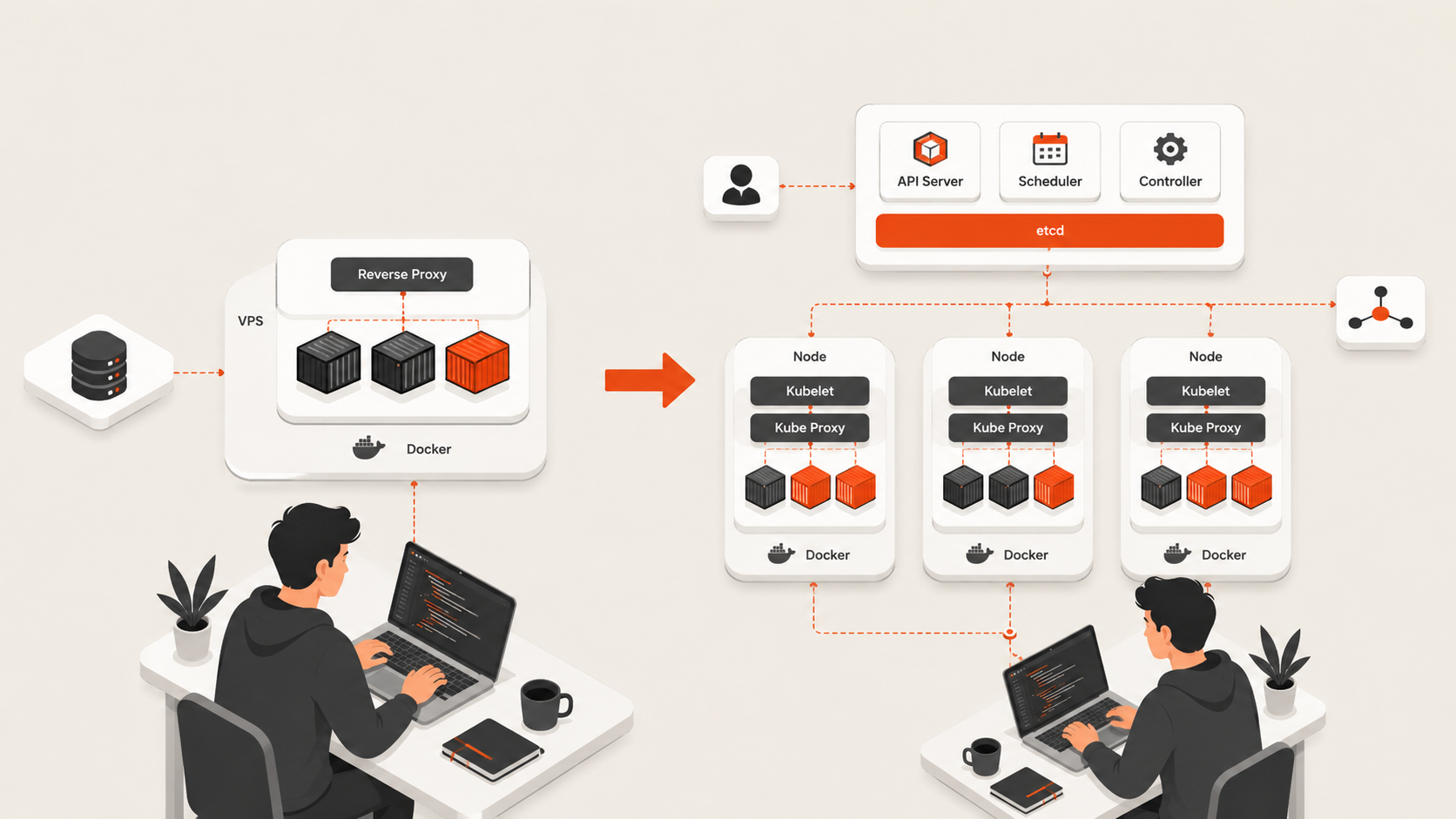
Containers do not automatically require Kubernetes.
A single VPS can run a practical Docker Compose stack containing:
Reverse proxy
Application
Worker
Redis
Small database or external managed database
Monitoring agent
This is often enough for:
- prototypes;
- MVPs;
- staging;
- internal tools;
- small SaaS applications;
- automation services;
- self-hosted developer tools.
Kubernetes becomes useful when multi-node scheduling, service discovery, self-healing, independent workload scaling, and standardized cluster operations solve problems you actually have.
Use Kubernetes vs Docker Compose for Small Teams before adding a cluster purely because the application uses containers.
VPS hosting for CI/CD runners
A self-hosted runner is one of the developer workloads where VM quality becomes obvious quickly.
Builds can stress:
- CPU during compilation and tests;
- NVMe storage during dependency restore and Docker builds;
- RAM during parallel jobs;
- network transfer during checkout, package downloads, and artifact upload.
Do not size a runner only from the CPU shown in a plan table. Measure total workflow time and resource pressure.
For GitHub Actions specifically, use GitHub Actions Self-Hosted Runners vs GitHub-Hosted. That guide owns the runner-security and hosted-vs-self-hosted decision; this page only covers how runner workloads affect VPS selection.
VPS hosting for development and staging environments
A persistent VPS is useful when local development is not enough or the environment must stay reachable by teammates, webhooks, customers, or external integrations.
Good use cases include:
- remote development environments;
- staging servers;
- integration-test endpoints;
- QA environments;
- demo systems;
- preview environments that need a normal OS;
- shared development databases.
Staging does not need the same capacity as production, but it should be similar enough in runtime, database engine, reverse proxy, networking, and deployment method to catch real release problems.
Use Dev, Staging, and Production Environments when environment parity is the main question.
How much RAM does a developer VPS need?
Memory is often the first practical limit.
A 2 GB server can be enough for a small API, learning environment, or light application. Once the VM runs multiple containers, a database, build tools, or several services, 4–8 GB becomes much more comfortable.
Watch for:
- swap activity;
- OOM-killed processes;
- containers restarting under load;
- database cache pressure;
- build failures caused by memory exhaustion;
- high memory use after normal traffic rather than only during benchmarks.
Do not buy years of theoretical headroom. Start with the smallest safe size and resize when evidence shows sustained pressure.
For the dedicated sizing question, use How Much RAM Do I Need for a VPS? and Choosing the Right VM Size.
Storage matters more to developers than the headline disk size
Developers frequently create storage-heavy I/O patterns without realizing it.
Common examples include:
- Docker image layers;
- package caches;
node_modulesand language dependencies;- Git repositories;
- CI artifacts;
- database files;
- logs;
- temporary build output;
- uploaded files;
- backup staging.
Fast NVMe storage can improve build, install, and database responsiveness, but capacity still needs monitoring. A fast disk that fills is still an outage.
Move large durable files to object storage when they do not need block-device semantics. Use volumes when the workload needs expandable persistent disk.
Bandwidth pricing changes the real VPS cost
Developer workloads can create more network traffic than a basic website:
- Docker image pulls;
- package downloads;
- CI artifacts;
- API traffic;
- file downloads;
- backups and restores;
- staging data;
- software distribution.
Providers may use a fixed transfer allowance, per-GB egress, or unmetered bandwidth. Compare the complete bandwidth policy rather than only port speed.
Use VPS Bandwidth and Transfer Costs Explained when network pricing is a major part of the buying decision.
What developers should pay for VPS hosting
There is no universal correct monthly price because the workload changes the server size and supporting services.
For a fair comparison, normalize:
- vCPU;
- RAM;
- local storage;
- bandwidth policy;
- backup coverage;
- IPv4 or additional IP cost;
- region;
- support;
- operating-system licensing;
- billing term.
A $5 server and a $15 server are not comparable if one has half the RAM, slower storage, metered egress, or no recovery path.
The useful question is:
What is the smallest safe VPS for the workflow, and what will the complete monthly cost be?
For broader pricing analysis, use Cloud Server Pricing: What Actually Drives Monthly Cost.
Raff VM for developer VPS hosting
Raff's current Cloud Server offer is designed for general Linux and developer workloads with monthly plan pricing.
As of August 28, 2026, the live Raff pricing page lists General Purpose plans beginning at:
| Current Raff plan | Monthly price | Bandwidth |
|---|---|---|
| 2 vCPU / 2 GB / 40 GB NVMe | $8.49 | Unmetered |
| 2 vCPU / 4 GB / 80 GB NVMe | $13.99 | Unmetered |
| 4 vCPU / 4 GB / 80 GB NVMe | $16.99 | Unmetered |
| 4 vCPU / 8 GB / 160 GB NVMe | $30.99 | Unmetered |
Current Cloud Server plans also list:
- AMD EPYC compute;
- NVMe storage;
- 3 Gbps public network port;
- unmetered VM bandwidth;
- IPv4 with optional IPv6;
- private networking;
- DDoS protection;
- SSH keys, browser console, and full root access;
- API and Terraform access;
- monitoring;
- a backup/snapshot storage pool;
- 99.9% uptime SLA;
- 14-day money-back guarantee;
- 24/7 human support.
Raff currently lists US East Coast as its public VM location. That is important: teams that require Europe, Asia-Pacific, or other specific regions should choose infrastructure based on the region requirement rather than price alone.
The current operating-system catalog includes Ubuntu, Debian, Fedora, AlmaLinux, Rocky Linux, CentOS Stream, Alpine Linux, openSUSE, FreeBSD, and Windows Server, with custom ISO support also listed.
Use the live Raff pricing page before purchasing because plan packaging and prices can change.
Where Raff fits well for developers
Raff is a strong fit when the team wants:
- a normal Linux or Windows server rather than a highly abstracted runtime;
- predictable monthly VM pricing;
- unmetered server bandwidth;
- NVMe-backed local storage;
- full root access;
- private networking between workloads;
- API and Terraform automation;
- a path from one VM toward databases, storage, load balancing, and Kubernetes without starting there.
Typical workloads include:
- APIs and web backends;
- Docker Compose;
- staging;
- self-hosted GitHub Actions runners;
- n8n and automation;
- internal tools;
- development databases;
- small SaaS applications;
- client environments managed by developers or MSPs.
When Raff may not be the best developer VPS
Choose another provider when you need a capability that matters more than Raff's current pricing model or developer simplicity.
Examples include:
- a public VM region outside the current US East Coast location;
- hundreds of hyperscaler-native managed services;
- a very large instance size outside the current Raff VM range;
- an existing AWS, Azure, or GCP architecture where moving one VM would increase complexity;
- a compliance or procurement requirement tied to another platform or region.
A credible VPS buying guide should explain the limits as well as the strengths. Provider fit matters more than forcing every workload onto one platform.
Common developer VPS mistakes
Choosing only by the lowest advertised price
A cheap VPS is fine for disposable work. Production, databases, staging, and CI need enough resources and a recovery plan.
Running every service publicly
Expose the reverse proxy or required public API. Keep databases, caches, admin interfaces, and application-runtime ports private where possible.
Underestimating RAM
Containers, databases, compilers, IDE services, and Windows environments can exhaust small VMs quickly.
Ignoring disk growth
Logs, Docker layers, package caches, and build artifacts can fill a server even when application data is small.
Treating staging as disposable production
Staging should help predict deployment problems. Keep the runtime and release path meaningfully similar to production.
Skipping backups because the server is “for developers”
Disposable dev boxes may not need recovery. Shared staging, client systems, databases, CI configuration, and internal tools often do.
Moving to Kubernetes too early
Add orchestration when VM-level operations become the bottleneck, not when the first Dockerfile appears.
Developer VPS checklist
Before choosing a provider, confirm:
- The required region is available.
- Root or administrator access is included.
- The operating system you need is supported.
- The server has enough RAM for normal peak usage.
- Storage type and capacity fit builds and persistent data.
- Bandwidth pricing is understood.
- SSH keys and firewall rules are supported.
- Private networking exists if the application has backend services.
- Snapshots and backups have a clear cost and restore path.
- The VM can resize without a full migration where practical.
- API or Terraform automation exists if the team needs repeatability.
- Support scope and response path are understood.
- The complete monthly bill fits the project, not only the entry price.
Frequently asked questions
What is VPS hosting for developers?
It is virtual-server hosting that gives developers a controllable operating-system environment for applications, APIs, Docker, CI/CD, databases, staging, automation, and other engineering workloads.
What is the best VPS for developers?
The best VPS is the smallest server that safely supports the workflow and offers the required region, OS, storage performance, bandwidth policy, recovery, and resize path. There is no universal provider or plan for every developer.
How much RAM should a developer VPS have?
2 GB can support light development workloads. 4 GB is a more comfortable starting point for a small app or staging environment. Docker stacks, CI/CD runners, databases, and Windows often need 4–8 GB or more.
Is VPS hosting good for DevOps teams?
Yes. VPS infrastructure is useful for staging, CI/CD runners, Docker hosts, automation jobs, internal tools, test databases, and small production services when a full orchestration platform is unnecessary.
Should developers use Linux or Windows VPS?
Choose Linux for most web, API, Docker, database, and open-source workloads. Choose Windows Server when the project needs RDP, IIS, .NET Framework, Windows-only software, or another Windows-specific capability.
Can I run Docker on a VPS?
Yes. A Linux VPS is a common Docker and Docker Compose host. Kubernetes becomes useful later when multi-node orchestration and workload coordination justify the added complexity.
Is cheap VPS hosting enough for developers?
It can be for learning, testing, demos, and light applications. Production apps, databases, CI runners, and multi-container stacks should be sized from actual CPU, RAM, storage, bandwidth, and recovery needs.
How much does Raff VPS hosting for developers cost?
Raff General Purpose Cloud Servers currently start at $8.49/month for 2 vCPU, 2 GB RAM, and 40 GB NVMe, with unmetered VM bandwidth. Verify the live pricing page before purchase because plans can change.
Does Raff support Docker and developer automation?
Raff Cloud Servers provide full root access and current Linux images suitable for Docker. Raff also lists API and Terraform access for infrastructure automation.
Where are Raff developer VMs located?
Raff currently lists its public VM location as US East Coast. Teams that require another geography should verify region availability before choosing the provider.
Conclusion
The best VPS hosting for developers is the platform that makes the engineering workflow easier without creating unnecessary infrastructure risk.
Start with the workload. Choose the required region and operating system. Size RAM and CPU from what the application actually does. Prefer fast storage, understand bandwidth pricing, keep backend services private, and make sure important environments can be restored.
For small teams, one well-sized VPS can run much more than a basic website: APIs, Docker, staging, CI/CD runners, internal tools, databases, and automation. Add managed services, multiple VMs, or Kubernetes only when the workload creates a clear reason to do so.
Raff is one option for that path, with current General Purpose Cloud Servers starting at $8.49/month, NVMe storage, unmetered bandwidth, private networking, API/Terraform tooling, and full root access. Use the live Raff Cloud Server page and pricing page for current availability and plan details.