
Microsoft licensing should be part of the Windows VM decision before you launch, not after the server is already running.
That may sound like a small detail, but it is not.
When a business chooses a Windows VM provider, it usually compares CPU, RAM, storage, bandwidth, support, deployment speed, and monthly price. Those things matter. But if the workload depends on Microsoft software, licensing clarity matters just as much.
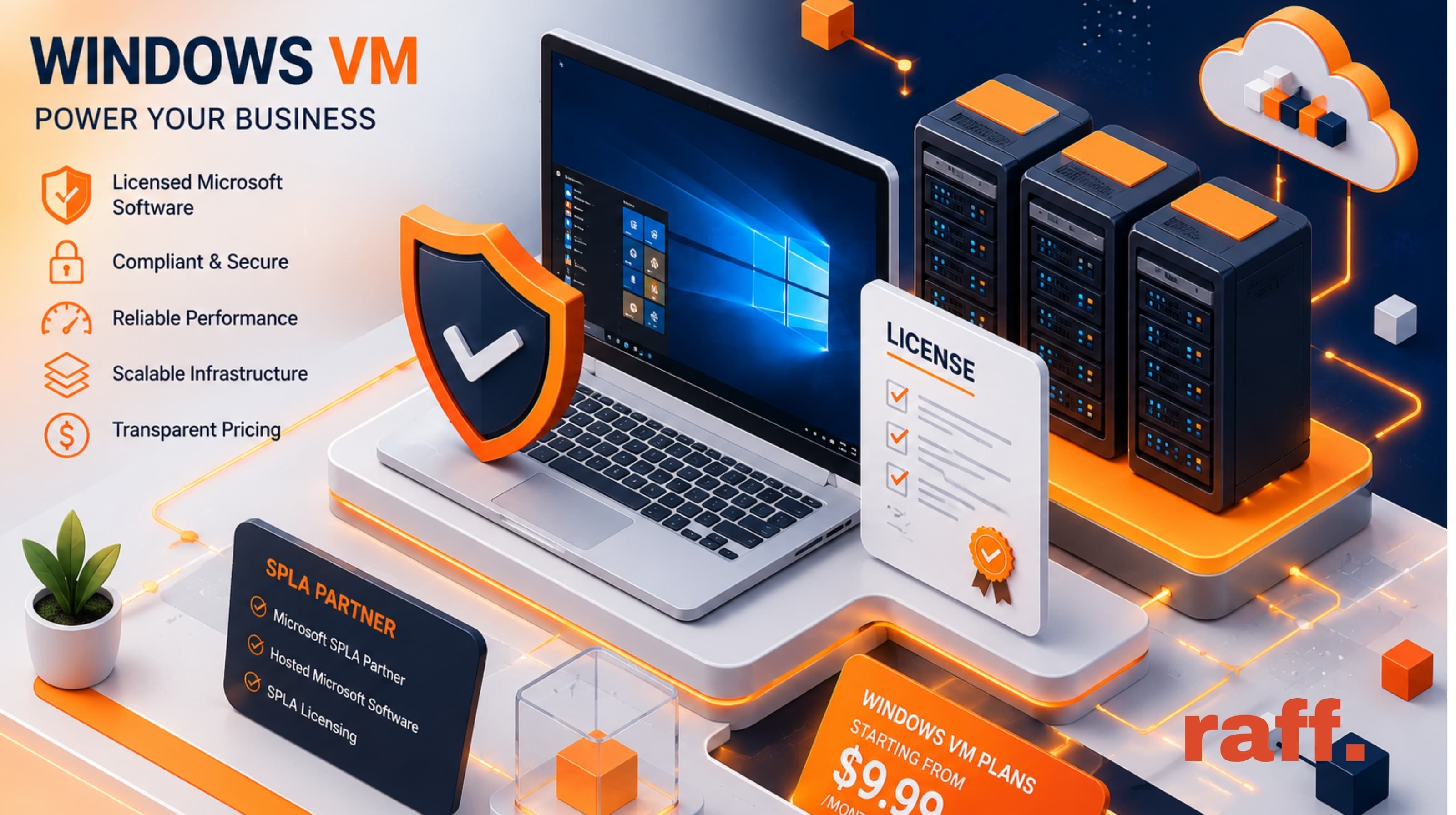
At Raff Technologies, this became even more important after Raff LLC became a Microsoft SPLA Partner. Through our Microsoft Service Provider License Agreement, Raff can provide hosted Microsoft software licensing through SPLA where applicable.
A Windows VM is not only a virtual machine with Windows installed.
It is a licensed Microsoft software environment running in a hosted cloud setting.
That changes the buying decision.
The Hidden Question Behind Every Windows VM
Most Windows VM buyers start with a practical need.
They need to run a business application.
They need Remote Desktop access.
They need to test software on Windows Server.
They need to host a legacy application.
They need a stable Windows environment that can be accessed from anywhere.
Those are all valid reasons to use a hosted Windows VM.
But behind each use case is a licensing question:
Who is responsible for the Microsoft license?
That question should be answered before the workload becomes important.
A provider may offer a Windows server, but the customer still needs to understand whether that server is using an evaluation license, provider-supplied SPLA licensing, bring-your-own-license, or another valid licensing path.
If the provider cannot explain that clearly, the customer inherits uncertainty.
And uncertainty is not a good foundation for business infrastructure.
Why Licensing Is Part of Infrastructure Quality
Licensing may not look like a product feature at first.
You cannot see it in the same way you see a dashboard, VM size, storage plan, or login screen.
But for Windows workloads, licensing clarity is part of infrastructure quality.
A properly sized VM with unclear licensing is still risky.
A fast server with vague Microsoft software rights is still incomplete.
A cheap Windows VPS can become expensive if the customer later discovers that the workload was not licensed correctly for production use.
That is why Windows VM buyers should treat licensing as a trust signal.
A serious provider should be able to explain:
- Which Windows Server versions are available.
- Whether the default license is evaluation, SPLA, or BYOL.
- Whether the workload is suitable for production.
- What happens after the evaluation period ends.
- Whether Remote Desktop Services creates additional licensing needs.
- Whether SQL Server or Microsoft 365 Apps introduce separate licensing questions.
- What documentation or confirmation the customer should keep.
This is not paperwork for the sake of paperwork.
It is operational clarity.
The Three Common Windows VM Licensing Paths
Most hosted Windows VM decisions come down to three practical licensing paths.
| Licensing path | Best for | Production-ready? | Who handles licensing? |
|---|---|---|---|
| Evaluation license | Testing, demos, learning, short-term trials | No | Microsoft evaluation terms |
| SPLA through provider | Hosted production workloads | Yes, where applicable | Service provider |
| BYOL | Customers with eligible Microsoft licenses | Yes, if eligible | Customer |
These paths are not interchangeable.
An evaluation license can be useful when you are testing a workload or building a proof of concept. It gives you time to confirm whether the application works before committing to a production licensing path.
SPLA is often the practical path when the provider supplies the eligible Microsoft software license for a hosted service.
BYOL can work when the customer already owns eligible Microsoft licenses and has the right usage rights, such as Software Assurance or License Mobility where required.
The important point is simple:
Owning a Microsoft license does not automatically mean you can use it in every hosted cloud scenario.
That is why BYOL should be checked carefully.
For a deeper explanation of the three paths on Raff, read our guide: Windows Server Licensing on Raff: Evaluation, SPLA, and BYOL Explained.
Why SPLA Matters
The Microsoft Services Provider License Agreement, or SPLA, exists for hosted software service scenarios.
Microsoft describes SPLA as a program for service providers and software companies that want to license eligible Microsoft products to provide software services and hosted applications to end customers.
In practical terms, SPLA gives a cloud or hosting provider a structured way to provide eligible Microsoft software licensing for hosted customer workloads.
For a Windows VM customer, that matters because it moves the licensing conversation from vague to structured.
Instead of asking:
“Is this Windows server licensed somehow?”
the customer can ask:
“Is this workload covered through the provider’s SPLA agreement, or do I need another licensing path?”
That is a better conversation.
It gives the customer a clearer way to evaluate the provider.
It also shows whether the provider is treating Microsoft workloads responsibly.
Raff LLC is now a Microsoft SPLA Partner, and we explained why that matters in our announcement: Raff Is Now a Microsoft SPLA Partner.
Why We Took This Seriously at Raff
One lesson I have learned while building Raff is that customers do not only buy infrastructure.
They buy confidence.
A developer may start by comparing server specs. A founder may care about monthly cost. A freelancer may need fast deployment. A business may care about support and uptime.
But when Windows workloads are involved, licensing becomes part of the trust equation.
That is why Raff becoming a Microsoft SPLA Partner matters.
It gives us a clearer framework for providing hosted Microsoft software services through SPLA where applicable. It also helps us support Windows VM customers more responsibly as Raff grows.
This is not about using the biggest possible partnership language.
It is about being precise.
Raff LLC is a Microsoft SPLA Partner.
Raff is licensed to host Microsoft software through its SPLA agreement where applicable.
Microsoft software licensing can be provided through Raff’s SPLA agreement for eligible hosted workloads.
Those are strong statements without overstating the relationship.
And that is exactly how trust should be built.
What Buyers Should Watch For
When choosing a Windows VM provider, I would not start with the lowest monthly price.
Start with the licensing model.
A very cheap Windows VM can look attractive, but if the provider cannot explain the Microsoft license path clearly, the risk may be pushed onto you.
Before choosing a provider, ask these questions:
- Is the Windows Server license included, evaluation-based, SPLA-based, or BYOL?
- Is the workload allowed for production use?
- What happens after the evaluation period ends?
- Are Windows licenses billed separately?
- Can the provider support SPLA licensing?
- Can I bring my own Microsoft license?
- Do I need RDS CALs for multiple Remote Desktop users?
- Does SQL Server introduce a separate licensing requirement?
- Can the provider give written licensing clarification if needed?
These questions are not only for enterprise customers.
They matter for small businesses too.
A small business running accounting software, ERP software, custom Windows applications, or Remote Desktop workflows may not have an internal licensing team. That makes provider clarity even more important.
Windows VM Pricing Is Not Only the VM Price
Windows VM pricing can be confusing because the VM and the Microsoft license may be separate.
The VM price covers compute resources such as CPU, RAM, storage, bandwidth, and infrastructure features. The Microsoft software license may be billed separately depending on the provider and licensing path.
This distinction matters.
A customer comparing Windows VM providers should not only ask:
“What is the server price?”
They should ask:
“What is the full monthly cost with the Windows license included?”
That is the number that matters for planning.
On Raff, Windows VPS plans start from $13.99/month, and each Windows VM can start with a 6-month evaluation license for non-production testing. For production workloads, customers should choose the right licensing path before relying on the server.
Pricing clarity is not just a finance detail. It affects whether a customer can trust the platform enough to run real workloads on it.
You can review current plans on the Raff pricing page, then compare your licensing path using the Windows Server Licensing on Raff guide.
Remote Desktop Changes the Conversation
Many customers choose Windows VMs because they need Remote Desktop access.
That makes sense. RDP is one of the most practical reasons to use a hosted Windows server.
But Remote Desktop licensing has its own rules.
A basic Windows Server setup usually allows limited administrative access. That is not the same as building a multi-user Remote Desktop environment for a team.
If multiple users will connect regularly, RDS Client Access Licenses may be required.
This is where many buyers get surprised.
They assume that because the VM has Windows Server, every Remote Desktop scenario is automatically covered. That is not always true.
If your team needs shared remote access, ask the provider how RDS CAL licensing works before deployment.
The simplest way to think about it is this:
A Windows VM can give you the server.
A licensing plan determines what kind of access and usage is allowed.
Those two things need to match.
SQL Server and Office Need Separate Attention
Windows Server licensing does not automatically solve every Microsoft software licensing question.
SQL Server has its own licensing model.
Microsoft 365 Apps and Office also have specific requirements, especially in shared or hosted desktop scenarios.
That means a Windows VM provider should not treat “Microsoft licensing” as one generic answer.
A customer may need Windows Server only.
Another customer may need SQL Server.
Another may need Remote Desktop Services.
Another may want Microsoft 365 Apps in a shared environment.
Each scenario can create different licensing requirements.
This is why clear provider guidance matters.
The better provider does not simply say, “Yes, we support Windows.”
The better provider helps you understand what kind of Windows workload you are actually running.
A Practical Decision Framework
Use this simple framework before choosing a Windows VM provider.
| Your situation | What to check first |
|---|---|
| You are testing software on Windows Server | Confirm the evaluation license is enough and keep the workload non-production. |
| You are running business software | Confirm whether SPLA or eligible BYOL is needed before production. |
| You need more than two RDP users | Review RDS CAL requirements before sizing the server. |
| You need SQL Server | Check SQL Server edition, licensing model, and backup requirements separately. |
| You already own Microsoft licenses | Confirm BYOL eligibility, Software Assurance, and License Mobility requirements. |
| You want the provider to supply licensing | Ask whether SPLA licensing is available for your workload. |
| You care about audit posture | Ask for written clarification of the licensing path. |
This table is not a substitute for legal or licensing advice.
But it is a better starting point than comparing Windows VM prices without understanding what those prices include.
How Raff Approaches Windows VM Licensing
Raff’s approach is to make the licensing path visible.
For Windows VMs, the practical paths are:
- Evaluation licensing for non-production testing and learning.
- SPLA licensing through Raff for eligible hosted production workloads.
- BYOL for customers with eligible Microsoft licenses and the right usage rights.
This gives customers a way to start, test, and then move into the correct production path.
For example, a developer can start with a Windows Server evaluation environment to test an application. If the project becomes production, the customer can move into a proper licensing path instead of pretending the evaluation environment was enough.
That matters because testing and production are not the same thing.
A lab workload can tolerate uncertainty.
A business workload should not.
You can explore Raff’s Windows VM product here: Raff Windows VMs.
Infrastructure Still Matters
Licensing is critical, but it is not the only decision.
A properly licensed Windows VM still needs the right infrastructure behind it.
For production workloads, buyers should also consider:
- VM sizing
- storage performance
- backup strategy
- private networking
- firewall rules
- support responsiveness
- recovery planning
- upgrade path
- total monthly cost
This is where the full provider decision becomes clearer.
A Windows VM provider should not only give you a Microsoft license path. It should also give you infrastructure that can support the workload responsibly.
For example, a Windows business application may need automated backups, restore points, and a recovery plan. Raff provides data protection features such as backups and snapshots, which you can review here: Raff data protection.
If your workload involves multiple servers or internal services, private networking can also matter. You can review that here: Raff private cloud networks.
Licensing answers the question:
“Are we allowed to run this?”
Infrastructure answers the question:
“Can we run this reliably?”
You need both.
Provider Trust Is Built Before the First Login
A customer’s trust in a Windows VM provider begins before they connect with RDP.
It begins when they read the pricing page.
It begins when they ask how licensing works.
It begins when the provider explains limitations clearly.
It begins when the provider is willing to say, “This path is right for testing, but not for production.”
That kind of honesty matters.
It may slow down a sale in the short term, but it builds a better customer relationship in the long term.
At Raff, we want customers to understand what they are using. That includes server resources, pricing, backups, networking, support, and licensing.
Especially licensing.
Because when a business puts real work on a Windows VM, “probably fine” is not good enough.
When a Windows VM Provider Is a Good Fit
A Windows VM provider is a good fit when the workload needs more than a generic server.
Look for a provider that can support:
- Windows Server versions your software actually supports.
- Full administrator access.
- RDP access from different devices.
- Clear VM sizing and pricing.
- Backups and snapshots.
- Networking and firewall controls.
- A clear Microsoft licensing path.
- SPLA or BYOL guidance where applicable.
- Support that understands Windows workloads.
Raff Windows VMs support Windows Server 2019, 2022, and 2025, with full administrator access and RDP. For businesses running Windows applications, that combination matters because the server is not just a test machine. It can become part of daily operations.
The provider should be ready for that responsibility.
If you are still comparing Windows and Linux workloads, you can also review the broader Raff VM options before choosing the right environment.
Red Flags to Avoid
A Windows VM provider does not need to make licensing sound complicated.
But it should be able to answer basic licensing questions clearly.
Watch out for these red flags:
- The provider cannot explain whether the Windows license is evaluation, SPLA, or BYOL.
- The provider says “license included” without explaining what license path is being used.
- The provider treats production and testing as if they are the same.
- The provider ignores RDS CALs when multiple users need Remote Desktop.
- The provider says BYOL is always allowed without checking eligibility.
- The provider cannot explain SQL Server or Microsoft 365 Apps licensing separately.
- The provider avoids giving written clarification for business workloads.
None of these automatically mean a provider is bad.
But they do mean you should slow down and ask more questions.
For Microsoft workloads, vague answers create real risk.
What This Means for You
If you are choosing a Windows VM provider, do not treat Microsoft licensing as a footnote.
Ask about it early.
If you are testing, an evaluation license may be enough.
If you are running production workloads, you need a proper licensing path.
If you already own Microsoft licenses, check whether BYOL is actually eligible.
If you need Remote Desktop for more than administrative access, review RDS CAL requirements.
If you need SQL Server, review SQL Server licensing separately.
If you want the provider to handle licensing for eligible hosted Microsoft workloads, ask whether SPLA is available.
For Raff customers, the important point is simple:
Raff LLC is a Microsoft SPLA Partner, licensed to provide hosted Microsoft software services through SPLA where applicable.
That gives Windows VM customers a clearer foundation when evaluating Raff for business workloads.
Start with the workload.
Then choose the license path.
Then choose the VM size.
That order will save confusion later.
Final Thought
Windows VM hosting is not only about launching a server.
It is about running a licensed Microsoft software environment in a hosted cloud setting.
That means the provider’s licensing posture matters.
The cheapest Windows VM is not always the safest choice. The most powerful VM is not always the right choice either. The right choice is the provider that gives you the performance, access, support, pricing clarity, and licensing path your workload needs.
That is what Raff is working to provide.
Fast infrastructure.
Simple deployment.
Reliable operations.
And now, a stronger Microsoft licensing foundation through SPLA.