A production launch infrastructure checklist is a structured review of the systems, controls, and recovery paths needed before real users rely on a cloud application.
For founders and small teams, launch day is not only a product milestone. It is the first moment when infrastructure decisions become customer-facing. A server that was “good enough for testing” now has to handle real traffic, real support requests, real data, real costs, and real recovery pressure. Raff Technologies gives small teams full-root Linux VMs, Windows VMs, unmetered bandwidth, backups, snapshots, and fast deployment, which helps teams launch with infrastructure they can understand and operate. Raff Linux VM
This guide belongs in Raff’s startup infrastructure and cloud operations cluster. Raff already has guides on enterprise customer readiness, cloud budget guardrails, idle infrastructure cost, cost dashboards, performance bottlenecks, and incident response. This guide focuses on the final production-launch layer: what to check before opening the door to traffic.
Production Launch Readiness Is Not the Same as Feature Readiness
A feature can be ready while the infrastructure is not.
The app may pass QA. The landing page may look polished. The payment flow may work in staging. The demo may impress investors or early customers. But production launch readiness asks a different set of questions.
Can users reach the service?
Can the team roll back if the release fails?
Can the team see errors before customers complain?
Can data be restored if something goes wrong?
Can cloud spend remain predictable if traffic spikes?
Does anyone know who owns the first incident?
Those questions matter because launch pressure changes the environment. Before launch, problems are internal. After launch, problems become customer experience, reputation, support load, and cost.
| Product-ready question | Infrastructure-ready question |
|---|---|
| Does the feature work? | Can the feature survive real traffic? |
| Did QA approve it? | Can we monitor it in production? |
| Does staging look correct? | Can production roll back safely? |
| Can users sign up? | Can we protect account, payment, and data flows? |
| Is the launch date set? | Is the team ready if launch traffic exceeds expectations? |
The goal is not to delay launch forever. The goal is to launch with enough control that problems do not become chaos.
The Production Launch Decision Framework
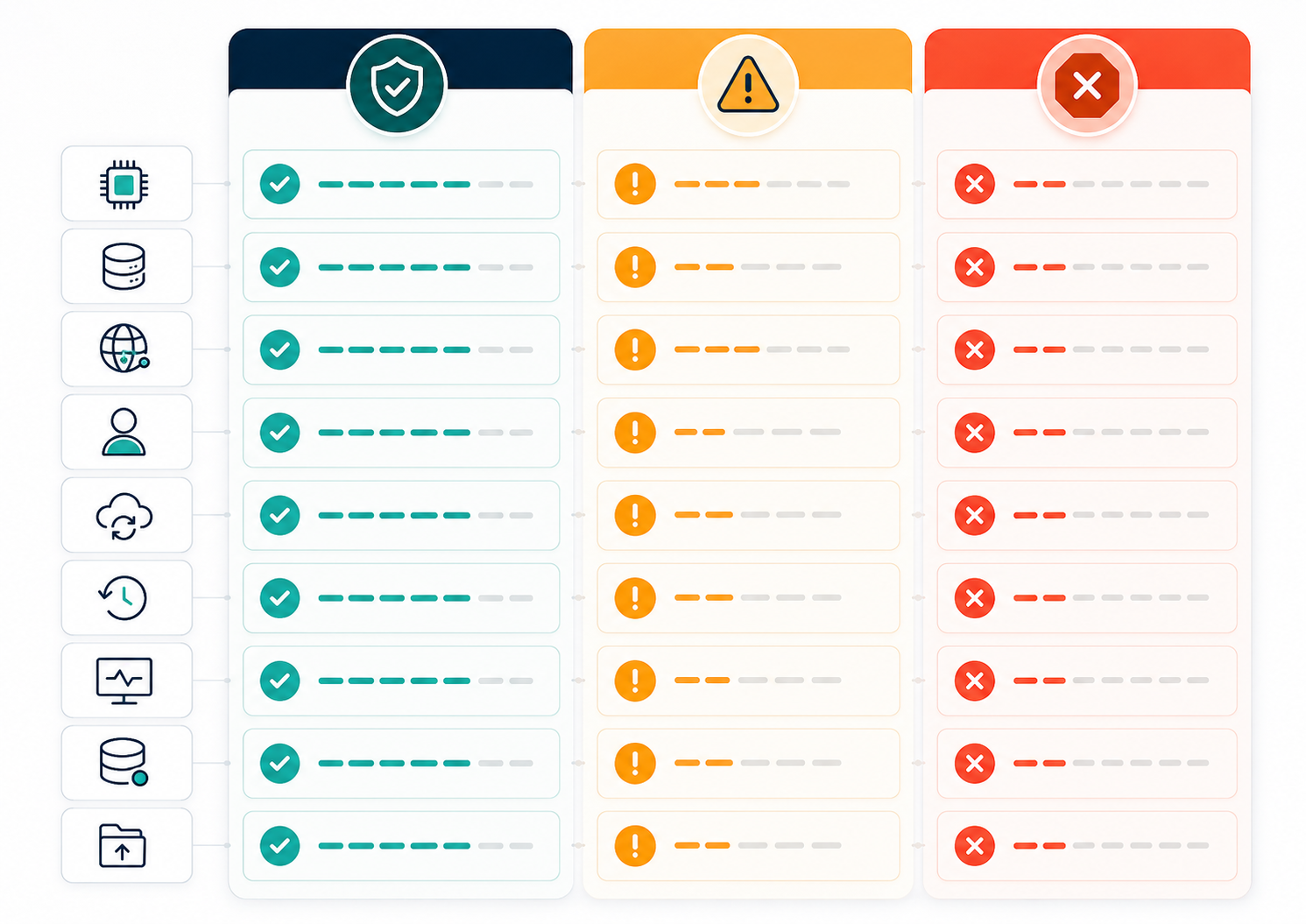
Use this framework to decide whether the infrastructure is ready for launch, needs a small fix, or should pause.
| Launch area | Ready signal | Warning signal | Better decision |
|---|---|---|---|
| Traffic path | DNS, TLS, firewall, reverse proxy, and app route are validated | Public path differs from staging or has not been tested | Validate before launch |
| Rollback | Previous app version, snapshot, or restore path is known | Team does not know how to undo the release | Pause or define rollback |
| Monitoring | Errors, latency, uptime, and resource usage are visible | Customers are the first alert system | Add basic monitoring |
| Backups | Important data has a tested recovery path | Backups exist but restore is untested | Test restore or lower launch risk |
| Access | Production access is named and limited | Shared admin credentials or unknown SSH keys | Review access |
| Cost | Expected VM, bandwidth, backup, and scaling cost is estimated | Team does not know what launch traffic may cost | Define budget guardrails |
| Support | Ownership and escalation are clear | Everyone assumes someone else is watching | Assign launch owner |
| Performance | CPU, RAM, disk, and network headroom are reasonable | Production is sized like a disposable test server | Right-size before launch |
| Data | Sensitive data paths are understood | Test/demo data practices carry into production | Clean and restrict data |
| Incident response | First-response plan exists | No one knows what happens if launch fails | Create a short runbook |
A practical rule: launch when the team knows how to detect, contain, roll back, and explain the most likely failures.
The checklist should not become an excuse for overengineering. It should reduce avoidable risk.
Traffic Readiness Starts With the Public Path
Production traffic does not care that the application worked locally.
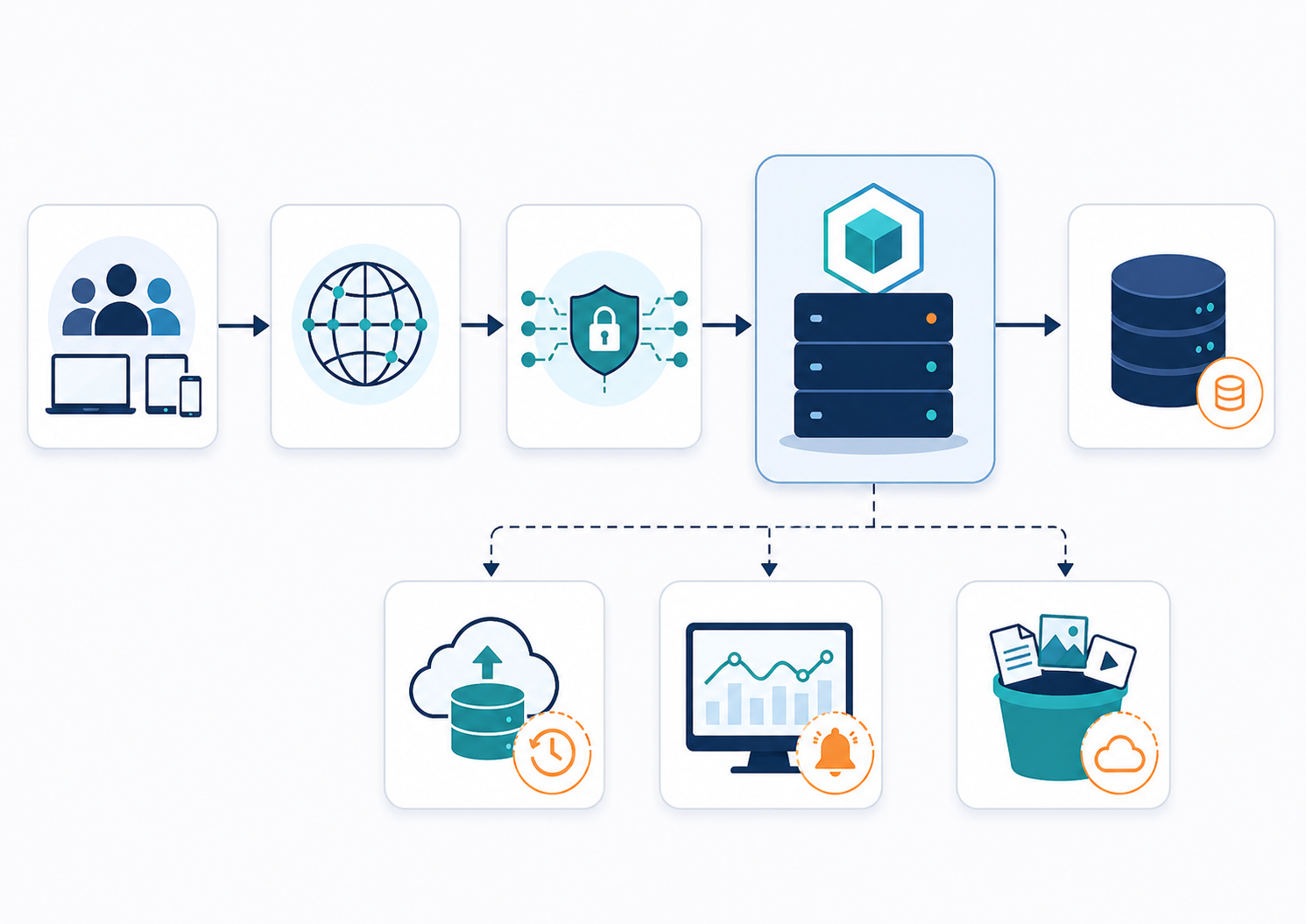
Users reach your product through DNS, TLS, firewalls, reverse proxies, load balancers, application routes, authentication, databases, storage, and sometimes third-party services. A production launch checklist should validate that full path.
| Traffic component | Launch check |
|---|---|
| DNS | Domain points to the right production destination |
| TLS / HTTPS | Certificate is valid and secure pages load correctly |
| Firewall | Only required ports are exposed |
| Reverse proxy | Routes traffic to the correct app or service |
| Load balancer | Healthy targets receive traffic if used |
| Application routes | Critical pages and APIs respond correctly |
| Authentication | Login, signup, password reset, and session behavior work |
| Database | Production app connects to the correct database |
| Storage | Uploads, downloads, and static assets work |
| External services | Payment, email, analytics, and API integrations are reachable |
Raff’s first-server guide already covers important early server steps such as login, updates, users, firewall, monitoring, and first deployment. Production launch readiness builds on that foundation and asks whether the full public path is safe for real users. First Cloud Server After Provisioning
The launch mistake is checking only the server.
A server can be healthy while DNS is wrong. The app can be running while TLS fails. The homepage can work while signup is broken. Production readiness means testing the path that customers will actually use.
Rollback Planning Should Happen Before Launch
A rollback plan is the answer to one uncomfortable question: what do we do if this launch makes production worse?
Small teams often delay this question because nobody wants to plan for failure during a launch. But the best time to define rollback is before the team is under pressure.
Rollback can mean different things depending on what changed.
| Launch change | Better rollback path |
|---|---|
| Application code | Redeploy previous version |
| Container image | Revert to previous image tag |
| VM configuration | Restore snapshot or reapply known-good config |
| Database migration | Use tested migration rollback or restore plan |
| DNS change | Revert DNS record if TTL and propagation allow |
| Reverse proxy change | Restore previous proxy configuration |
| Windows app update | Restart service, roll back app files, or restore snapshot |
| Large infrastructure change | Use staged cutover or fallback environment |
The most dangerous launch is one where the team can only move forward.
A rollback plan should include:
| Rollback detail | Why it matters |
|---|---|
| Trigger | Defines when rollback begins |
| Owner | Avoids debate during pressure |
| Previous version | Confirms what “back” means |
| Data impact | Prevents unsafe database reversal |
| Time window | Defines how long the team tries to fix forward |
| Verification | Confirms rollback actually worked |
| Communication | Keeps internal and customer updates aligned |
A practical rule: if the team cannot roll back, it should know exactly why and what the safer alternative is.
Sometimes the answer is not rollback. Sometimes it is feature flagging, disabling a workflow, restoring a backup, or fixing forward. The point is to decide before launch.
Monitoring Should Be Ready Before Users Arrive
Monitoring is not something to add after customers complain.
At launch, the team should be able to see whether the app is reachable, whether errors are rising, whether latency is increasing, whether resources are under pressure, and whether critical workflows still work.
Raff’s observability guide explains metrics, logs, and traces as the three signals small teams use to understand system behavior. Observability for Small Teams
A launch monitoring baseline should include:
| Signal | Why it matters |
|---|---|
| Uptime | Confirms the public service is reachable |
| Error rate | Shows whether users are experiencing failures |
| Latency | Shows whether the app is becoming slow |
| CPU usage | Reveals compute pressure |
| RAM usage | Reveals memory pressure and crash risk |
| Disk usage | Prevents full-disk failures |
| Network traffic | Helps understand launch traffic patterns |
| Database health | Shows connection, query, and storage pressure |
| Application logs | Explains what failed |
| Key user journey checks | Confirms signup, login, checkout, or dashboard works |
The monitoring goal is not to build a perfect observability stack before launch. The goal is to avoid flying blind.
A small team should at least know:
- is the app up,
- are errors increasing,
- are users getting slow responses,
- is the VM under resource pressure,
- and which workflow is failing.
Backups and Snapshots Are Launch Safety Tools
Backups and snapshots should not be treated as optional afterthoughts.
A production launch can introduce new data, new customers, new payments, new files, new accounts, and new operational risk. If something goes wrong, the team needs a way to recover important state.
Raff’s Data Protection product page describes snapshots, automated backups, retention options, replicated storage, and recovery-focused data protection. Raff Data Protection
The launch checklist should separate snapshots and backups:
| Protection type | Launch use |
|---|---|
| Snapshot before launch | Quick rollback before a risky release or configuration change |
| Automated backup | Recovery for important data after launch |
| Database backup | Protection against corruption or migration mistakes |
| File/storage backup | Protection for uploads, media, and generated assets |
| Configuration backup | Recovery for reverse proxy, firewall, and service config |
| Restore test | Confidence that recovery actually works |
A snapshot can help if a server change breaks the environment. A backup can help if data needs to be restored. Neither should be assumed useful unless the team knows how to use it.
A practical rule: do not treat “backup exists” as launch readiness until someone knows how restore works.
Cost Readiness Prevents Launch-Surprise Bills
A launch can change cost quickly.
More users can mean more CPU, RAM, bandwidth, storage, backups, logs, database activity, and support work. Sometimes cost increases are healthy because they come from real usage. Sometimes they are waste because the team overprovisioned, left test infrastructure running, or failed to set retention rules.
Raff’s cloud budget guardrails guide explains that cloud spend often drifts through small decisions: oversized instances, forgotten test servers, unused disks, excessive snapshots, and always-on staging environments. Cloud Budget Guardrails for Startups
A launch cost review should include:
| Cost area | Launch question |
|---|---|
| Production VM | Is it sized for expected launch traffic? |
| Staging | Should it remain online after launch? |
| Preview/test VMs | Can they be deleted before launch? |
| Backups | What retention and storage cost are expected? |
| Logs | Could log volume grow quickly? |
| Bandwidth | Could traffic or downloads increase cost? |
| Windows licensing | Does the workload require Windows-specific planning? |
| Monitoring | Are observability costs predictable? |
| Support | Who handles incidents and user issues? |
Raff’s cloud server cost guide frames cloud server pricing as more than the VM price, including compute, memory, storage, bandwidth, backups, licensing, and support. Cloud Server Cost in 2026
The launch goal is not to minimize cost at all costs. It is to understand which costs are expected, which are tied to growth, and which are avoidable waste.
Performance Headroom Should Match Launch Risk
Production launch does not require buying the largest possible server.
It does require enough headroom for expected launch behavior. The right amount depends on product type, launch campaign, user count, workload shape, database activity, and recovery tolerance.
Raff’s performance bottlenecks guide explains that CPU, RAM, disk I/O, and network can all become limiting resources, and that teams should diagnose the bottleneck before resizing blindly. Cloud Server Performance Bottlenecks
Before launch, check:
| Resource | Launch concern |
|---|---|
| CPU | Can the app handle expected request volume? |
| RAM | Will the app, database, cache, and workers fit safely? |
| Disk | Is there room for logs, uploads, database growth, and backups? |
| Disk I/O | Will database or file-heavy work slow the system? |
| Network | Can traffic, uploads, downloads, and API calls move reliably? |
| Database connections | Will app workers exhaust database limits? |
| Background jobs | Will workers compete with user-facing traffic? |
| Cache | Is cache behavior understood under load? |
A launch server should not be sized like a disposable test VM if customers and revenue depend on it.
At the same time, overbuying too early can hide bad architecture and increase burn. The founder-level decision is to choose enough capacity for launch confidence, then review real usage after launch.
Access Control Should Be Clean Before Launch
Production launch increases the value of access.
Before launch, access may feel informal. After launch, production contains real users, real data, real billing, and real operational risk. The team should know who can access the server, dashboard, database, backups, secrets, and deployment pipeline.
A launch access review should include:
| Access surface | Launch question |
|---|---|
| SSH keys | Who can access Linux production servers? |
| Root or sudo | Who can run privileged commands? |
| RDP access | Who can access Windows production servers? |
| Admin users | Are admin accounts individual or shared? |
| Cloud dashboard | Who can create, resize, delete, or manage VMs? |
| Secrets | Who can view production credentials? |
| Database | Who can read or modify production data? |
| Backups | Who can restore or delete backups? |
| Deployment | Who can push to production? |
| Emergency access | Is break-glass access documented? |
Raff’s cloud access reviews guide is the natural sibling topic here because it explains SSH keys, admin users, RDP access, API keys, service accounts, and offboarding as recurring access review concerns.
If access is unclear before launch, it will be harder to clean up after launch.
A practical rule: every production access path should have an owner, a reason, and a removal condition.
Deployment Timing Should Be a Business Decision
Technical teams often think launch timing is only about when the code is ready.
But production launch timing also affects support, monitoring, communication, rollback, and incident response. A launch on Friday night may feel convenient until something fails over the weekend. A launch during a marketing push may create traffic pressure. A launch before backups are verified may create unnecessary risk.
| Timing question | Why it matters |
|---|---|
| Who is available after launch? | Incidents need owners |
| Is support ready? | Users may need help |
| Is monitoring watched? | Early issues need fast detection |
| Is rollback possible? | Launch should not trap the team |
| Is traffic expected to spike? | Capacity and support planning matter |
| Are third-party dependencies stable? | External outages can affect launch |
| Is this near a holiday or weekend? | Response availability may be weaker |
A good launch window is not only convenient. It is observable, staffed, and reversible.
The best time to launch is often when the people who can fix the system are actually available.
Staging and Production Must Be Clearly Separated
Production launch becomes dangerous when staging and production are too similar in the wrong ways or too different in the wrong ways.
Staging should help test release behavior without putting real users at risk. Production should contain real user data and real traffic. Confusing the two can create data leaks, broken integrations, or false confidence.
Raff’s Dev, Staging, and Production guide explains why these environments should serve different roles. Dev, Staging, and Production Cloud Environments
Before launch, verify:
| Environment issue | Launch risk |
|---|---|
| Staging uses production secrets | Security risk |
| Production points to test payment system | Revenue or checkout failure |
| Staging data copied carelessly | Privacy risk |
| Production has debug settings enabled | Security and performance risk |
| Staging is much smaller than production | Performance results may mislead |
| Production migrations untested | Launch failure |
| Feature flags differ unexpectedly | Wrong features exposed |
A practical rule: staging should be similar enough to catch mistakes, but separate enough to protect production data and users.
Support and Incident Ownership Should Be Named
During launch, “everyone is watching” can quickly become “nobody owns it.”
A launch checklist should name the person responsible for launch coordination, technical monitoring, customer support, and rollback decision. In a small team, one person may hold several roles. That is fine as long as everyone knows it.
| Launch role | Responsibility |
|---|---|
| Launch owner | Coordinates go/no-go and timeline |
| Technical owner | Watches health, logs, errors, and resources |
| Rollback owner | Decides whether rollback or fix-forward is safer |
| Support owner | Handles customer questions and reports |
| Communications owner | Updates internal team or public channels if needed |
| Cost owner | Reviews infrastructure usage after launch |
Raff’s incident response guide explains that incident ownership, severity, containment, recovery, communication, and post-incident review are all part of calm response when production is unstable. Server Incident Response for Small Teams
Production launch is not always an incident. But the same ownership discipline helps.
The Go / No-Go Launch Checklist
Use this checklist before opening production to real traffic.
| Area | Go signal | No-go or pause signal |
|---|---|---|
| Traffic | DNS, TLS, routing, firewall, and app path validated | Public path untested |
| App | Critical user journeys pass | Signup, login, checkout, dashboard, or API path fails |
| Rollback | Clear rollback or fix-forward plan exists | No known recovery path |
| Backup | Important data is backed up and restore path is understood | Backup exists but nobody knows how to restore |
| Monitoring | Errors, uptime, latency, and resources are visible | Team cannot see production health |
| Performance | VM has reasonable CPU, RAM, disk, and network headroom | Server is already near limits before launch |
| Access | Production access is named and controlled | Shared or unknown admin access |
| Cost | Expected cost range is understood | Team has no cost expectation |
| Support | Launch owner and support owner are named | No one owns customer reports |
| Incident response | First-response path is defined | Team would improvise under pressure |
A launch can proceed with known imperfections. It should not proceed with unknown critical risks.
The right go/no-go question is: if this launch fails, can we detect it, respond to it, and recover from it without guessing?
After Launch, Review the First 24–72 Hours
Launch readiness does not end when the product goes live.
The first 24–72 hours reveal how infrastructure behaves under real usage. This is when teams learn whether sizing was correct, monitoring is useful, logs are too noisy, cost assumptions were accurate, and users behave as expected.
Review:
| Post-launch area | Question |
|---|---|
| Traffic | Did traffic match expectations? |
| Errors | Which errors appeared after real users arrived? |
| Latency | Did key pages or APIs slow down? |
| Resources | Did CPU, RAM, disk, or network approach limits? |
| Database | Were queries, locks, or connections a problem? |
| Backups | Did scheduled backups run successfully? |
| Logs | Are logs useful or too noisy? |
| Cost | Did spend match the expected launch budget? |
| Support | What did users report? |
| Rollback plan | Would the team have been ready if needed? |
The post-launch review should produce decisions, not just observations.
Examples: resize the VM, reduce log noise, add a synthetic check, delete staging clones, adjust backup retention, restrict admin access, or create a runbook for a repeated issue.
How Production Launch Planning Applies on Raff
Raff is designed for teams that want clear, controllable infrastructure without unnecessary cloud complexity.
For launch planning, Raff Linux VMs give teams full root access, SSH key authentication, Docker-ready infrastructure, NVMe SSD storage, unmetered bandwidth, DDoS protection, cloud firewall, and deployment in under 60 seconds. Raff Linux VM
Raff Windows VMs are useful when production launch depends on Windows Server, RDP, IIS, .NET, business software, or Windows-native workloads. Raff Windows VM
Raff Data Protection supports snapshots and automated backups for teams that need a recovery path before launching. Raff Data Protection
A practical Raff launch model looks like this:
| Launch need | Raff context |
|---|---|
| Production compute | Linux or Windows VM sized for launch traffic |
| Public traffic | Firewall, DNS, TLS, and application routing validation |
| Rollback | Snapshot before risky changes and app rollback plan |
| Recovery | Automated backups and restore awareness |
| Monitoring | VM metrics, logs, app health, and user journey checks |
| Cost control | Transparent VM pricing and review of staging/test environments |
| Access | SSH key, root/sudo, RDP, and admin access review |
| Growth | Resize or split workloads after usage becomes measurable |
From Batuhan’s founder perspective, the launch principle is simple: do not wait for perfect infrastructure, but do not launch blindly either.
A good production launch is not the one with the most complex architecture. It is the one where the team knows what matters, what might fail, what it will cost, and how to recover.
Common Production Launch Mistakes
Testing only the application, not the traffic path.
DNS, TLS, firewall, reverse proxy, and public routing all matter.
Launching without rollback.
A launch should have a known recovery path before it affects users.
Adding monitoring after launch.
If users are the first alert system, the team is already late.
Forgetting backup restore.
Backups are not useful if nobody knows how to restore them.
Using staging cost assumptions for production.
Real users create different traffic, storage, logs, and support behavior.
Launching with unclear access.
Shared admin accounts, old SSH keys, or unknown RDP users create avoidable risk.
Overbuying infrastructure out of fear.
More capacity can help, but it should match real launch risk, not anxiety.
Ignoring the first 72 hours.
Post-launch usage is the best source of infrastructure truth.
A Practical Launch Policy for Small Teams
A small-team launch policy should be short and repeatable.
| Policy area | Recommended baseline |
|---|---|
| Traffic | Validate DNS, TLS, firewall, proxy, app routes, and critical user journeys |
| Rollback | Define rollback, restore, or fix-forward decision before launch |
| Monitoring | Track uptime, errors, latency, CPU, RAM, disk, network, and key workflows |
| Backups | Confirm backup coverage and restore path for important data |
| Access | Review SSH keys, RDP users, admin accounts, secrets, and deployment access |
| Cost | Estimate launch cost and review after 24–72 hours |
| Performance | Right-size for expected launch traffic with reasonable headroom |
| Support | Assign launch owner, technical owner, and support owner |
| Review | Run a post-launch review and turn findings into action |
This policy is intentionally practical.
A startup does not need enterprise launch governance on day one. It needs enough structure to avoid preventable chaos.
Production Launch Is the Moment Infrastructure Becomes Real
Before production launch, infrastructure decisions are mostly internal.
After launch, they affect customers.
That is why a production launch infrastructure checklist matters. Traffic paths need validation. Rollback needs a plan. Monitoring needs to be visible. Backups need to be usable. Access needs to be controlled. Cost needs to be understood. Support ownership needs to be clear.
For related reading, this guide should link to Raff’s Startup Infrastructure Checklist, Cloud Budget Guardrails, Idle Infrastructure Cost, Cloud Cost Management in Power BI, Performance Bottlenecks, and Server Incident Response guides.
On Raff, the practical path is to launch with infrastructure that is simple enough to understand, strong enough to recover, and transparent enough to control as real users arrive.