
This walkthrough explains how to apply to the Raff Affiliate Program, what to prepare before submitting an application, and how to begin sharing tracked links after approval. Raff's affiliate program is separate from the customer Refer and Earn credit program: affiliates apply to earn qualifying cash commissions, while customer referrals follow separate credit rules.
Raff pays qualifying affiliates across cloud infrastructure product categories and reviews applications before admitting partners. The public program page confirms an application, an email response, tracked links, and dashboard reporting. The screenshots below show the application and referral-tracking stages. The official program terms govern eligibility and payment rules.
Before you start: you need a Raff account in good standing, must be at least 18, and should prepare the website, video channel, newsletter, or community where you intend to promote Raff. Review the current conditions on the affiliate program page.
Step 1 — Open the official Raff affiliate program page
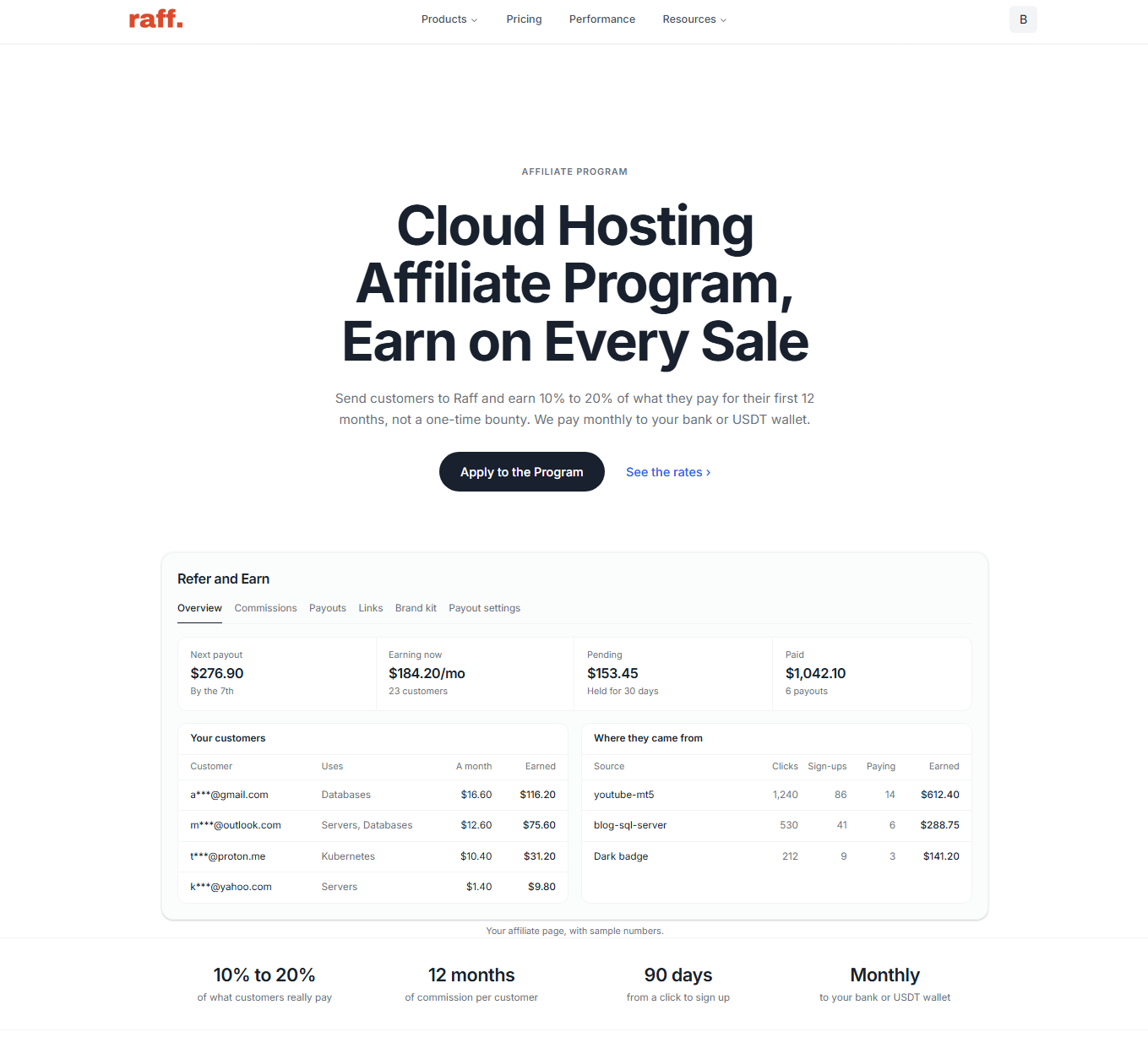
Visit rafftechnologies.com/affiliates. The page explains the product commission categories, tracking eligibility, payment timeline, promotional rules, and application route.
On this page, find Apply to the Program and review the published commission and eligibility information.
Step 2 — Review the commercial rules before applying
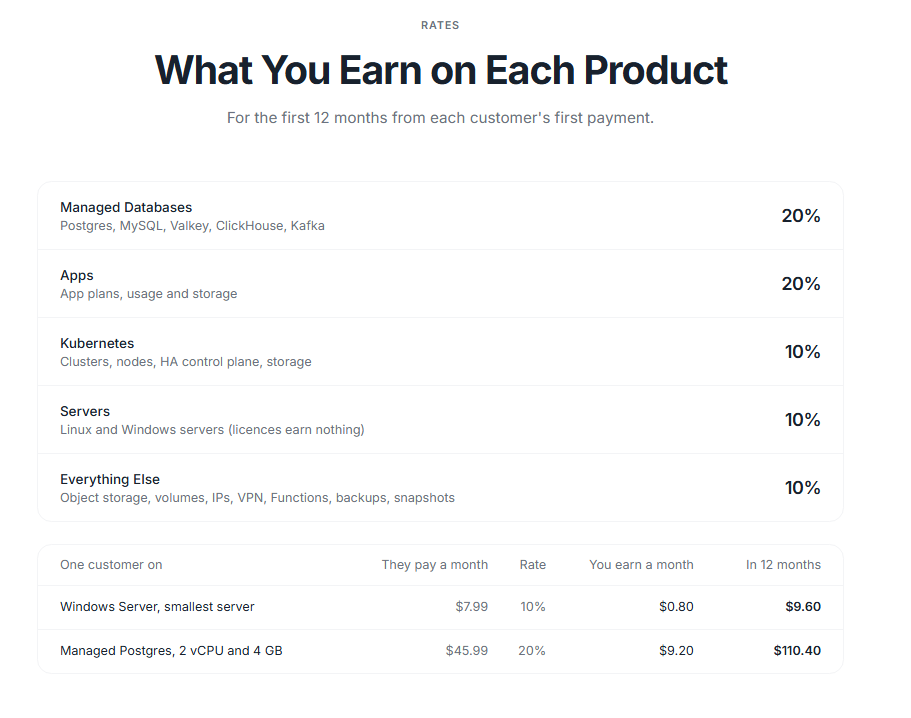
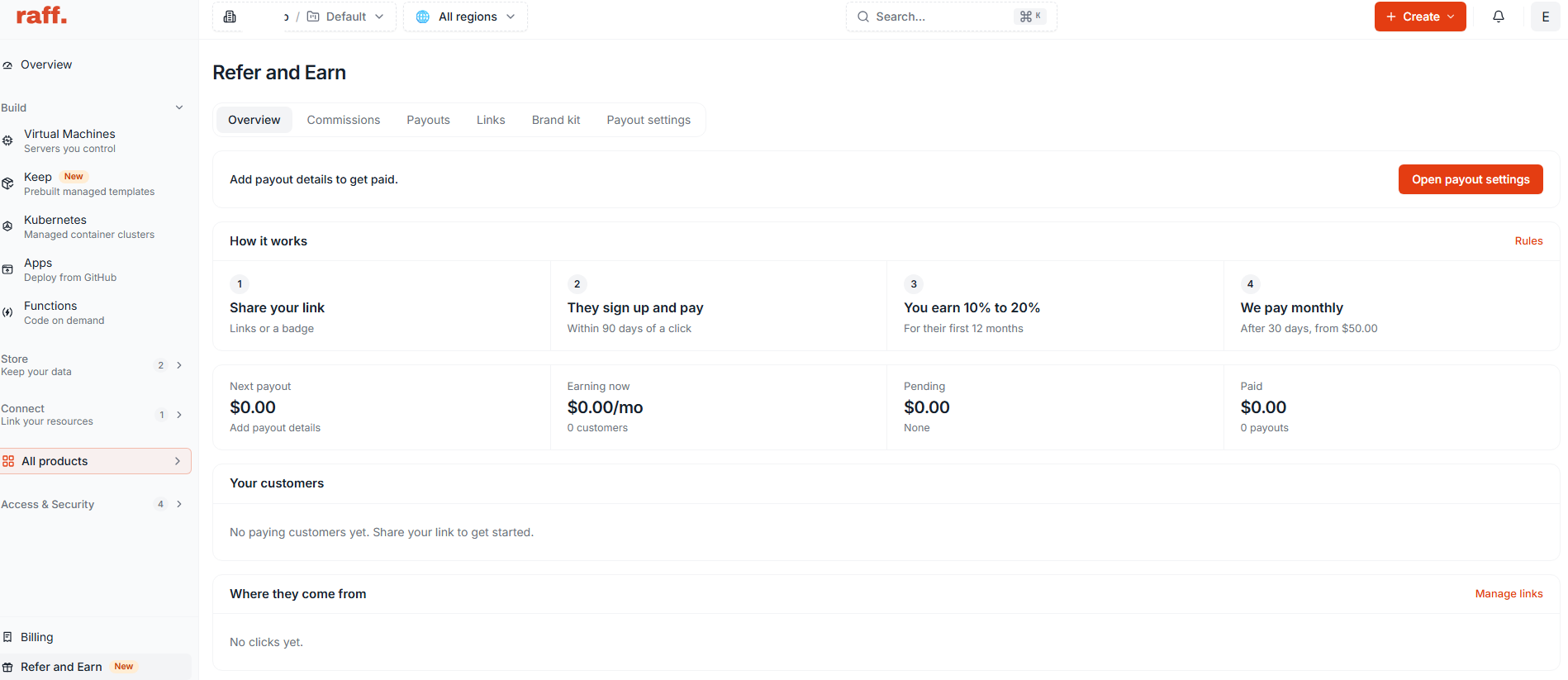
Read the published program terms before entering your information. Raff currently advertises 10% commission on qualifying server, Kubernetes, and other specified infrastructure spending, and 20% on qualifying Managed Databases and Raff Apps. Windows Server, RDS, and other software licences do not earn commission.
The published offer specifies commissions on eligible customer payments during the first 12 months from the referred customer's first payment. A referred customer must sign up within the 90-day click-to-signup attribution window, subject to the applicable attribution rules.
Raff's public page also says commissions are held for 30 days before payment processing, monthly payouts require a $50 eligible balance, and payments are processed by the 7th of the month. These rules come from Raff's published affiliate terms; the terms and your dashboard govern the rates that apply to your account.
Check the rate for the product categories you intend to promote, the attribution window, and the payout requirements.
Step 3 — Start the affiliate application
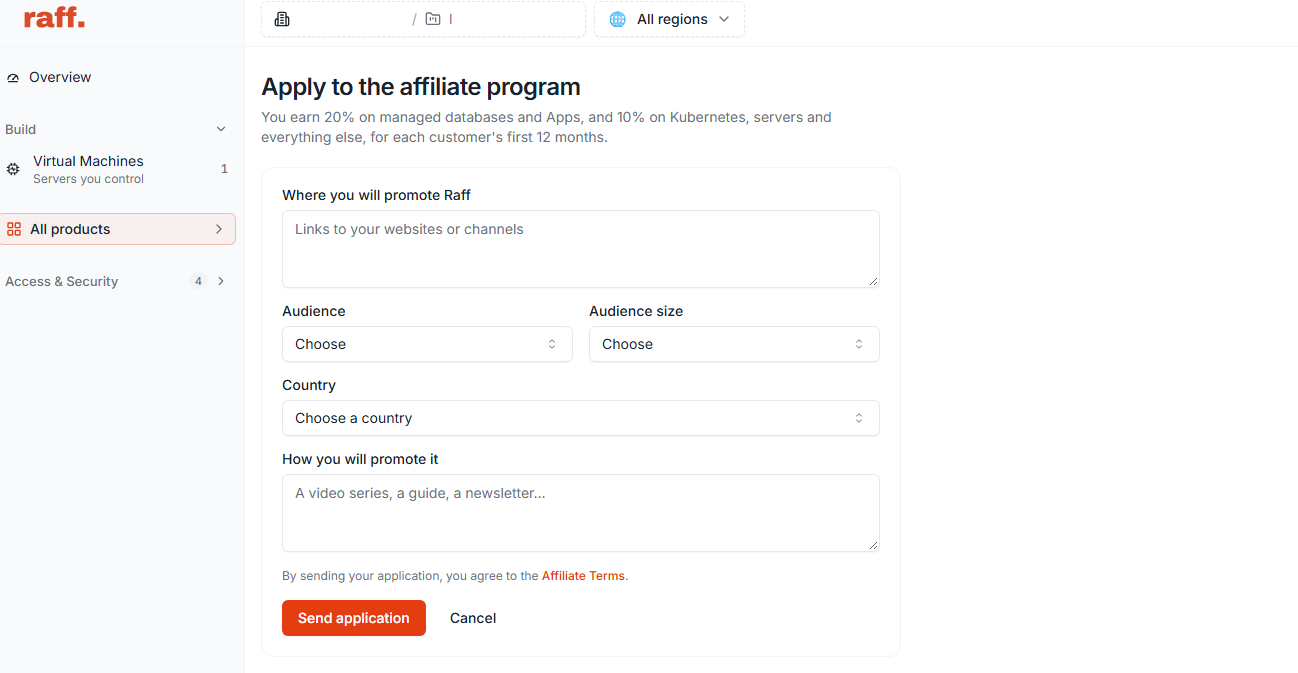
Select Apply to the Program on the public page. If you are signed out, create your Raff account or sign in first. Applications are completed through the Raff account dashboard.
The application asks where and to whom you intend to promote Raff. Follow the fields shown in your dashboard and describe your audience and channels accurately.
Before submitting, prepare accurate information about your publishing channels, audience, and the kind of cloud-related content you produce.
Step 4 — Complete and submit your actual application
Follow the on-screen application instructions. Explain the audience and where you intend to place referrals; for example, cloud tutorials, software documentation, developer communities, or infrastructure comparisons.
Do not claim traffic, customer numbers, or technical experience you cannot substantiate. Do not submit on someone else's behalf without permission.
Step 5 — Look for the application review email
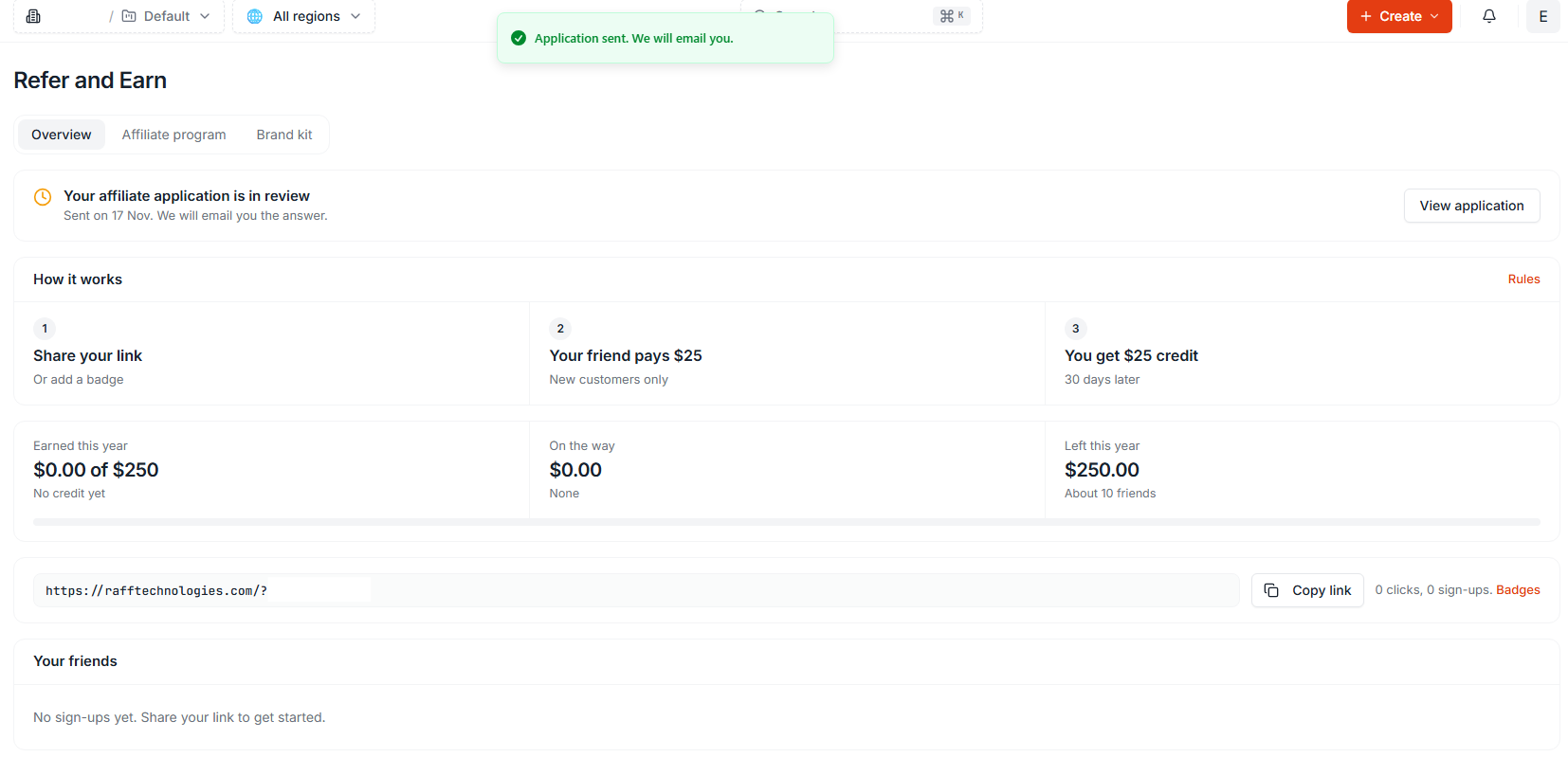
Raff says it reviews every application and emails applicants with the decision. Submitting an application does not guarantee acceptance or immediate access to partner tracking.
Keep the application email address accessible. Check the inbox and spam folder for the response, and follow any instructions included in a genuine Raff message.
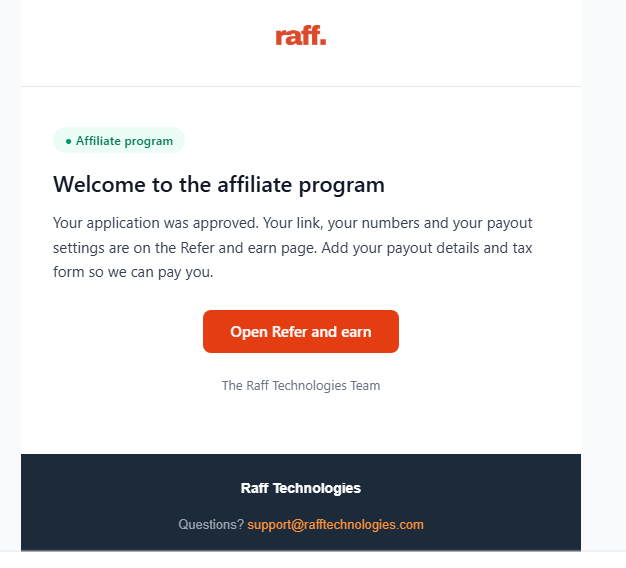
Step 6 — Find your approved referral link
After approval, open Refer and Earn in your Raff dashboard to find your referral link, applicable rates, referred customers, and commission information. Raff lets you add tags to links and view results by tag.
Do not share a test link externally until you have verified that it belongs to the approved affiliate account.
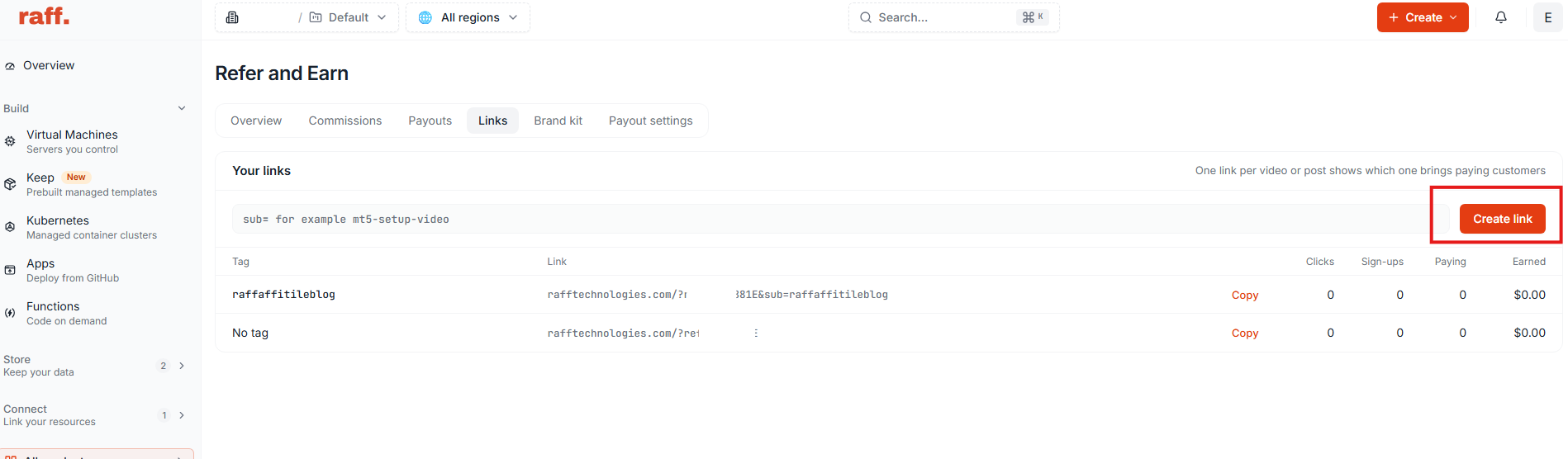
Step 7 — Check your tracking before promoting Raff
Use a safe, authorized test procedure to check that the intended referral URL opens the correct Raff destination. Confirm that the link and any campaign tag are preserved when expected.
Do not create fake accounts or self-referrals to test commissions. Raff's published rules exclude an affiliate's own accounts, and a tracked click alone is not evidence of a payable commission.
Application Checklist and Common Problems
| Check | Why it matters |
|---|---|
| Official affiliate page used | Avoids confusing the program with customer credit referrals |
| Application channel explained | Helps Raff evaluate where the applicant will promote |
| Program terms reviewed | Prevents misunderstanding commission eligibility |
| Actual confirmation retained | Distinguishes submitted from approved applications |
| Referral link copied from partner account | Prevents sharing a fabricated or unrelated URL |
| Disclosure prepared | Makes the financial relationship clear to readers |
If the application button fails, the form is unavailable, or the review email never arrives, consult the current Raff affiliate page for its contact route. Avoid inventing support addresses or reproducing an unverified dashboard URL.
If you are still choosing a business model rather than completing an application, read reseller hosting vs affiliate programs. To assess commission terms, see recurring vs one-time hosting affiliate commissions. The hosting affiliate program checklist explains the wider selection criteria.
Conclusion and Next Steps
A successful Raff affiliate application starts with an accurate description of your audience and promotion channels. Approval comes through Raff's review process; the referral link and tracking features follow the approved partner workflow.
Raff supports 3,000+ customers and 15,000+ virtual machines and publishes the current affiliate conditions on its affiliate program page.