
A managed Windows VPS means the hosting provider or service team handles more server administration tasks, while an unmanaged Windows VPS gives the customer administrator control and responsibility for maintaining the server. The right choice depends on whether your team wants infrastructure control or someone else to handle operating-system operations.
Raff Windows VPS provides the infrastructure layer: Windows Server virtual machines, administrator access, deployment options, and cloud resources. Customers who need application management, patching, monitoring, or ongoing administration should define those responsibilities separately.
Managed and unmanaged Windows VPS solve different problems
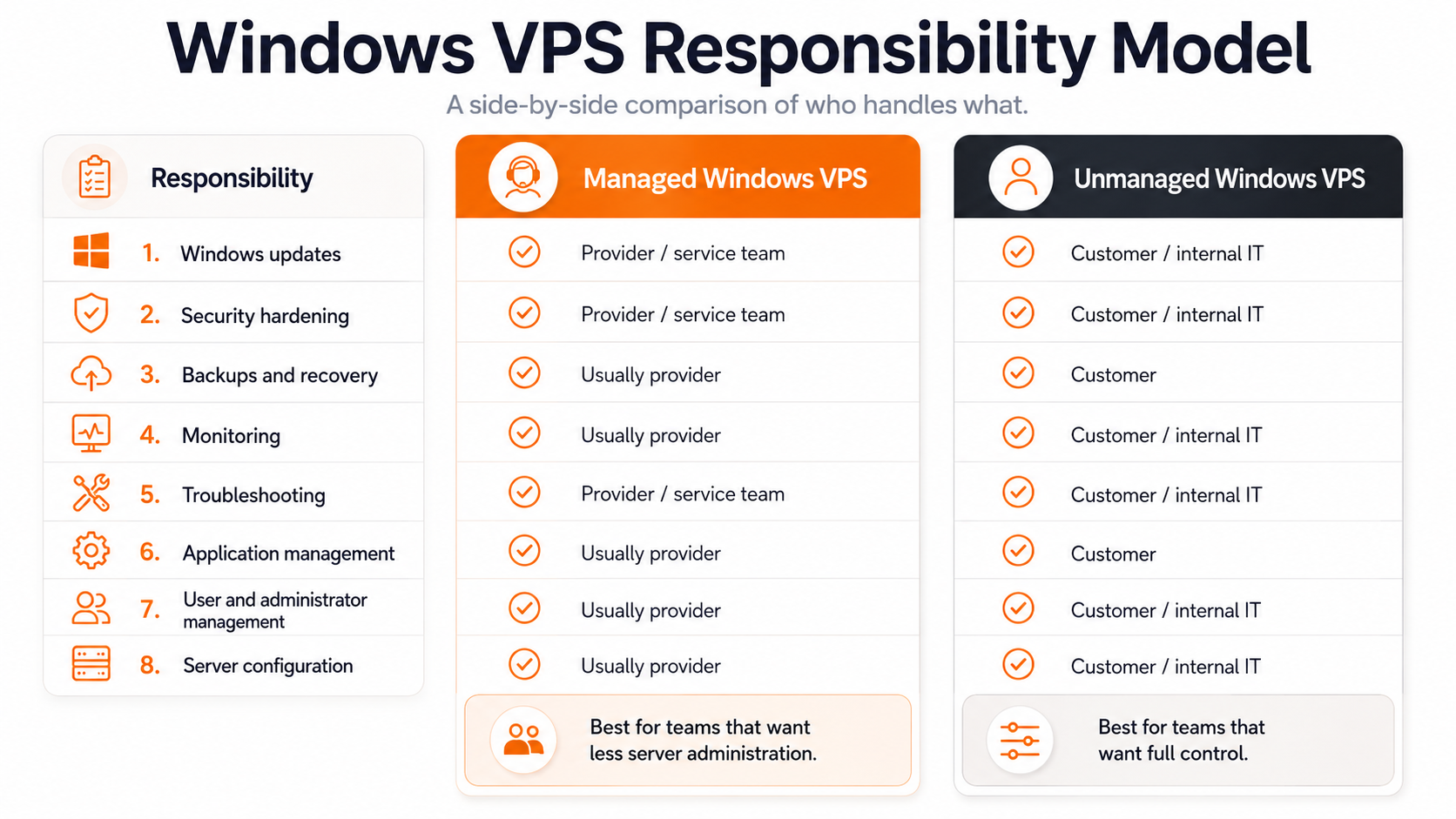
The main difference between managed and unmanaged Windows VPS hosting is responsibility.
| Area | Managed Windows VPS | Unmanaged Windows VPS |
|---|---|---|
| Windows updates | Usually handled by provider | Customer responsibility |
| Security configuration | Provider-assisted or included depending on service | Customer responsibility |
| Application installation | May be included | Customer responsibility |
| Troubleshooting | Provider handles more layers | Customer handles server issues |
| Administrator access | May be limited depending on provider | Full administrator control is common |
| Custom configuration | Depends on provider policies | Customer controls configuration |
| Cost | Usually higher | Usually lower |
Neither model is automatically better. The correct choice depends on who should own the server operations.
Unmanaged Windows VPS gives maximum control
An unmanaged Windows VPS is closer to owning a remote Windows Server. The provider supplies the virtual machine and infrastructure, while the customer manages the operating system and software.
This model fits teams that have:
- Windows Server administrators;
- IT staff;
- developers who need administrator access;
- MSPs managing their own clients;
- application owners who understand their software requirements.
Typical responsibilities include:
- Windows updates;
- firewall configuration;
- user accounts;
- application installation;
- database configuration;
- security hardening;
- monitoring;
- backups and restore testing.
The advantage is flexibility. The customer decides how the server is configured.
The trade-off is that the customer also owns more operational work.
Managed Windows VPS reduces administration work
Managed hosting is designed for customers who want someone else to handle more of the server lifecycle.
A managed Windows VPS service may include:
- operating system updates;
- monitoring;
- security checks;
- troubleshooting;
- backup management;
- application support;
- user administration.
The exact scope depends on the provider. Before choosing managed hosting, confirm what is actually included.
Important questions:
- Are Windows updates included?
- Who responds when an application fails?
- Are backups configured and tested?
- Is security hardening included?
- Are third-party applications supported?
- Is Remote Desktop Services administration included?
A managed label alone does not define the service boundary.
Security responsibilities change between the two models
Security is one of the biggest differences between managed and unmanaged Windows VPS hosting.
With an unmanaged server, the customer usually owns:
- administrator account security;
- firewall rules;
- RDP exposure;
- Windows Defender configuration;
- patch schedules;
- user permissions;
- security monitoring.
With managed hosting, some of these tasks may move to the provider.
A secure Windows VPS still requires clear ownership. Every production server should have:
- strong administrator credentials;
- regular updates;
- limited remote access;
- backups;
- tested recovery procedures;
- documented users and applications.
Backups and recovery need clear ownership
Backups are often where managed and unmanaged expectations become unclear.
A provider may offer infrastructure-level backups, snapshots, or recovery tools, but customers should understand:
- what data is protected;
- backup frequency;
- retention period;
- restore process;
- who performs recovery.
For business applications, a backup plan should include restore testing rather than only creating backup copies.
MSPs and technical teams often choose unmanaged VPS
Managed service providers, developers, and IT teams often prefer unmanaged Windows VPS environments because they already have operational processes.
They may want control over:
- software installation;
- security policies;
- client environments;
- automation scripts;
- monitoring tools;
- application stacks.
For these users, paying for management they do not need can add unnecessary cost.
Small businesses often need to evaluate support requirements
Small businesses without internal IT staff should focus less on the VPS label and more on who will operate the server.
A Windows VPS may require someone to handle:
- user access;
- software updates;
- application issues;
- printer configuration;
- backups;
- security settings.
If nobody owns those tasks, a lower-cost unmanaged VPS can become difficult to operate.
In that case, a managed provider, MSP partner, or internal IT service may be the better fit.
How Raff fits the Windows VPS decision
Raff provides Windows VPS infrastructure with Windows Server deployment, administrator access, and cloud VM resources. Raff customers manage their own operating system and applications unless additional services are separately arranged.
This model works well for:
- developers;
- IT teams;
- MSPs;
- businesses with technical staff;
- organizations that want control over Windows Server.
Before deploying a production Windows VPS, define who owns:
- Windows administration;
- application support;
- security updates;
- backups;
- user management;
- troubleshooting.
Clear ownership prevents support gaps later.