Windows VPS for MSP Client Environments
Learn how MSPs can use Windows VPS environments for client apps, Remote Desktop, backups, security, documentation, and repeatable deployments.
On this page
- In short
- Quick verdict: when a Windows VPS fits an MSP client
- Why MSPs use Windows VPS environments
- MSP client workloads that fit a Windows VPS
- When a Windows VPS is not enough
- Client separation is a core design rule
- Sizing starts with client user count and workload
- Remote access model must be part of the MSP offer
- RD Gateway becomes important as clients grow
- Backup policy is part of the product
- Security baselines help MSPs standardize
- Documentation separates MSP service from unmanaged hosting
- Monitoring and alerts should match the contract
- Change management matters for shared client servers
- MSP pricing should not hide operational work
- How Raff fits MSP workflows
- MSP client environment checklist
- Common MSP mistakes with Windows VPS clients
- What's next
- Sources
Don't have a Windows Server yet?
Deploy Windows Server 2019/2022/2025 in ~2 minutes. 6-month evaluation licence included.
In short
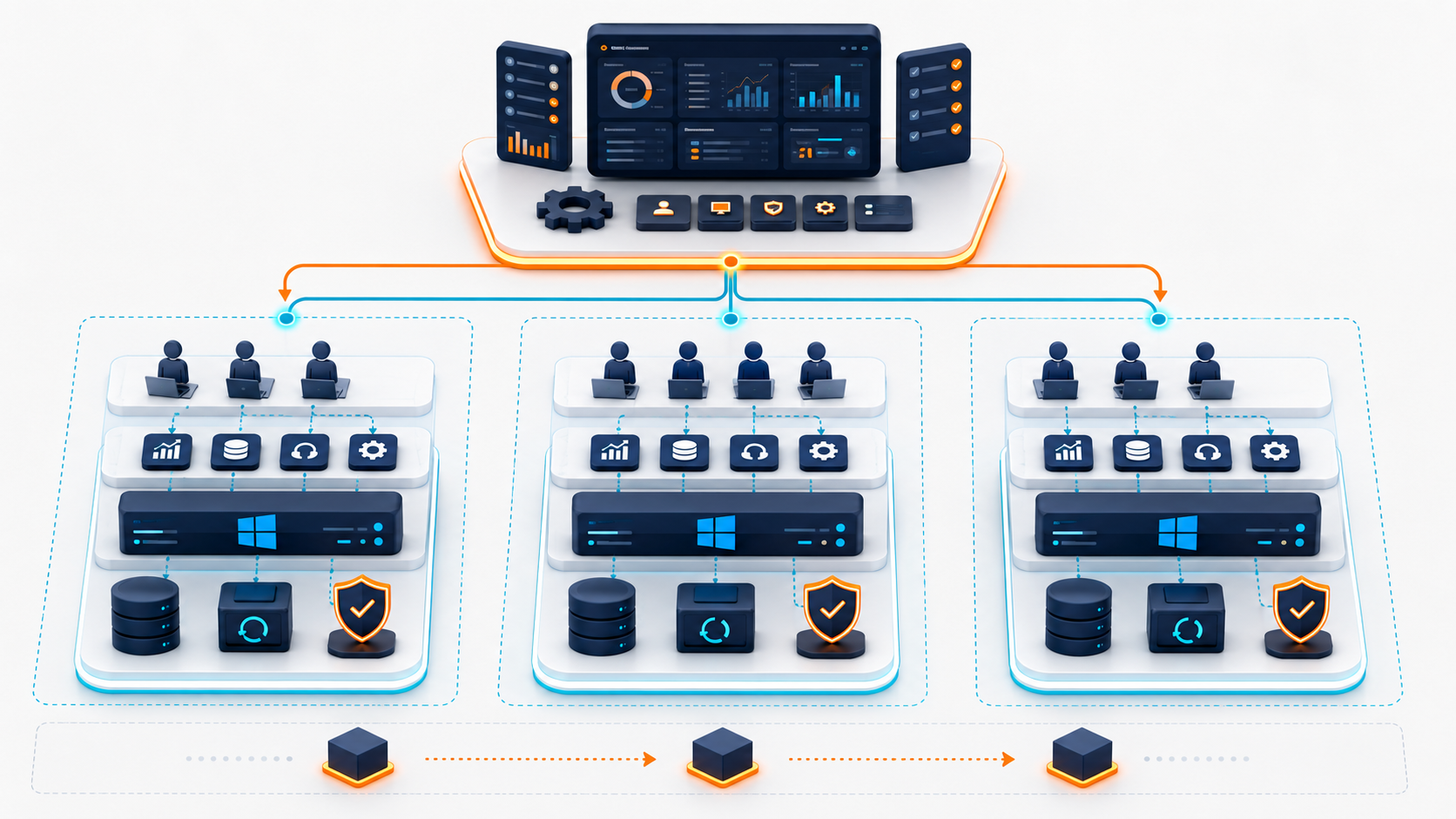
A Windows VPS can help managed service providers standardize small client environments when businesses need Remote Desktop access, hosted Windows apps, backups, and a cloud Windows Server without maintaining hardware in every office. It works best when the MSP owns the access model, backup policy, documentation, monitoring, licensing plan, and client separation. Raff Technologies provides Windows VMs for MSPs that want practical Windows Server infrastructure for client workloads without hyperscaler complexity.
MSP clients rarely ask for "a VPS" directly. They ask for a working business system: remote access to accounting software, a hosted database, a file server, a legacy Windows app, a tax-season environment, or a replacement for an aging office server.
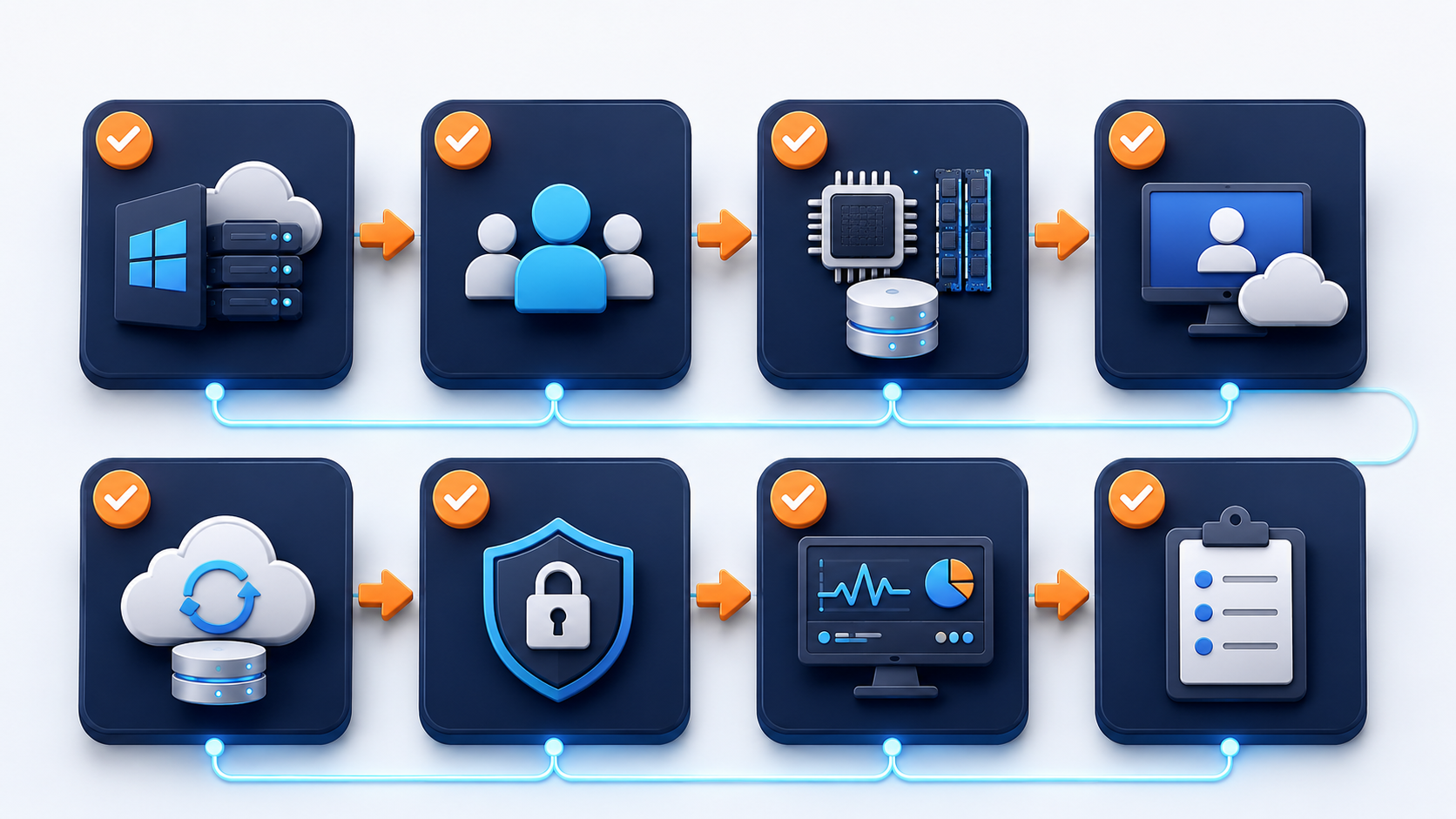
That is why a Windows VPS is useful to an MSP only when it becomes part of a repeatable service model. The server must be sized, secured, backed up, documented, monitored, and tied to a support process. Without that operational layer, it is just another unmanaged server the MSP will be blamed for when something breaks.
Quick verdict: when a Windows VPS fits an MSP client
Use this table before placing a client workload on a Windows VPS.
| Client situation | Windows VPS fit | Why |
|---|---|---|
| Client needs remote access to one Windows app | Good fit | A cloud Windows Server can centralize the app and let users connect remotely. |
| Client has 3-10 users on business software | Good fit with RDS planning | Remote Desktop Services, licensing, backups, and sizing must be planned. |
| Client is replacing an aging office server | Good fit | Removes dependency on local server hardware and office power. |
| Client has multi-location users | Good fit | One hosted Windows environment is easier than syncing offices. |
| Client needs strict compliance or custom network controls | Depends | Architecture, data handling, and access requirements should be reviewed. |
| Client needs a fully managed VDI platform | Not a single VPS decision | Consider a broader desktop/RDS/VDI architecture. |
| Client app requires local USB hardware | Risky | Test licensing, scanners, dongles, and device behavior first. |
| Client has no backup owner | Do not go live yet | Backups and restore testing must be part of the service. |
The best MSP use case is a client environment with a clear workload, a known user count, a documented backup plan, and a defined support owner.
Don't have a Windows Server yet?
Deploy Windows Server 2019/2022/2025 in ~2 minutes. 6-month evaluation licence included.
Use Raff Windows Server VPS when your MSP clients need remote access, hosted business apps, and cloud Windows environments. :::
Why MSPs use Windows VPS environments
MSPs use Windows VPS environments because many small businesses still depend on Windows workloads that do not fit cleanly into SaaS.

Common reasons include:
| MSP client need | Why a Windows VPS helps |
|---|---|
| Remote Desktop access | Users can reach a centralized Windows Server from outside the office. |
| Hosted business software | Accounting, ERP, tax, Access, and legacy apps can run in a consistent environment. |
| Office server replacement | Client no longer depends on one aging physical server. |
| Multi-location access | Branches can use one hosted environment instead of separate local servers. |
| Repeatable deployment | MSP can standardize VM sizing, access, backups, and documentation. |
| Faster recovery | VM backups and snapshots are easier to plan than undocumented local machines. |
| Easier support | The MSP can access a known server environment instead of many inconsistent PCs. |
| Predictable infrastructure | Monthly VM cost is easier to explain than surprise hardware failures. |
A Windows VPS is not valuable because it is "cloud." It is valuable when it gives the MSP a cleaner way to operate the client workload.
MSP client workloads that fit a Windows VPS
Windows VPS environments are strongest when the client workload is Windows-native and benefits from centralization.
Typical workloads include:
| Workload | MSP value |
|---|---|
| Remote Desktop environment | Centralized desktop access for small teams. |
| QuickBooks, Sage, or accounting tools | One controlled app environment for users and data. |
| Tax software | Seasonal remote staff and centralized client files. |
| Microsoft Access or legacy apps | Keep app and data close together instead of opening files over WAN. |
| SQL Server tools or small databases | Host database-adjacent admin tools and business apps. |
| IIS/.NET apps | Host internal or client-facing Windows web workloads. |
| Cloud file server | Centralize business files when local server replacement makes sense. |
| ERP or inventory software | Support branch access and shared operations. |
| MSP admin tools | Maintain client scripts, tools, or support utilities. |
| Test/staging environments | Build repeatable Windows environments before client rollout. |
Not every client workload belongs on a single VPS. If the client needs high availability, complex Active Directory design, large file workloads, or strict compliance controls, the MSP should design the architecture before selling the server.
When a Windows VPS is not enough
A Windows VPS is a building block, not a complete managed service by itself.
Pause before using one when:
| Situation | Better next step |
|---|---|
| Client requires 24/7 high availability | Design redundancy and failover, not one VM. |
| Client needs full virtual desktop management | Consider RDS farm, AVD, managed desktop, or VDI planning. |
| App vendor forbids hosted/RDS use | Get vendor-supported deployment guidance. |
| Client requires advanced compliance controls | Review logging, encryption, access, retention, and legal requirements. |
| Client has many heavy users | Capacity test before production. |
| Client data is not backed up | Build the backup strategy first. |
| Client expects the provider to manage the app | Define support boundaries clearly. |
| MSP cannot monitor or patch the server | Do not create another unmanaged environment. |
The MSP should avoid selling a Windows VPS as a magic replacement for operations. The correct offer is usually: Windows server hosting plus MSP management, backup, security, monitoring, and support process.
Client separation is a core design rule
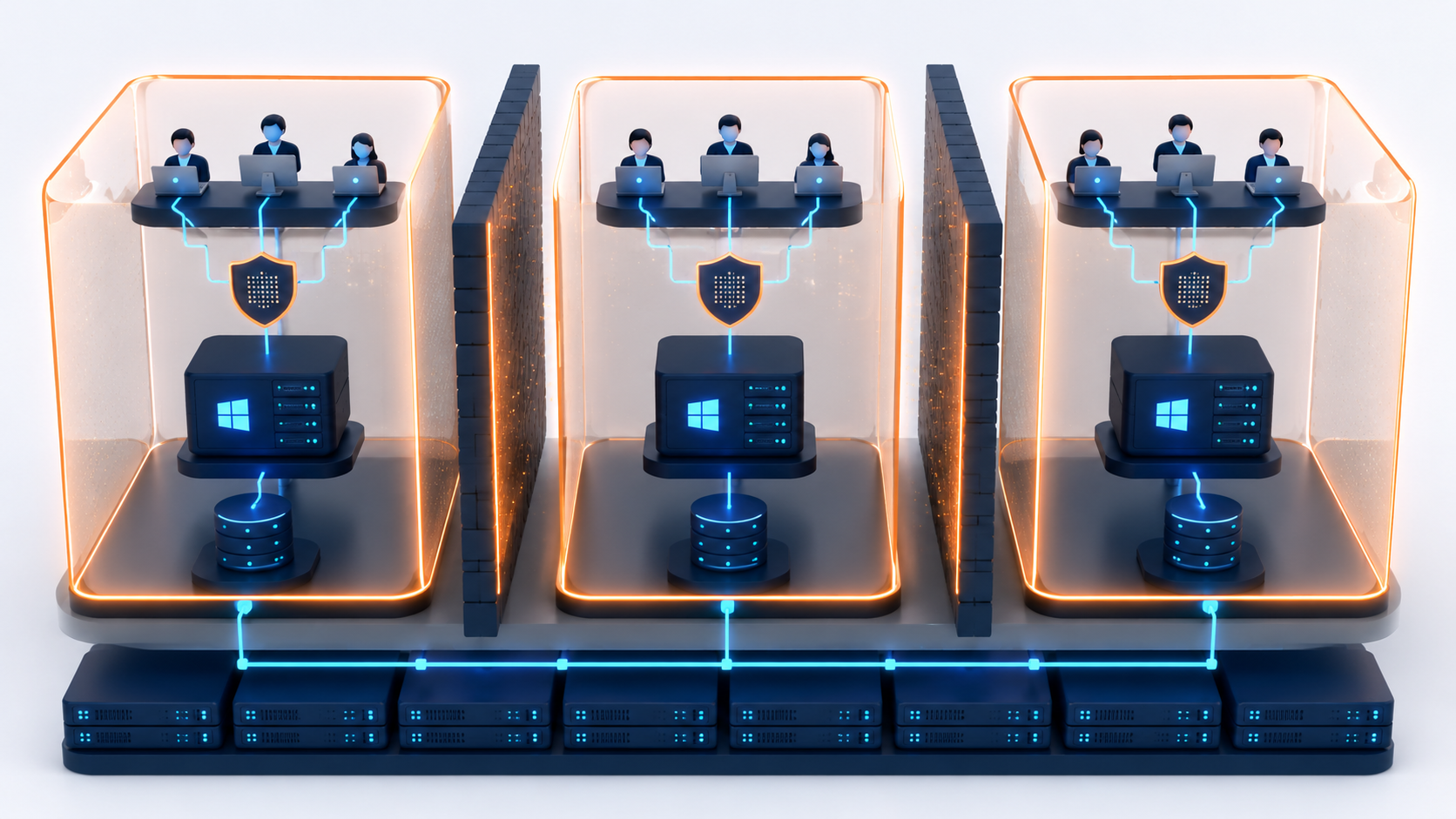
MSPs should avoid mixing unrelated client workloads inside one Windows VPS unless there is a clear business reason and risk review. Client separation makes support, security, billing, recovery, and access control cleaner.

Use this rule:
One client environment should usually have its own Windows VPS, access policy, backup plan, and documentation set.
Client separation helps with:
| Area | Why separation matters |
|---|---|
| Security | One client incident should not expose another client. |
| Backups | Restore points are easier to manage per client. |
| Billing | Infrastructure cost maps clearly to each client. |
| Support | Logs, users, and applications are easier to troubleshoot. |
| Access control | Client users and MSP admins are easier to manage. |
| Change management | Updates and app changes do not affect unrelated clients. |
| Offboarding | One client can leave without touching others. |
There are cases where a shared MSP management server makes sense, such as monitoring or internal tools. But client business applications, desktops, and data should be separated unless the architecture says otherwise.
Sizing starts with client user count and workload
Do not size MSP client environments by the client's employee count alone. Size by active users, application behavior, database load, storage growth, backup retention, and support expectations.
Use this starting model:
| Client environment | Starting size | When to move up |
|---|---|---|
| 1 admin or support user | 2 vCPU / 4 GB RAM | If apps, tools, or automation jobs are heavy |
| 3 light users | 4 vCPU / 8 GB RAM | If browser, PDF, or document workflows increase |
| 3 business software users | 4 vCPU / 16 GB RAM | If accounting, Access, tax, or legacy apps run daily |
| 5 active users | 4 vCPU / 16 GB RAM | If users run reports, PDFs, Office apps, or RDS sessions all day |
| 10 active users | 8 vCPU / 32 GB RAM | If the server becomes a shared workplace |
| Heavy SQL/ERP workload | 8-16 vCPU / 32-64 GB RAM | If database and desktop sessions compete for resources |
The sizing article in this cluster should be the internal link for MSP buyers who need a deeper user-count breakdown. The MSP article should not repeat every sizing detail; it should explain how an MSP applies sizing across many clients.
Remote access model must be part of the MSP offer
MSPs should define how users connect before the server goes live. Remote access should not be improvised after the client starts adding users.
Use this model:
| Access pattern | Recommended approach |
|---|---|
| MSP admin access only | Restricted admin RDP can work |
| One client owner/admin connects | Direct RDP with tight controls may be enough |
| Three or more client users need desktops | RDS Session Host planning |
| Users connect from changing locations | RD Gateway or a controlled access design |
| Client only uses an IIS web app | Users should access the app, not the desktop |
| Client connects to a database from another app | Avoid unnecessary desktop access |
| MSP manages many client servers | Standardize access policy and documentation |
Microsoft describes Remote Desktop Services as a Windows Server platform for securely delivering managed desktops and applications to users across office, home, branch, or partner locations. That is the right mental model for MSPs: staff desktop access is an RDS design, not just "turn on RDP."
Microsoft also states that each user or device connecting to an RD Session Host running Windows Server needs an RDS Client Access License. That licensing conversation should happen before the MSP puts client staff into daily desktop sessions.
:::cta Plan Your Windows VPS Plan client users, RDP access, backups, security, and documentation before moving MSP workloads to a Windows VPS. :::
RD Gateway becomes important as clients grow
For a one-admin environment, restricted direct RDP may be acceptable. For client teams, RD Gateway or a controlled access layer becomes more important.
RD Gateway helps MSPs because it creates a cleaner access path. Microsoft describes RD Gateway as enabling secure, encrypted connections to RDS resources over the internet without requiring VPN access.
For MSP client environments, RD Gateway is most useful when:
| Client condition | Why RD Gateway helps |
|---|---|
| Multiple users connect remotely | One controlled entry point is easier to manage. |
| User locations change | MSP avoids constantly updating many direct RDP allowlists. |
| Client has RDS Session Host | Gateway fits better with RDS architecture. |
| MSP needs cleaner documentation | Access flow is easier to explain and audit. |
| Security posture matters | Direct exposure is reduced when architecture is configured properly. |
RD Gateway does not remove the need for passwords, certificates, patches, firewall rules, logging, backups, or RDS licensing. It improves the access architecture; it does not replace MSP management.
Backup policy is part of the product
An MSP-managed Windows VPS should never go live without a backup policy. The policy should be visible to the client, written in plain language, and tied to the service level.
Define:
| Backup item | MSP decision |
|---|---|
| RPO | How much data can the client lose? |
| RTO | How quickly should the environment be restored? |
| Backup frequency | Daily, more frequent, or app-specific schedule |
| Snapshot timing | Before updates, app upgrades, and migrations |
| App-aware backup | SQL, accounting, Access, ERP, tax software |
| Off-server copy | Where recovery data exists outside the VM |
| Retention | How long restore points are kept |
| Restore owner | Who performs the restore and when |
| Restore test cadence | How often restore is validated |
Microsoft's Windows Server Backup and Storage documentation groups backup and storage topics around recovery, data corruption, storage, and disaster recovery. For MSPs, that is the point: backup is not one switch. It is a recovery process.
A good MSP offer should say what is backed up, how often, what is not covered, what restore time is realistic, and what the client must still do for application-specific data.
Security baselines help MSPs standardize
MSPs need repeatable security. Every client environment should not be a one-off server configured from memory.
Microsoft's security baselines are recommended security configuration sets for Windows and Windows Server. Microsoft's Security Compliance Toolkit lets administrators download, analyze, test, edit, and store recommended security configuration baselines.
For MSP Windows VPS environments, baseline thinking should include:
| Security area | MSP standard |
|---|---|
| Admin accounts | Named MSP admins, no shared daily admin login |
| Client users | Least privilege and role-based access |
| RDP exposure | Restricted access, not broad internet exposure |
| Firewall rules | Documented inbound/outbound rules |
| Updates | Scheduled patch windows |
| Antivirus/Defender | Policy documented and monitored |
| Audit logs | Failed logins and admin activity reviewed |
| Backups | Access restricted and monitored |
| Password policy | Strong credentials and rotation process |
| Offboarding | Remove users and credentials promptly |
Do not overstate "baseline" as compliance. A security baseline is a starting point. Client obligations, industry requirements, and application-specific rules may require more.
Documentation separates MSP service from unmanaged hosting
The difference between a Windows VPS and an MSP-managed client environment is documentation.
Each client environment should have:
| Document | What it should include |
|---|---|
| Client summary | Workload, users, purpose, owner |
| VM specs | vCPU, RAM, storage, OS version, region |
| Access model | RDP, RDS, RD Gateway, VPN, allowed users |
| Licensing notes | Windows, RDS CALs, SQL, app licenses |
| Backup policy | Frequency, retention, restore owner, off-server copy |
| Restore runbook | Step-by-step restore process |
| Update window | Patch timing and rollback process |
| App inventory | Installed apps, versions, vendor support links |
| Change log | Updates, migrations, incidents, major changes |
| Offboarding plan | How users, data, and backups are removed or transferred |
MSPs should keep restore notes outside the client VM. If the server is down, encrypted, or inaccessible, the MSP still needs the runbook.
Monitoring and alerts should match the contract
A client may assume "managed" means the MSP is watching everything. If monitoring is limited, say so. If monitoring is included, define what is watched.
Common monitoring points:
| Signal | Why MSPs track it |
|---|---|
| CPU | Detect overloaded RDS or app workloads |
| RAM | Identify memory pressure before users complain |
| Disk free space | Prevent profile, backup, or database failures |
| Backup success | Catch failed jobs before recovery is needed |
| Windows updates | Know patch state and restart needs |
| Failed logins | Detect access abuse or brute-force attempts |
| Service status | Ensure critical apps are running |
| RDP/RDS user count | Understand peak concurrency |
| Event logs | Troubleshoot recurring issues |
| Application-specific logs | Support business software incidents |
Monitoring should produce action, not noise. If alerts go nowhere, the MSP does not have monitoring; it has decoration.
Change management matters for shared client servers
MSP client Windows VPS environments often run several critical pieces at once: Remote Desktop, app software, database tools, shared folders, printers, scheduled tasks, and backups. A small change can affect many users.
Use this change process:
- Identify the affected users and applications.
- Check whether the change touches access, data, or backups.
- Take a snapshot before risky changes.
- Confirm app-specific backup is current.
- Apply the change outside busy hours.
- Test login, app launch, file access, printing, and backup.
- Record the change in the client notes.
- Keep rollback steps available.
This is especially important for tax season, month-end accounting, payroll, inventory close, and deadline-driven workflows.
MSP pricing should not hide operational work
A Windows VPS monthly price is not the full MSP service price. The MSP still has labor, monitoring, backups, licensing management, documentation, support, and client communication.
A clear client proposal should separate:
| Cost area | Example |
|---|---|
| Infrastructure | Windows VM, storage, backups, snapshots |
| Licensing | Windows, RDS CALs, SQL Server, app licenses |
| MSP management | Monitoring, patching, access management |
| Backup service | Retention, restore testing, off-server copy |
| Migration labor | Setup, app install, data copy, testing |
| Support | User help, app troubleshooting, vendor coordination |
| Security | Hardening, log review, access controls |
| Documentation | Runbooks, change logs, client notes |
This transparency helps Raff and the MSP. Raff provides infrastructure. The MSP provides the managed service around it.
How Raff fits MSP workflows
Raff fits MSP workflows when the MSP needs a Windows Server VPS for client Remote Desktop access, hosted business apps, office server replacement, legacy app hosting, tax software, Microsoft Access, SQL Server tools, IIS/.NET workloads, or standardized Windows environments.
Raff's Windows VM page lists Windows Server 2022 and 2025 deployment, full RDP access, administrator rights, 24/7 support, a 99.9% uptime SLA, and Windows deployment in about 2 minutes. For MSPs, fast deployment matters because test environments, migrations, and urgent client replacements often need to move quickly.
Raff is not the MSP. Raff provides the Windows VM infrastructure layer. The MSP should still own client onboarding, app support, licensing checks, RDS planning, backup policy, monitoring, security baseline, documentation, and user support.
That division is healthy. It lets MSPs package Raff Windows VMs into their own managed service instead of reselling a vague server with no operational process.
:::cta Deploy a Windows VM Run your Windows workload on Raff Windows VM with remote access, NVMe storage, backups, snapshots, and simple monthly pricing. :::
MSP client environment checklist
Before placing a client on a Windows VPS, confirm:
| Check | Done |
|---|---|
| Client workload is documented | [ ] |
| User count and peak concurrent users are known | [ ] |
| VM size is chosen based on workload | [ ] |
| Access model is defined | [ ] |
| RDS CAL needs are reviewed | [ ] |
| RD Gateway or direct RDP decision is documented | [ ] |
| Backup frequency and retention are defined | [ ] |
| Restore test is scheduled | [ ] |
| Security baseline is applied or reviewed | [ ] |
| Firewall rules are documented | [ ] |
| App vendor support is checked | [ ] |
| Monitoring expectations are written | [ ] |
| Patch window is agreed with the client | [ ] |
| Client admin and MSP admin roles are separated | [ ] |
| Offboarding process is documented | [ ] |

The MSP should be able to hand this checklist to a technician and get a consistent build, not a different server every time.
Common MSP mistakes with Windows VPS clients
Treating the VPS as unmanaged hosting
A client does not care that the VM exists. They care that their users, apps, files, and backups work. The MSP service layer is what makes the environment reliable.
Mixing multiple clients on one server
This creates unnecessary security, backup, billing, and offboarding complexity. Keep client environments separate unless the architecture has a clear reason.
Leaving direct RDP broadly exposed
Direct RDP may be fine for restricted admin access. It should not become the default open access method for every client user.
Forgetting RDS CAL planning
If client staff use Remote Desktop Services sessions, licensing must be addressed before production. RD Gateway does not remove RDS CAL requirements.
Selling backups without restore tests
A backup plan that has never been restored is not proven. MSPs should include restore tests in the service model.
Skipping app compatibility checks
Legacy apps, tax software, Access databases, ERP tools, and accounting software may have vendor support limits. Test before cutover.
Not documenting support boundaries
If the MSP manages the server but not the application, the client should know that before the first incident.
What's next
- Read Windows VPS sizing for remote users before choosing CPU, RAM, and storage for a client.
- Read Cloud Windows Server vs Local Office Server if your client is replacing office hardware.
- Read Windows VPS Backup Strategy for Small Businesses before storing production client data.
- Read Remote Desktop Gateway vs Direct RDP before giving users remote desktop access.
- Read Windows VPS for Business Software if the client runs accounting, ERP, SQL Server, or legacy tools.
- Read Windows VPS for Microsoft Access and Legacy Apps if the client has older Windows database tools.
- Read Windows VPS for Tax Software if the client is a tax firm or seasonal accounting office.
- Review Raff Windows VM and pricing when planning the client environment.
Sources
- Microsoft Learn - Remote Desktop Services overview in Windows Server
- Microsoft Learn - Remote Desktop Services roles
- Microsoft Learn - Deploy Remote Desktop Gateway role for Remote Desktop Services
- Microsoft Learn - License Remote Desktop Services with Client Access Licenses
- Microsoft Learn - Security baselines guide
- Microsoft Learn - Microsoft Security Compliance Toolkit
- Microsoft Learn - Backup and Storage overview for Windows Server
- Raff - Windows VM product page
- Raff - Windows Server Hosting Hub
- Raff - Windows VPS for Remote Desktop
- Raff - Pricing
Related articles
Windows VPS as a Cloud File Server: What Small Businesses Should Know
Learn when a Windows VPS can work as a cloud file server for small businesses, including SMB access, Remote Desktop, backups, security, storage, and migration planning.
Windows VPS for Multi-Location Small Businesses
Learn when a Windows VPS makes sense for multi-location small businesses, including remote access, shared apps, files, backups, RDS, and security.
Windows VPS for ERP and Inventory Software
Learn when a Windows VPS makes sense for ERP and inventory software, including remote users, database planning, backups, sizing, security, and RDS access.