In short
A secure Windows VPS starts with secure remote access. Direct RDP is convenient for administration, but exposing Remote Desktop without protection creates unnecessary risk. The recommended approach is to enable Network Level Authentication (NLA), restrict access with firewall rules and IP allowlisting, protect administrator accounts, configure lockout policies, and monitor authentication activity.
This guide focuses on securing direct RDP access to a Windows VPS. It does not replace a full Remote Desktop Services deployment or RD Gateway architecture.
Why Direct RDP needs hardening
Windows VPS servers are commonly targeted because attackers continuously scan public IP addresses for exposed remote access services. Most attacks do not exploit advanced vulnerabilities; they rely on:
- weak or reused passwords;
- exposed administrator accounts;
- unrestricted internet access to TCP 3389;
- outdated operating systems;
- lack of monitoring.
A secure Windows VPS configuration reduces the attack surface before attackers reach the login screen.
Before changing RDP security settings
Avoid locking yourself out while hardening a remote server.
Before making changes:
- confirm you have working administrator access;
- keep an active RDP session open while changing firewall settings;
- create a recovery plan or snapshot if available;
- test security changes one by one;
- avoid removing your only administrator access path.
Security improvements should make access more controlled, not impossible for legitimate administrators.
Direct RDP security checklist
Before allowing administrative access:
- Enable Network Level Authentication (NLA).
- Restrict inbound RDP traffic.
- Use IP allowlisting where possible.
- Limit who can log in through RDP.
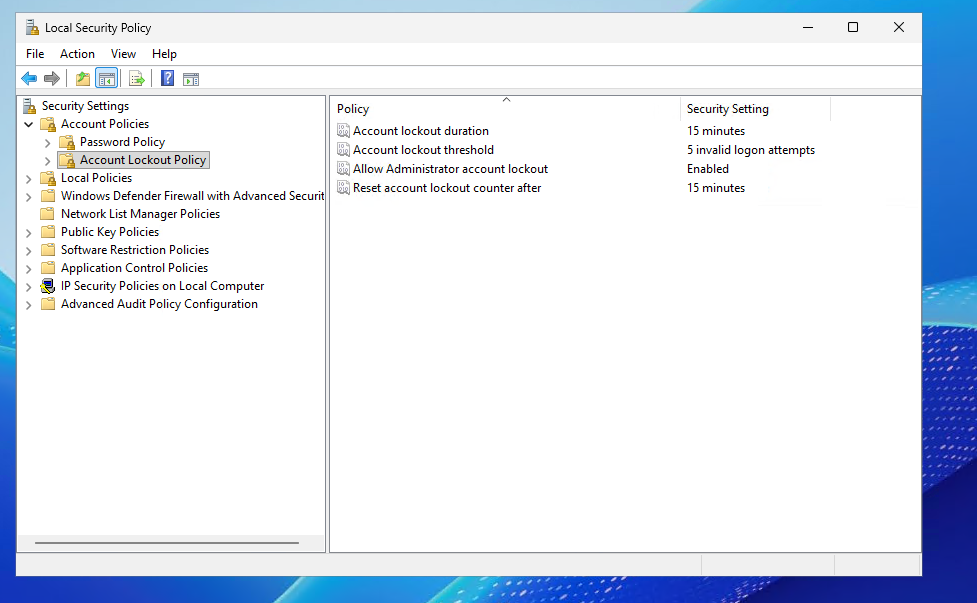
- Configure account lockout protection.
- Keep Windows Server updated.
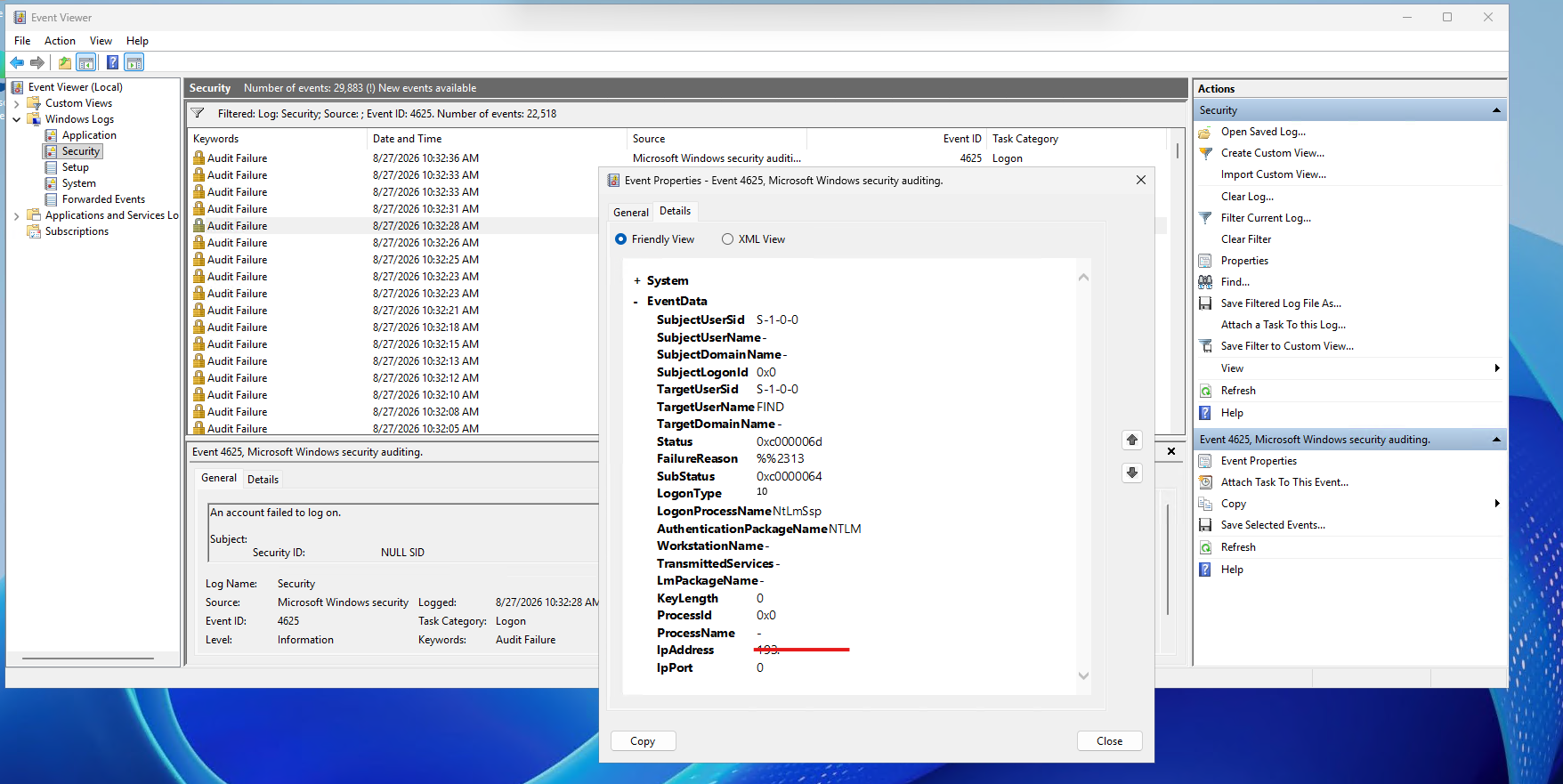
- Review failed authentication events.
- Remove unused accounts.
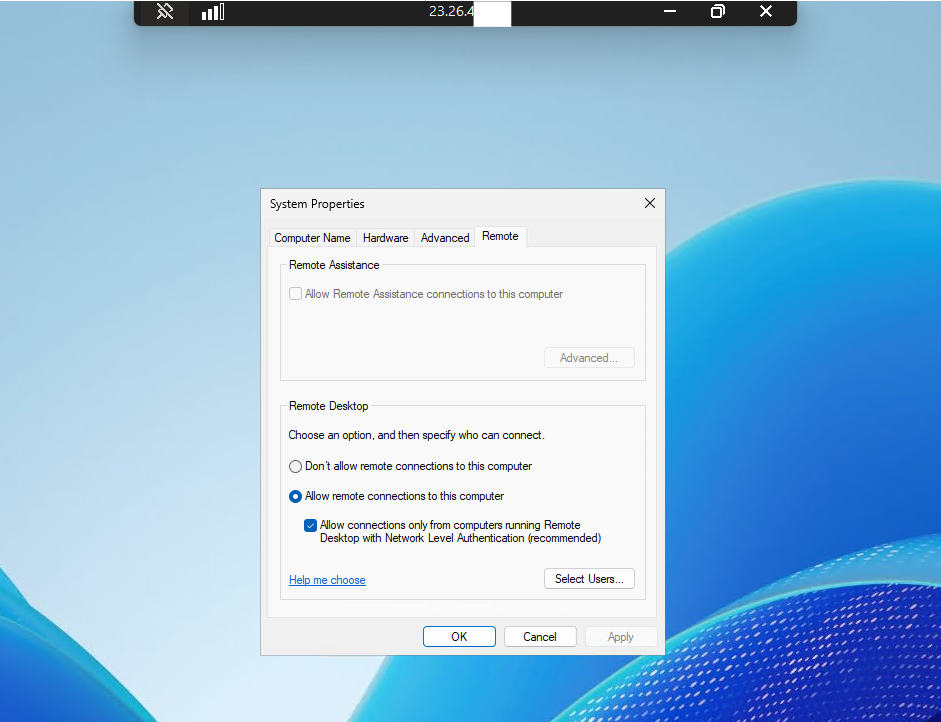
Show:
- System Properties → Remote tab
- Network Level Authentication checkbox enabled
Enable Network Level Authentication (NLA)
Network Level Authentication requires users to authenticate before a full remote desktop session is created.
Benefits:
- reduces unnecessary session exposure;
- prevents unauthenticated session creation;
- adds an additional protection layer before the desktop loads.
Verify:
System Properties
→ Remote
→ Allow connections only from computers running Remote Desktop with Network Level Authentication
NLA should be enabled on production Windows VPS deployments unless there is a specific compatibility requirement.
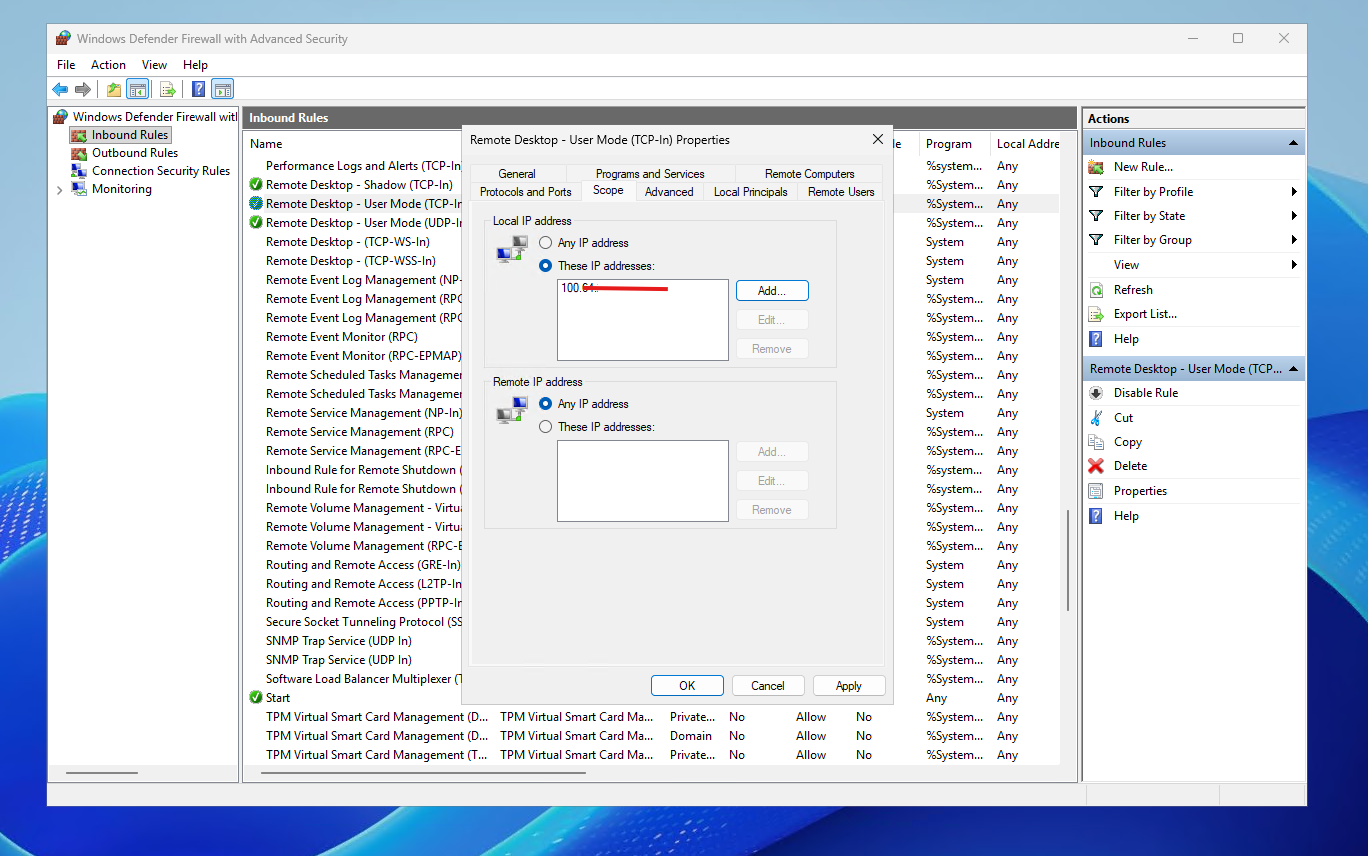
Show:
- Remote Desktop TCP-In rule
- Scope tab
- Allowed remote IP addresses