• Pricing
  • Performance
  • About Us
PricingPerformanceAbout Us
Sign InSign Up
  • Pricing
  • Performance
  • About Us
PricingPerformanceAbout Us
Sign InSign Up
Sign InGet Started

High-Performance Cloud Infrastructure

Empowering businesses with enterprise-grade cloud solutions at competitive prices. Built for reliability and simplicity. Designed for growth.

SOC 2 Compliant
ISO 27001
99.9% Uptime

Stay Updated

1000+

Customers

15,000+

VMs Deployed

24/7

Human Support

Products

Build

  • Raff VM
  • Raff Windows VM
  • Raff AppsSoon
  • Kubernetes

Templates

  • Linux VM
  • Forex VM
  • n8n VM

Store

  • Raff S3
  • Raff DatabasesSoon

Support

  • Documentation
  • API Reference
  • CLI
  • Terraform Provider
  • Contact
  • FAQ
  • Status

Company

  • About
  • Pricing
  • Blog
  • Release Notes
  • Performance
  • Status

Account

  • Sign In
  • Sign Up
  • Reset Password

Legal

  • Terms of Service
  • Privacy Policy
  • Service Level Agreement
  • Acceptable Use Policy

© 2026 Raff Technologies. All rights reserved.

System Status
run your software
run your softwarebeginner15 min read·Updated Jul 8, 2026

Windows VPS Hosting for Small Businesses

Learn when a Windows VPS makes sense for small businesses that need Remote Desktop access, Windows apps, shared files, backups, migration, and predictable cloud infrastructure.

Batuhan Esirger
Batuhan Esirger
Co-Founder & Business Lead

A Windows VPS can help small businesses run Windows workloads in the cloud when they need Remote Desktop access, hosted business apps, shared files, SQL Server tools, backups, migration from old office hardware, or a central Windows Server environment for remote users. It works best when the business plans user count, access model, application support, storage, backups, security, and licensing before production. Raff Technologies provides Windows VMs for small teams that want a practical cloud Windows Server without building a complex hyperscaler setup.

Small businesses usually do not wake up thinking, “We need a virtual private server.” They feel a business problem first.

The office server is getting old. Remote employees need access. Accounting software only works on one machine. Files are spread across offices. Backups are unclear. A legacy app still needs Windows. A tax team needs seasonal access. An MSP needs a repeatable client environment.

A Windows VPS is valuable when it turns those problems into one controlled Windows environment: users connect remotely, business apps run centrally, files are protected, backups are planned, and the server is no longer tied to one physical office.

Quick verdict: when a Windows VPS fits a small business

Use this table before choosing a Windows VPS.

Small business situationWindows VPS fitWhy
Team needs Remote Desktop accessStrong fitUsers can reach a centralized Windows environment from outside the office.
Business app runs on Windows ServerStrong fit after testingApps can run in a cloud-hosted Windows Server environment.
Office server is agingStrong fitA Windows VPS can replace the physical server role.
Multiple offices need the same apps or filesStrong fitCentralized access reduces branch-by-branch complexity.
Files need shared access and backupsGood fitA cloud file server can centralize shared folders with backup planning.
ERP, inventory, tax, or accounting software needs remote accessGood fit after vendor checksApp support, licensing, and database behavior must be reviewed.
Users only need simple document collaborationDependsSaaS file tools may be simpler.
Large local files move all dayDependsLocal storage may still be better for heavy LAN file workflows.
High availability is mandatoryNot a single VPS decisionPlan redundancy, failover, and recovery architecture.
App vendor does not support hosted/RDS useRiskyCheck vendor support before migration.

The best fit is a business that needs a central Windows Server environment for remote access, apps, files, or migration from local infrastructure.
Use Raff Windows VM when your small business needs a cloud-hosted Windows Server for remote access, apps, files, and Windows workloads.

Explore Windows VM

Why small businesses choose Windows VPS hosting

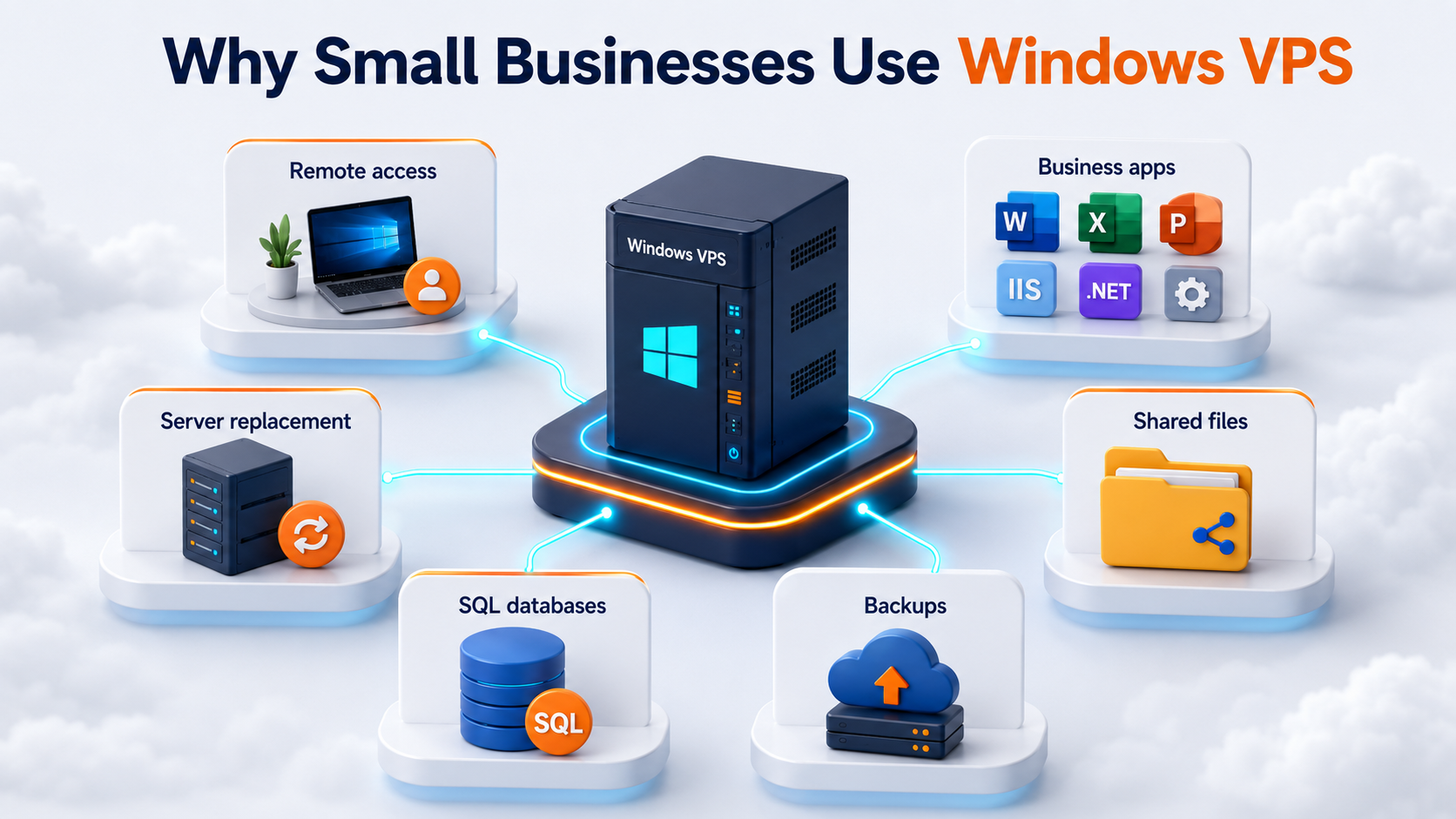
Use case map showing Windows VPS for remote access, business software, server replacement, shared files, databases, and backups

A small business usually chooses Windows VPS hosting for one of six reasons.

ReasonExample
Remote accessEmployees need to reach a Windows desktop or app from home, branches, or client sites.
Business softwareAccounting, ERP, inventory, tax, Access, or legacy apps need a central Windows environment.
Server replacementThe old office server is aging, unreliable, or difficult to maintain.
Shared filesUsers need central folders, mapped drives, or app file paths.
DatabasesSQL Server or app databases need a Windows Server environment.
Better recovery planningBackups, snapshots, restore testing, and off-server copies need to be clearer.

The goal is not “move everything to cloud” by default. The goal is to put the right Windows workloads in an environment that is easier to access, manage, back up, and support.

Windows VPS vs local office server

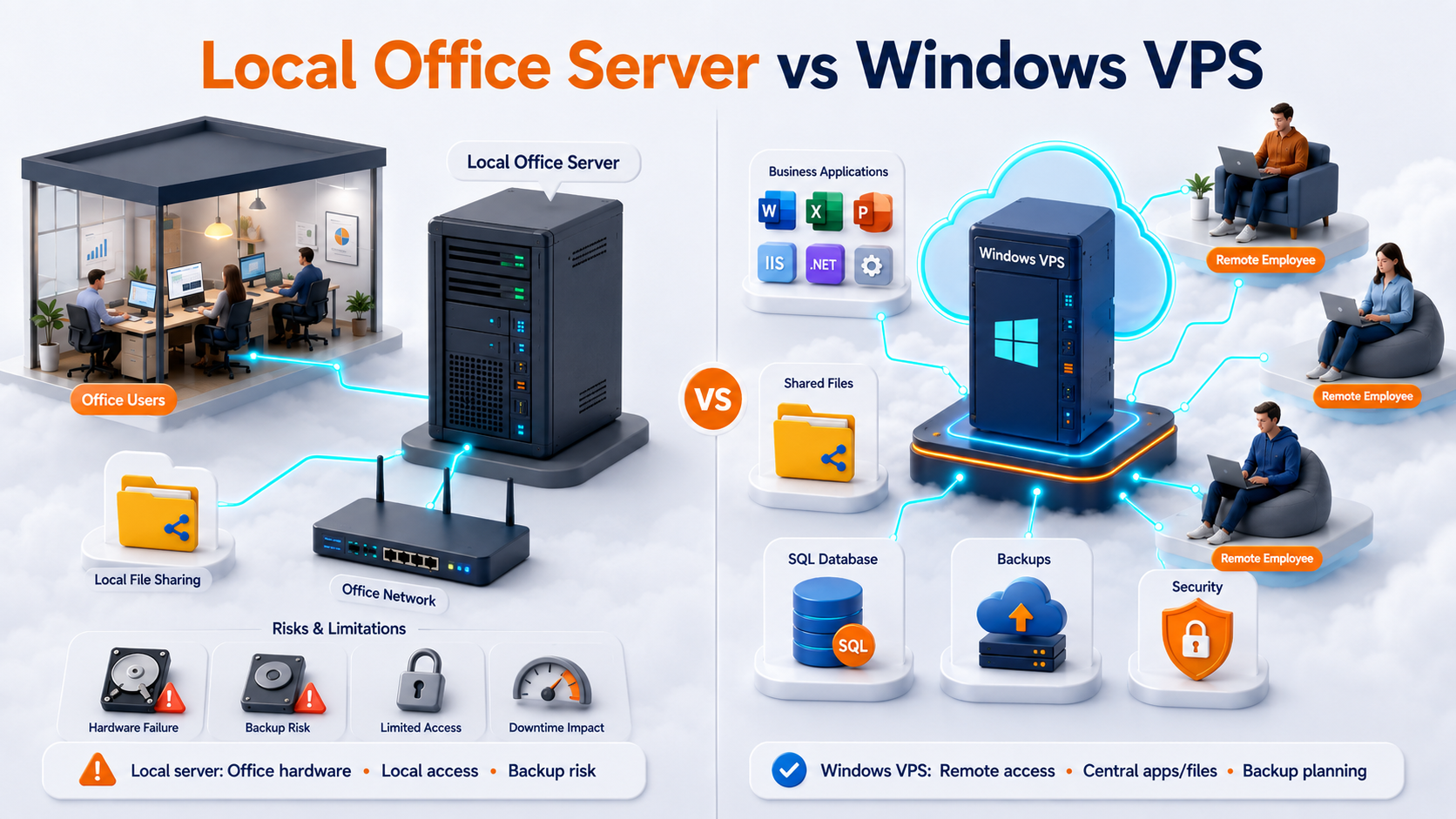
A local office server can still work when users are on-site, workloads depend on local hardware, and the business has reliable power, cooling, backup, and IT support. Comparison visual showing local office server versus Windows VPS for small business users, apps, files, and backups A Windows VPS becomes attractive when the business needs remote access, multi-location access, or a cleaner replacement for old hardware.

AreaLocal office serverWindows VPS
Server locationOne physical officeCloud-hosted Windows Server VM
HardwareBusiness owns and replaces itCloud VM replaces physical server role
Remote usersVPN, firewall, or local workaroundRemote access can be planned from the start
Multi-location accessOften complexCentralized environment for branch users
BackupsOften inconsistent or localVM backup, snapshot, and restore planning can be centralized
ScalingBuy or replace hardwareResize VM or split roles
SupportMay require on-site workMSP/team can manage a known cloud environment
RiskOffice power/hardware can block accessNot tied to one office server

The decision is not “cloud always wins.” The decision is whether the workload benefits from being centralized in a hosted Windows environment.

Windows VPS vs SaaS tools

A Windows VPS is not always the best answer. Some business problems are better solved with SaaS.

NeedWindows VPSSaaS
Run a Windows-only desktop appStrong fitUsually poor fit unless vendor has SaaS version
Host legacy business softwareStrong fit after testingDepends on replacement availability
Use mapped drives or NTFS permissionsStrong fitDifferent model
Real-time document co-authoringNot idealStrong fit
Vendor-managed updatesBusiness/MSP manages appVendor usually manages
Custom Windows server controlStrong fitLimited
Simple file sharingCan workOften simpler
SQL Server-backed appStrong fitDepends on app

If a SaaS version of the application fully replaces the workflow, it may be simpler. If the business still depends on Windows Server, Remote Desktop, mapped drives, SQL Server, or legacy apps, a Windows VPS may be the practical path.

Common Windows VPS use cases for small businesses

Remote Desktop for employees

Many small businesses use a Windows VPS so employees can connect to a central Windows environment instead of relying on one office PC or server.

Remote Desktop fits when:

SituationWhy it fits
Users need access from homeThe Windows environment is reachable remotely.
Multiple users need the same appThe app can run centrally where supported.
Branch users need shared accessOffices connect to one environment.
MSP manages usersAccess can be documented and standardized.

Microsoft describes Remote Desktop Services as a Windows Server platform for securely delivering managed desktops and applications to users in offices, homes, branches, and partner locations. That is the right mental model for many small business Remote Desktop scenarios.

For staff desktop sessions, licensing matters. Microsoft states that each user or device connecting to an RD Session Host running Windows Server needs an RDS Client Access License.

Business software hosting

A Windows VPS can host Windows-based business software when the vendor supports the environment.

Examples include:

Software typePlanning focus
Accounting softwareData location, printers, RDS support, backups
Tax softwareSeasonal users, client files, vendor support
ERP/inventoryDatabase, reports, branches, device workflows
Microsoft AccessFront-end/back-end split, file paths, RDP access
Legacy appsRuntime dependencies, licensing, support
SQL-backed appsSQL Server backups, logins, jobs, connection strings

The application should be tested before production. A Windows VPS can provide the server environment, but the vendor support model still matters.

Cloud file server

A Windows VPS can work as a cloud file server when the business needs shared folders, NTFS permissions, mapped drives, and backup planning.

It is strongest when:

File patternFit
Users access files through RDP/RDSStrong fit
Business apps need shared foldersGood fit after testing
Multi-location users need one file locationGood fit
Folder permissions matterGood fit
Users want direct SMB from anywhereRisky without secure access design

Microsoft describes SMB as the protocol Windows uses for file sharing. SMB should be used through a controlled access model, not casually exposed to the public internet.

SQL Server and database-backed apps

A Windows VPS can support SQL Server-backed business apps when the database workload is sized and backed up correctly.

Plan:

SQL areaWhat to check
SQL version and editionSupported by the application
Recovery modelAffects backup and restore strategy
Logins and usersMust migrate correctly
SQL Agent jobsBackups, imports, exports, reports
Connection stringsApps must point to the new SQL Server
Firewall rulesRestrict access to required paths
Restore testProves backup recovery

SQL Server migration is not only restoring a database. Logins, jobs, permissions, and app connections matter.

Office server replacement

Many small businesses reach Windows VPS hosting because the old office server becomes a risk.

Warning signs:

SignMeaning
Hardware is oldReplacement risk is growing
Backups are unclearRecovery is not proven
Remote access is messyUsers depend on workarounds
Multiple offices copy files manuallyCentralization may help
One person knows the setupDocumentation risk
Server runs many hidden tasksMigration checklist is needed

A side-by-side migration is usually safer: build the new Windows VPS, test apps and users, run final sync, cut over, and keep rollback ready.

How to choose the right Windows VPS size

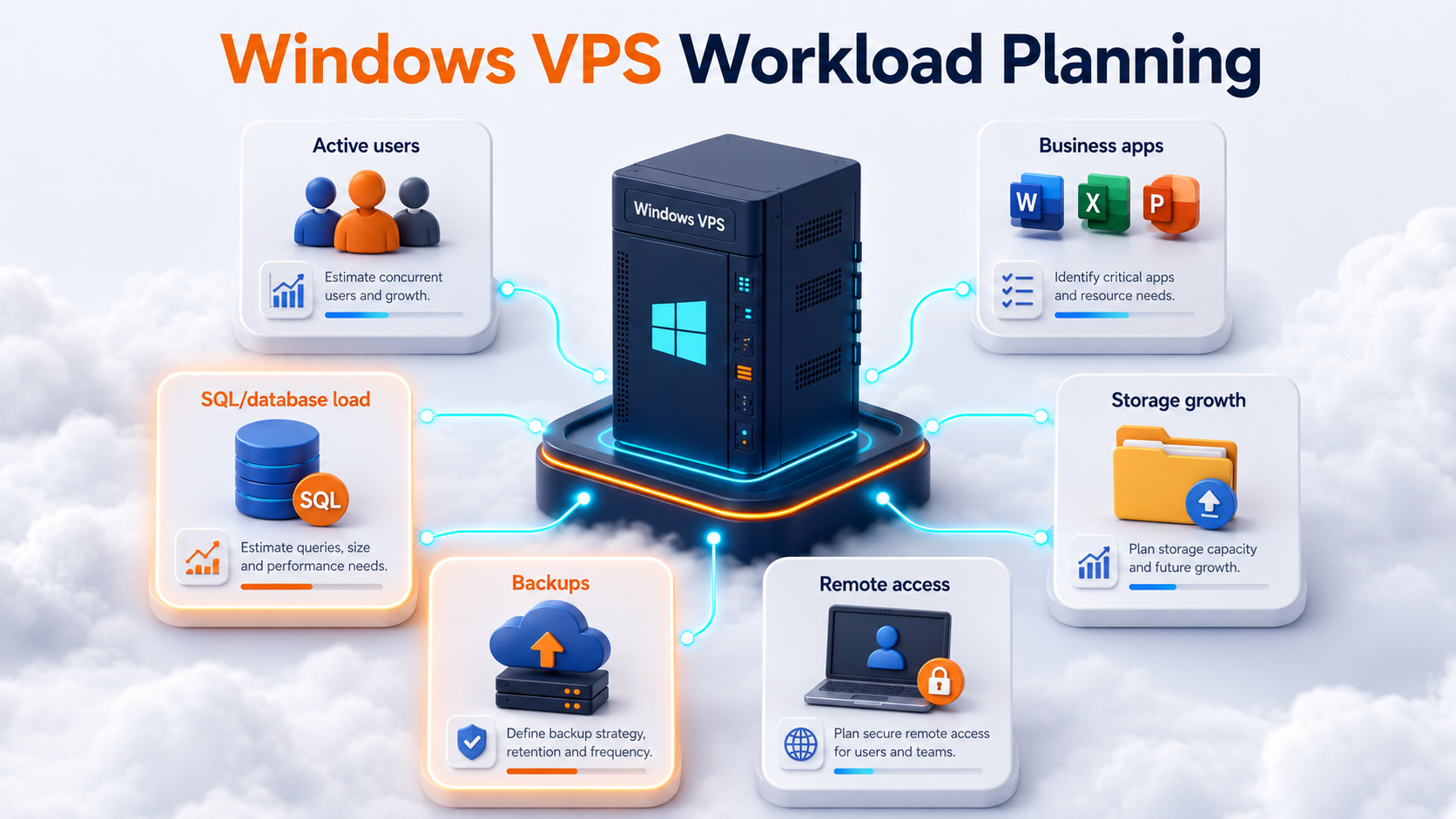
Do not size a Windows VPS only by employee count. Size it by active users, application workload, database load, storage growth, and remote access pattern.

Workload planning visual for small business Windows VPS sizing with users, apps, SQL, storage, backups, and growth

Use this starting model:

WorkloadStarting sizeWhen to move up
1 admin or light user2 vCPU / 4 GB RAMIf apps or reports run on the server
3 light remote users4 vCPU / 8 GB RAMIf users keep browsers, PDFs, or Office apps open
3 business app users4 vCPU / 16 GB RAMIf accounting, Access, tax, or legacy apps run daily
5 active users4 vCPU / 16 GB RAMIf users stay logged in most of the day
10 active users8 vCPU / 32 GB RAMIf the VPS becomes a shared workplace
SQL/ERP/heavy app8-16 vCPU / 32-64 GB RAMIf database, reports, and sessions compete

Storage should include production files, app data, database files, user profiles, logs, backups, reports, exports, and 12 to 24 months of expected growth.

Compare Raff Windows VM plans when sizing CPU, memory, storage, and monthly cost for your small business workload.

View Pricing

Remote access: direct RDP, RDS, RD Gateway, or VPN?

Remote access should be designed before users start working.

Access modelBest fit
Direct admin RDPOne or two administrators
RDS Session HostMultiple staff users need desktop/app sessions
RD GatewayControlled access for remote RDS users
VPN/private accessMapped drives or internal tools need private network access
Web app accessUsers only need browser access to an app

Direct RDP may be acceptable for restricted admin access. It should not become the default plan for every business user without a security review.

RD Gateway can be useful when multiple users connect from changing locations. Microsoft describes RD Gateway as enabling secure, encrypted connections to RDS resources over the internet without requiring VPN access.

Backups are part of the Windows VPS decision

A Windows VPS should not become production until backup and restore planning are clear.

Plan:

Backup layerPurpose
VM backupRecover the whole Windows VPS
Snapshot before changesRoll back before risky updates or migrations
File-level backupRestore individual files or folders
Database backupProtect SQL Server or app databases
Off-server copyReduce risk from VM/account/ransomware scenarios
Restore testProve recovery works

Backups should be tied to business expectations:

TermMeaning
RPOHow much data loss is acceptable
RTOHow long the business can be down

A 3-user office may accept different recovery targets than a tax firm during filing season or a warehouse during daily shipping.

Protect your Windows VPS workload with backup, snapshot, and restore planning before storing production business data.

Explore Data Protection

Security planning for small business Windows VPS

A Windows VPS can hold business-critical data, so security must be planned before users connect.

Minimum planning:

AreaRecommendation
Admin accessUse named admin accounts
User accessLeast privilege and role-based groups
RDP exposureAvoid broad direct RDP exposure
Firewall rulesAllow only required ports and sources
UpdatesPatch Windows and business apps deliberately
BackupsRestrict who can delete or modify backups
PasswordsUse strong credentials and offboarding process
LogsReview failed logins and access events
App supportKeep vendor-supported versions where possible
DocumentationRecord access, roles, backups, and support owners

Microsoft provides Windows Server security baseline guidance and Security Compliance Toolkit resources for recommended configuration baselines. For small businesses, baselines are a starting point, not a complete compliance program.

Licensing and support questions to ask

Before production, answer these questions:

QuestionWhy it matters
Does the app vendor support Windows Server?Unsupported apps create migration risk.
Does the app support RDS or multi-user sessions?Staff Remote Desktop use may need a supported model.
Are RDS CALs required?Staff desktop sessions differ from admin access.
Does SQL Server licensing apply?SQL Server edition and licensing are separate decisions.
Are Windows users named and documented?Shared accounts create security and support problems.
Who patches the server?Updates need ownership.
Who supports the app?Infrastructure and app support are different.
Who tests restores?Backups are only useful if recoverable.

A Windows VPS is infrastructure. The business or MSP still owns the software, licensing, access, backups, and support process unless a specific managed service says otherwise.

Migration path from local server to Windows VPS

For many SMBs, the Windows VPS journey starts with migration from local hardware.

Use this safe pattern:

  1. Inventory the old server.
  2. Decide what moves, rebuilds, retires, or stays local.
  3. Build the new Windows VPS.
  4. Configure access, users, firewall, and backups.
  5. Run test migration.
  6. Test real workflows.
  7. Schedule cutover.
  8. Run final sync or final backup/restore.
  9. Move users.
  10. Keep rollback ready.
  11. Monitor after cutover.

Do not break the old server first. Keep it available until the Windows VPS is proven.

Windows VPS for MSP-managed clients

MSPs can use Windows VPS environments to standardize client workloads.

Good MSP use cases:

MSP client needWhy Windows VPS helps
Replace aging office serversRemoves hardware dependency
Host client business appsCentralizes Windows app access
Support remote usersGives a known access model
Standardize backupsEasier to document and monitor
Separate client environmentsCleaner security and billing
Build test environmentsSafer migrations and upgrades

Each client should usually have its own Windows VPS, access policy, backup plan, documentation set, and offboarding process.

Windows VPS pricing: what affects cost?

Small businesses should compare more than the base monthly VM price.

Cost drivers include:

Cost areaWhat affects it
CPU and RAMActive users, apps, reports, SQL workload
StorageFiles, databases, profiles, logs, growth
BackupsRetention, frequency, restore needs
Windows licensingDepends on provider and deployment model
RDS CALsRequired for staff RDS usage scenarios
SQL ServerEdition and licensing model
Migration laborApps, files, SQL, AD, cutover
SupportInfrastructure support vs app support
SecurityAccess controls, monitoring, hardening
Downtime riskRecovery expectations and redundancy

The cheapest server is not always the cheapest operating model. The right Windows VPS plan should match the workload and recovery expectations.

How Raff fits Windows VPS hosting for small businesses

Raff fits small businesses that need a cloud-hosted Windows Server environment for Remote Desktop access, business apps, shared files, SQL Server tools, office server replacement, migration, multi-location users, MSP client environments, tax software, accounting workflows, ERP/inventory systems, or Microsoft Access and legacy apps.

Raff Windows VMs can serve as the infrastructure layer. From there, the business or MSP should configure users, applications, RDS access, backups, security rules, monitoring, and documentation.

Raff is not a replacement for application vendor support, SQL Server licensing, RDS CAL planning, or internal business process ownership. The clean model is: use Raff for the Windows VM foundation, then plan the workload correctly.

Create a Raff Windows VM when your team is ready to run Windows workloads, remote users, apps, and shared files in the cloud.

Deploy Windows Now

Recommended path by small business situation

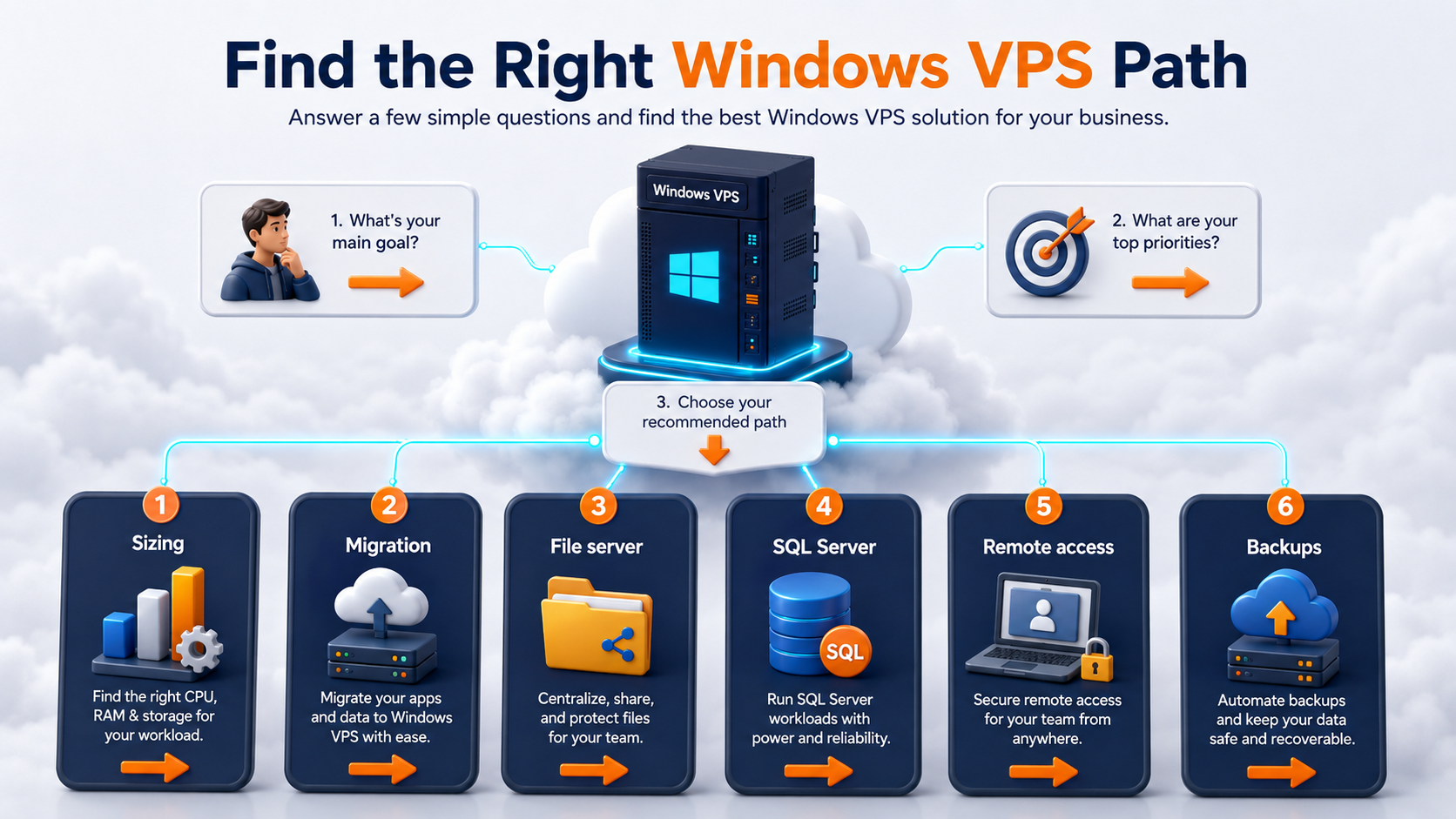
Decision path visual showing small business Windows VPS use cases including sizing, migration, files, SQL, remote access, and backups

Business situationRecommended next guide
You are sizing for usersWindows VPS sizing for remote users
You are replacing office hardwareCloud Windows Server vs Local Office Server
You need migration planningWindows Server Migration Checklist
You are moving a local serverLocal Office Server to Cloud Windows VPS Migration
You are moving file sharesFile Server Migration to Windows VPS
You are moving SQL ServerSQL Server Migration to Windows VPS
You need shared foldersWindows VPS as a Cloud File Server
You need remote access securityRD Gateway vs Direct RDP
You run ERP or inventory softwareWindows VPS for ERP and Inventory Software
You run tax softwareWindows VPS for Tax Software
You use Access or legacy appsWindows VPS for Microsoft Access and Legacy Apps
You manage clients as an MSPWindows VPS for MSP Client Environments

This page is the starting point. The supporting guides help you make the detailed decision.

What's next

  • Explore Raff Windows VM when you are ready to compare Windows VM plans.
  • Review Raff pricing when sizing CPU, RAM, storage, and monthly cost.
  • Read Windows VPS sizing for remote users before choosing a plan.
  • Read Cloud Windows Server vs Local Office Server if you are replacing office hardware.
  • Read Windows Server Migration Checklist for Small Businesses before moving production workloads.
  • Read Local Office Server to Cloud Windows VPS Migration if you are moving from local hardware.
  • Read File Server Migration to Windows VPS if shared folders are part of the move.
  • Read SQL Server Migration to Windows VPS if the workload depends on SQL Server.

Sources

  • Microsoft Learn — Remote Desktop Services overview in Windows Server
  • Microsoft Learn — Remote Desktop Services roles
  • Microsoft Learn — License Remote Desktop Services with Client Access Licenses
  • Microsoft Learn — Deploy Remote Desktop Gateway role for Remote Desktop Services
  • Microsoft Learn — What is SMB File Sharing for Windows and Windows Server?
  • Microsoft Learn — SMB security hardening in Windows Server and Windows Client
  • Microsoft Learn — Back up and restore of SQL Server databases
  • Microsoft Learn — Recovery models in SQL Server
  • Microsoft Learn — Security baselines guide
  • Microsoft Learn — Microsoft Security Compliance Toolkit
  • Raff — Windows VM product page
  • Raff — Windows Server Hub
  • Raff — Pricing
Was this article helpful?

Published July 8, 2026 · Updated July 8, 2026

Back to hub
On this page
Quick verdict: when a Windows VPS fits a small businessWhy small businesses choose Windows VPS hostingWindows VPS vs local office serverWindows VPS vs SaaS toolsCommon Windows VPS use cases for small businessesHow to choose the right Windows VPS sizeRemote access: direct RDP, RDS, RD Gateway, or VPN?Backups are part of the Windows VPS decisionSecurity planning for small business Windows VPSLicensing and support questions to askMigration path from local server to Windows VPSWindows VPS for MSP-managed clientsWindows VPS pricing: what affects cost?How Raff fits Windows VPS hosting for small businessesRecommended path by small business situationWhat's nextSources

Related articles

run your softwareWindows VPS for Accounting Firms: Remote Access, Apps, Files, and Backups Learn when a Windows VPS makes sense for accounting firms that need remote access, QuickBooks, Sage, tax software, client files, backups, security, and cloud Windows Server hosting.18 min read7/8/2026run your softwareWindows VPS for MSP Client EnvironmentsLearn how MSPs can use Windows VPS environments for client apps, Remote Desktop, backups, security, documentation, and repeatable deployments.15 min read7/3/2026run your softwareWindows VPS as a Cloud File Server: What Small Businesses Should KnowLearn when a Windows VPS can work as a cloud file server for small businesses, including SMB access, Remote Desktop, backups, security, storage, and migration planning.15 min read7/3/2026