In short
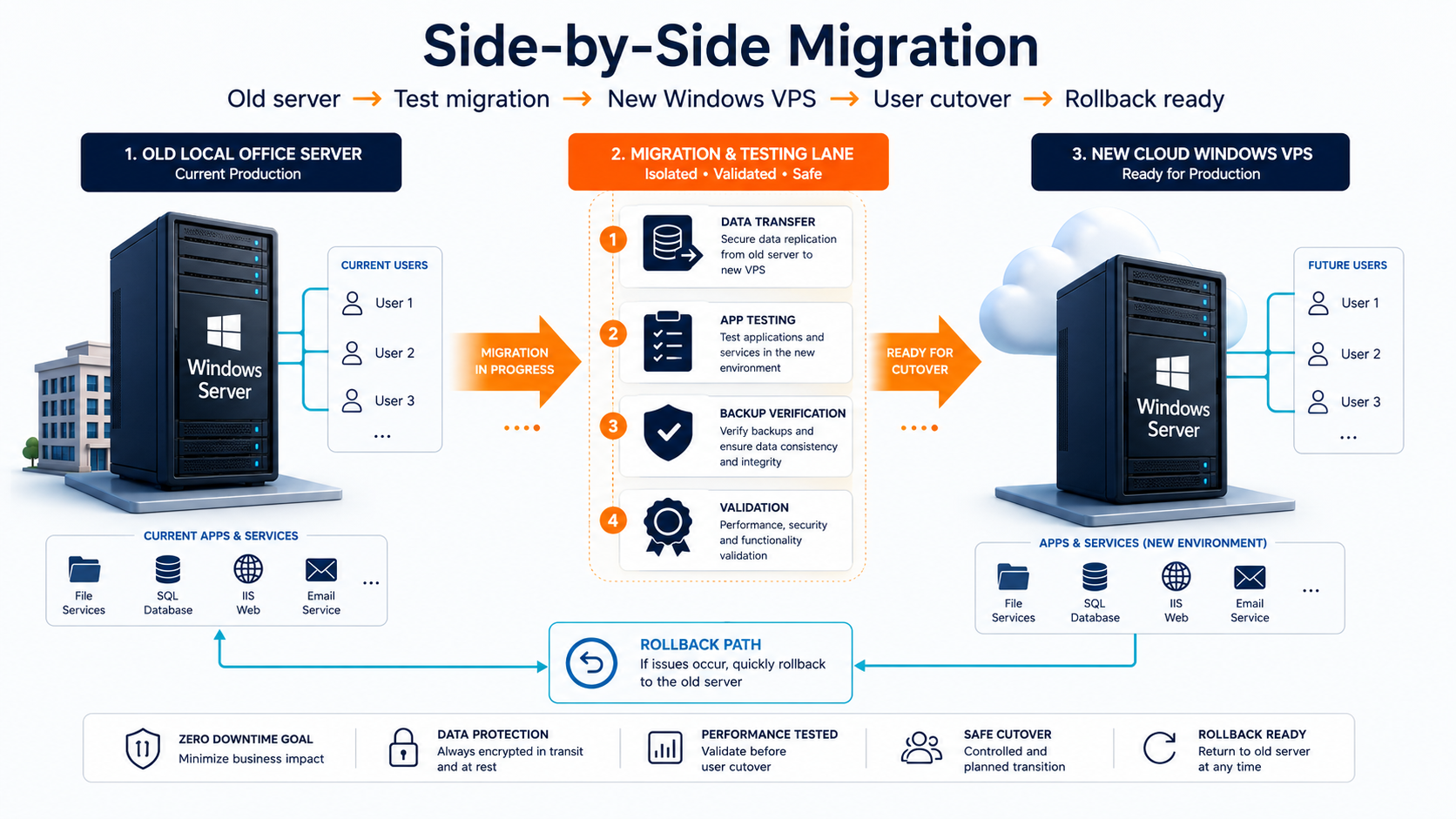
A server migration checklist should answer five questions before production moves: what the current Windows Server does, what must move, how the destination will be built, how users will be tested, and exactly how you will roll back if cutover fails. Raff Technologies recommends a side-by-side migration for many small-business Windows workloads because the old server can remain available while the new Windows VM is built, tested, synchronized, and validated.
Do not treat migration as a file-copy task. A Windows Server can contain Active Directory, DNS, RDS, SQL Server, IIS, business applications, scheduled tasks, certificates, printers, service accounts, file shares, backup jobs, and integrations that fail independently.
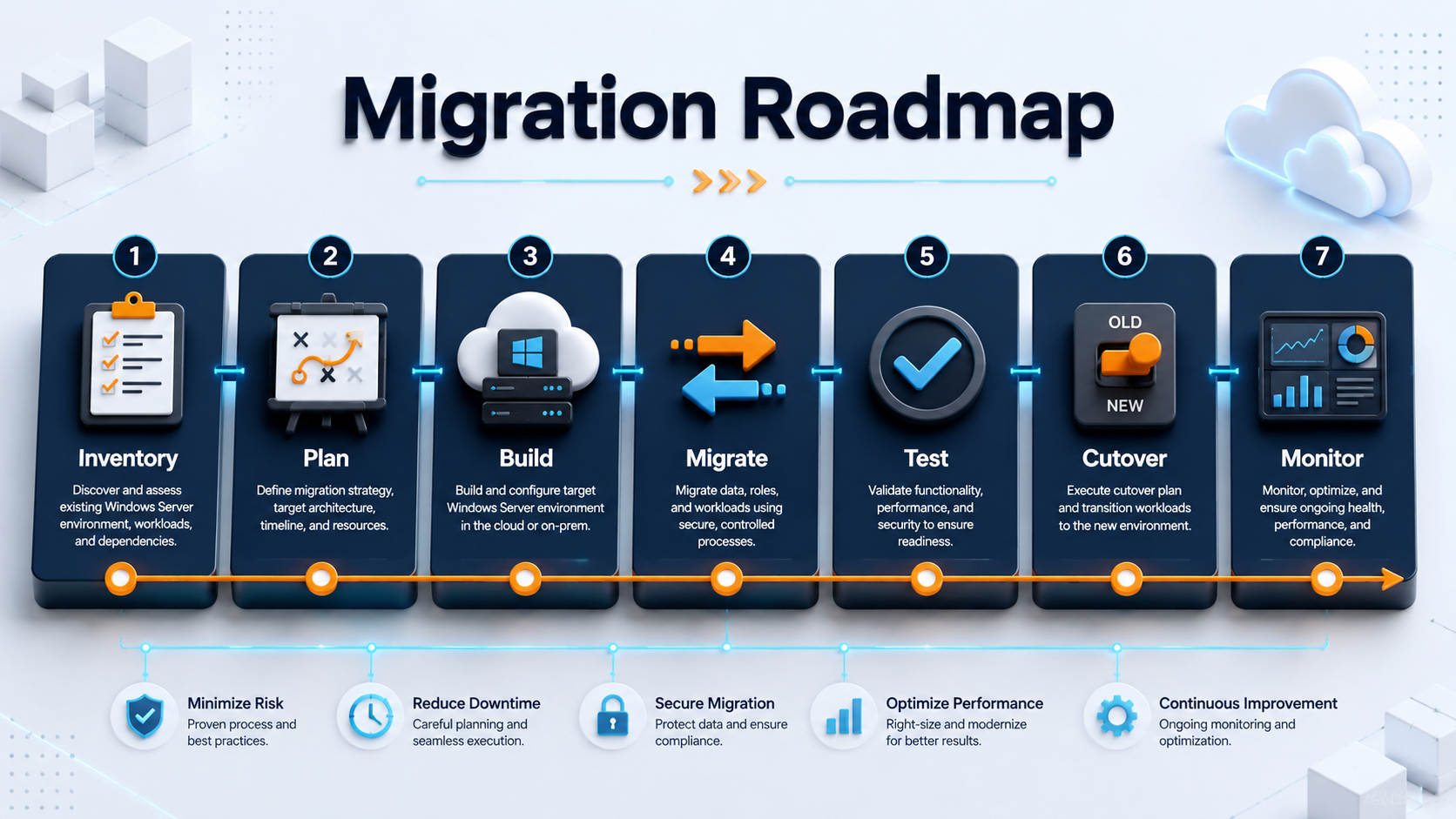
For most small businesses, the safe order is:
Inventory
-> classify workloads
-> choose migration method
-> build destination
-> protect source
-> migrate and test
-> freeze writes
-> final sync
-> cut over
-> validate users
-> keep rollback
-> monitor
If the source is Windows Server 2016, extended support ends on January 12, 2027. Start compatibility testing and migration planning before that date rather than treating the support deadline as the project start date.
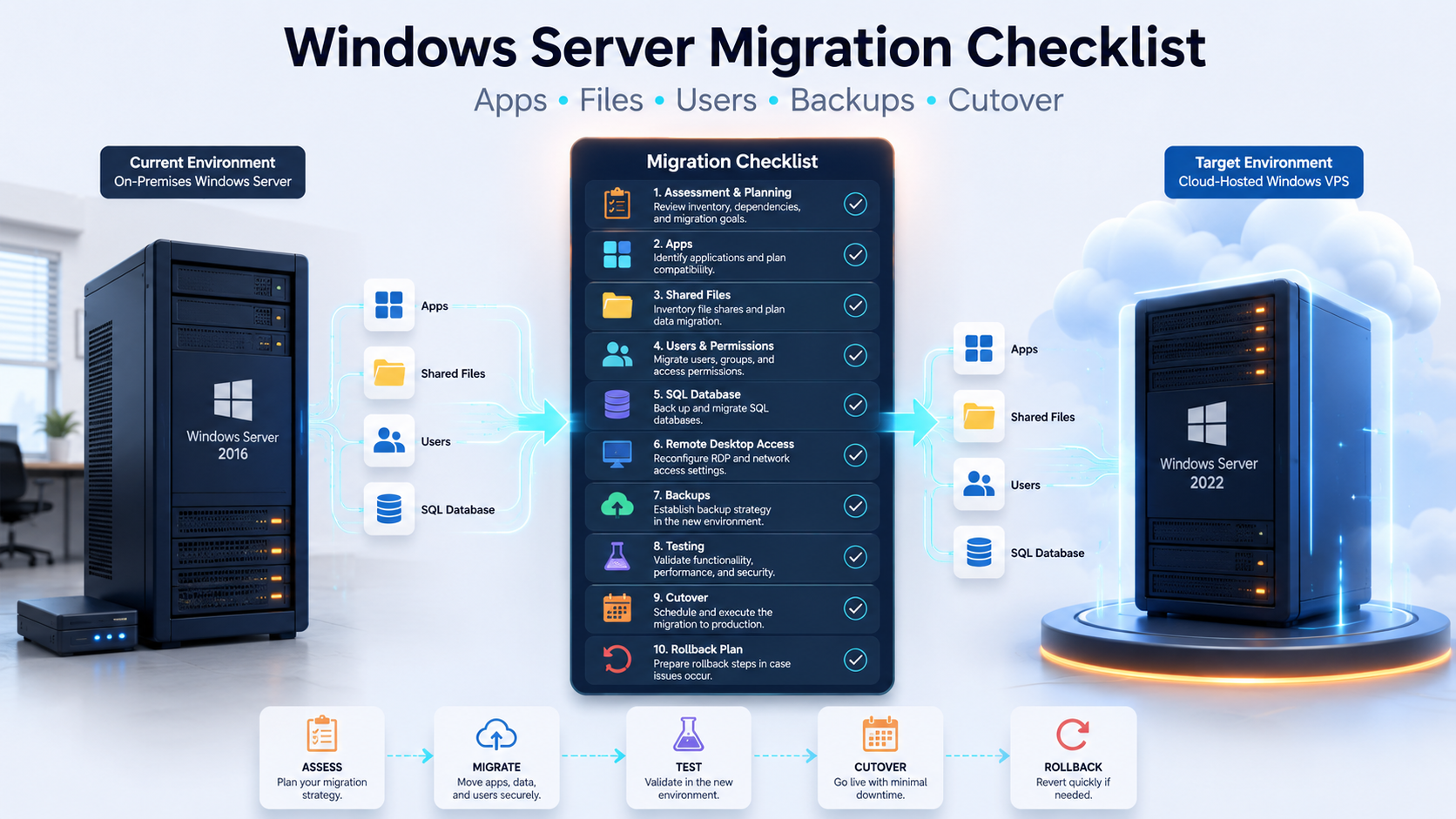
Server migration checklist for small businesses
Use this as the control list for the project.
| Phase | Checklist item |
|---|---|
| Scope | List every server role, application, database, share, user, service account, certificate, and dependency |
| Destination | Decide whether the target is a new physical server, Windows VM, or hybrid environment |
| Migration method | Choose in-place upgrade, side-by-side migration, clean rebuild, or role-specific migration |
| Access | Plan RDP, RDS, RD Gateway, VPN/private access, DNS, firewall rules, and user authentication |
| Applications | Confirm vendor support, installers, versions, licences, service accounts, and data locations |
| Files | Inventory shares, NTFS permissions, mapped drives, open files, storage use, and growth |
| Databases | Plan SQL Server backup/restore, logins, jobs, connection strings, permissions, and validation |
| Active Directory | Review DC health, DNS, FSMO roles, GPOs, replication, DHCP, and time synchronization |
| Protection | Take source backups and verify a restore path before migration work starts |
| Testing | Test real business workflows, not only server boot or administrator login |
| Cutover | Freeze writes, run final sync, switch users and endpoints, then validate |
| Rollback | Define the rollback trigger, owner, deadline, data handling, and old-server state |
| Monitoring | Watch CPU, RAM, disk, backups, authentication, services, jobs, and user issues after cutover |
| Documentation | Record credentials, access paths, licences, backup ownership, support contacts, and recovery steps |
The goal is not zero change. The goal is controlled change with enough evidence to know when the destination is ready.