
In short
Adding MFA to Remote Desktop Services protects Windows Server access even when passwords are compromised. A production RDS design should combine Remote Desktop Gateway, a RADIUS-based MFA provider, and controlled user access instead of relying only on passwords.
This guide explains the MFA architecture behind Windows Server 2025 RDS environments and how administrators should approach identity protection for remote desktop access.
Why MFA matters for Remote Desktop Services
Remote Desktop access is a common target because it provides direct access to business systems. Password-only protection creates risk when credentials are stolen, reused, or exposed.
MFA adds another verification step before users receive access.
Common risks MFA helps reduce:
- stolen password usage;
- unauthorized remote access;
- compromised administrator accounts;
- credential replay attacks.
MFA architecture for RDS
A common production architecture looks like this:
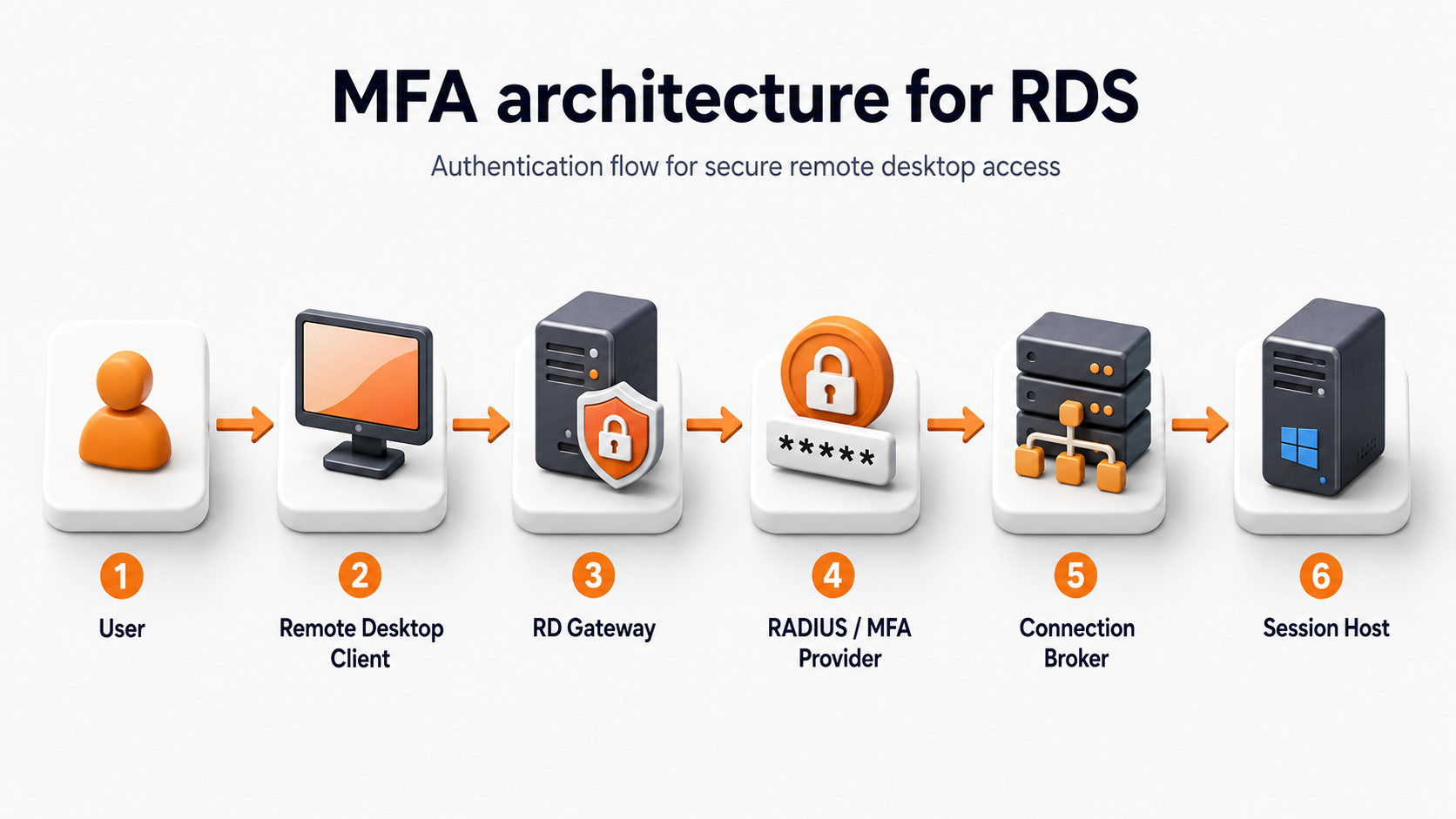 MFA is normally added at the RD Gateway layer rather than directly exposing Session Hosts to the internet.
The authentication flow is:
- User starts a Remote Desktop connection.
- RD Gateway receives the request.
- RADIUS forwards authentication to the MFA provider.
- The user completes the second verification step.
- Connection Broker connects the user to the correct Session Host.
Prerequisites before adding MFA
Before configuring MFA, confirm:
- Windows Server 2025 RDS deployment is working;
- RD Gateway is installed or planned;
- Active Directory users are available;
- certificates and DNS are configured correctly;
- the MFA provider supports RADIUS integration.
Start with Remote Desktop Services Configuration on Windows Server 2025 if the RDS environment is not deployed yet.