
Cloud storage architecture is the way a production application separates runtime disks, persistent block storage, databases, durable files, backups, and restore paths so one failure does not turn into a data-recovery problem.
For most small teams, the strongest default is simple: keep the VM replaceable, keep durable files outside the VM lifecycle, give stateful services an explicit storage owner, and design backups from the recovery target rather than from whatever storage happens to be easiest to snapshot.
At Raff Technologies, that usually means combining the infrastructure layers according to what the data actually needs: a VM for application runtime, Volumes for disk-like persistent data, Object Storage for durable file objects and archives, Managed Databases when the database host should not be your responsibility, and Data Protection for VM recovery points.
The goal is not to use every storage product. It is to make sure each important byte has one clear home and one tested path back after failure.
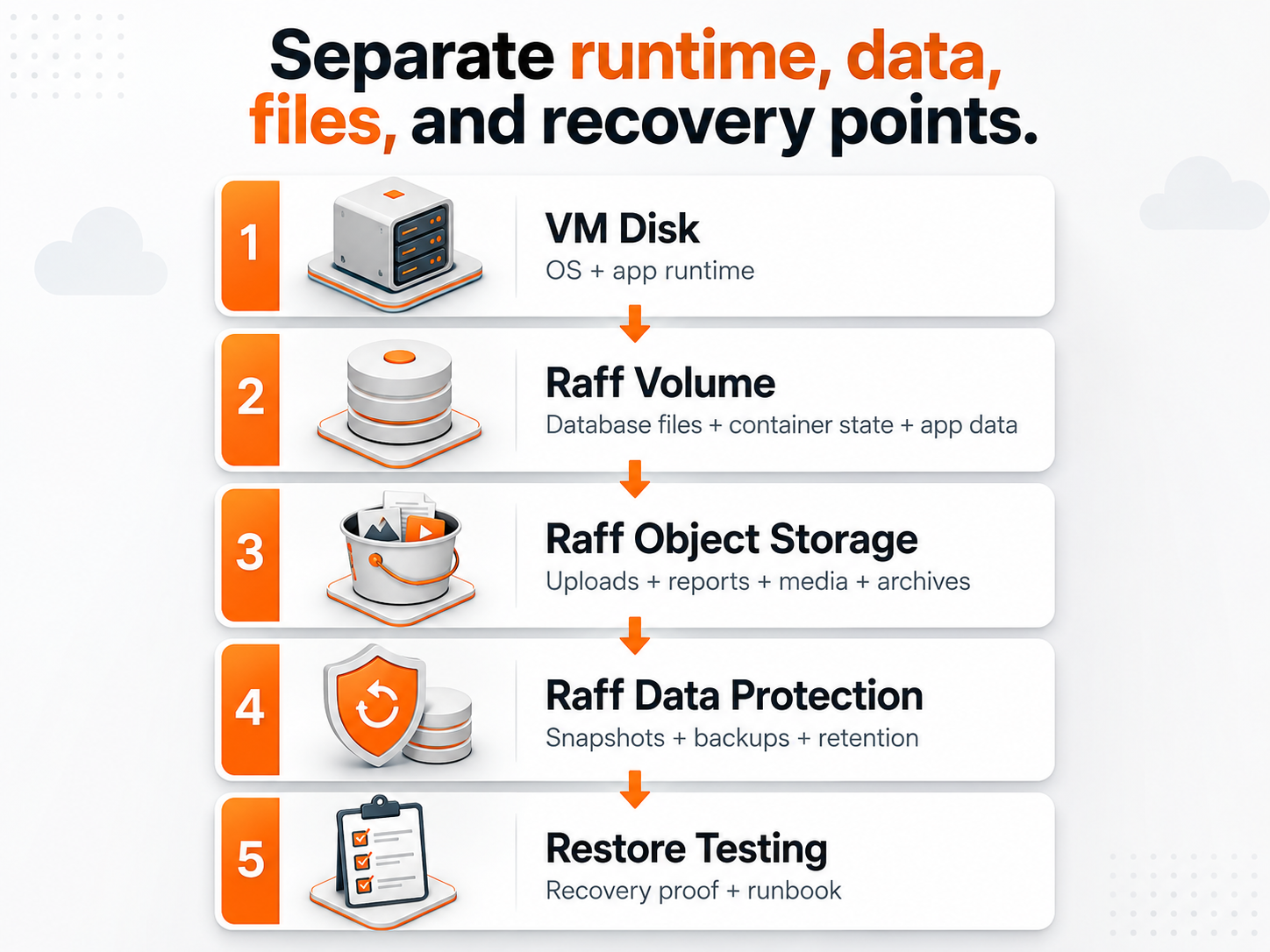
Cloud storage architecture at a glance
Start by classifying data by behavior rather than by file extension.
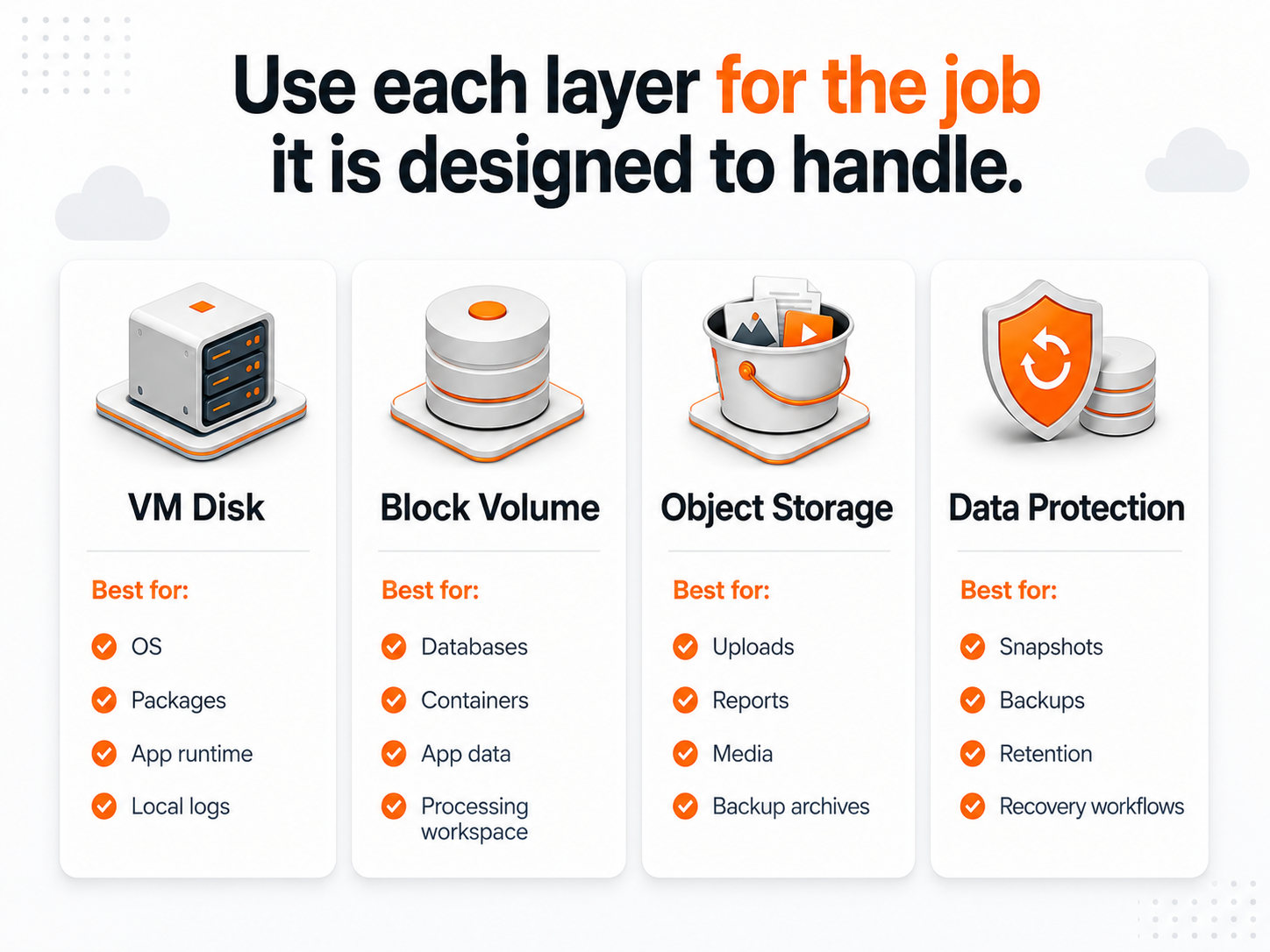
| Data or workload | Better default | Why |
|---|---|---|
| Operating system and app runtime | VM disk | Rebuildable with the server |
| Temporary files and caches | VM disk | Disposable when bounded and cleaned up |
| Database data directory | Managed database or block volume | Stateful data needs an explicit recovery model |
| Container persistent state | Block volume | Needs filesystem semantics outside the container lifecycle |
| User uploads and media | Object storage | Should survive VM replacement and scale independently |
| Generated exports and reports | Object storage | Durable objects do not need to live on an app server |
| Backup exports and archives | Object storage or dedicated backup target | Recovery copies should not depend on the primary VM |
| VM recovery points | Snapshot / backup layer | Protects infrastructure state and supports restore workflows |
| Database historical recovery | Database-aware backup / PITR | Protects application data at the database layer |
A practical rule is:
VM disk for replaceable runtime. Block storage for disk-like state. Object storage for durable files. Database-aware protection for databases. Backups for recovery history.
This is a stronger architecture than using one large VM disk for the operating system, database, uploads, logs, backup files, and every future workload.
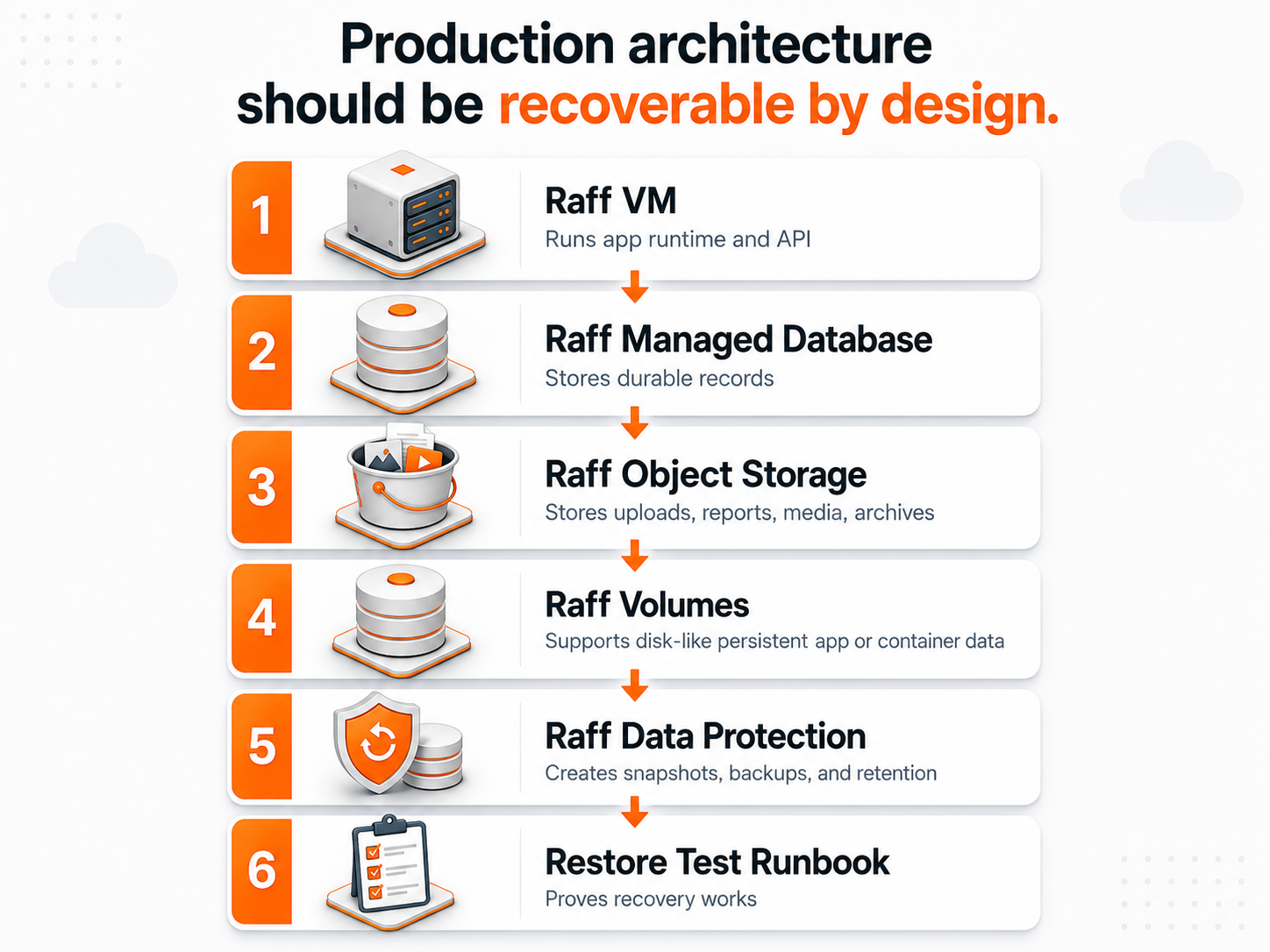
The VM should be replaceable even when the application is important
A production VM can contain important software without becoming the permanent home of every important piece of data.
The VM disk is a good place for:
- the operating system;
- application packages and binaries;
- reverse proxy configuration;
- service definitions;
- deployment artifacts that can be recreated;
- bounded logs;
- temporary processing files;
- local caches that can be rebuilt.
Problems appear when the same disk also owns long-lived uploads, a growing database, backup archives, container state, and unbounded logs.
That creates several forms of coupling:
- storage growth forces a compute decision;
- a full disk can affect the entire server;
- rebuilding the VM also becomes a data migration;
- recovery of the application and recovery of its data become the same operation;
- one snapshot may contain several data types with different recovery requirements.
The better target is not “stateless everything.” It is replaceable compute with deliberate state boundaries.
For the wider architecture decision, use Single VM vs Multi-VM Architecture for SaaS Apps.
Use block storage when the workload needs a filesystem or raw disk
Block storage is the right layer when the application or service expects a disk that can be formatted, mounted, read, and written like a local drive.
Common examples include:
- self-hosted database data;
- Docker or container persistent directories;
- application data that requires filesystem semantics;
- search indexes;
- build or processing workspaces that outgrow the system disk;
- stateful services whose storage should grow independently from VM compute.
A useful pattern is:
VM system disk
  → OS + application runtime

Attached block volume
  → persistent service data
The main benefit is not simply more capacity. It is separating the lifecycle of the data from the lifecycle of the VM's root disk.
Raff Volumes are the current block-storage layer for Raff VMs and can be resized independently of VM compute. Use the live Volumes page for current behavior and pricing.
For the deeper workload decision, continue with Block Storage Volumes for Databases, Containers and App Data or When to Add a Volume Instead of Resizing a VM Disk.
Use object storage when the application owns files, not disks
Object storage is usually the cleaner home for durable files that should outlive any one VM.
Typical examples include:
- user uploads;
- images and media;
- documents;
- generated reports;
- CSV or export files;
- software artifacts;
- backup archives;
- large files consumed by several services.
A common production design is:
Application
  → database stores metadata, permissions and object key
  → object storage stores the file
This makes the application server easier to replace and lets file capacity grow independently from compute.
Object storage is especially useful when files need to be shared across workers, accessed through APIs, retained for long periods, or delivered without depending on one server filesystem.
Raff Object Storage is S3-compatible, so common S3 tooling and SDK patterns can be used against the Raff endpoint. Use the live Object Storage page for current compatibility and pricing details.
Object storage is not automatically the right choice for every stateful workload. A PostgreSQL data directory, for example, expects block/filesystem behavior rather than ordinary S3 object semantics.
Use App Uploads: VM Disk vs Object Storage when the decision is specifically about application files.
Databases need their own storage and recovery decision
Database state deserves a separate decision because the database is often the application's source of truth.
There are two broad models.
Managed database
Use a managed database when the supported service fits and the team wants the provider to operate more of the database platform, backup tooling, monitoring, maintenance, and supported availability features.
Application VM
  → private/restricted connection
  → Managed Database
The application team still owns schemas, indexes, queries, migrations, credentials, capacity decisions, and recovery validation.
Self-hosted database
Use a VM plus dedicated persistent storage when root access, custom extensions, exact version control, filesystem access, or another hard requirement justifies operating the database yourself.
Application
  → private network
  → Database VM
      → persistent block storage
      → database-aware backup / recovery
A volume helps separate database data from the system disk, but it does not remove the need for database-aware backups, restore testing, monitoring, patching, and recovery ownership.
For the responsibility decision, use Managed Database vs Self-Hosted. For backup design, use Database Backup Strategy for SaaS Apps.
Snapshots, backups, and replicas solve different problems
Storage architecture becomes safer when recovery controls have distinct jobs.
| Recovery control | Main purpose | Does not replace |
|---|---|---|
| Snapshot | Fast point-in-time infrastructure rollback | Independent historical backup strategy |
| Scheduled VM backup | Retained VM recovery points | Database-aware recovery for every workload |
| Database backup / PITR | Recover database history | Application files and other VM state |
| Replica / HA node | Reduce downtime from selected failures | Historical recovery after bad writes or deletion |
| Object-storage archive | Retain files or exported backups independently | Full application restore procedure |
| Restore test | Prove recovery works | The backup itself |
A production system may need more than one layer because the failure modes differ.
For example:
Application VM backup
+ database PITR
+ object storage for durable uploads
+ tested restore runbook
is stronger than relying on one whole-VM snapshot to solve every failure.
Use Snapshots vs Backups for the narrower comparison.
Recovery architecture starts with RPO and RTO
Before choosing backup frequency or retention, define the business requirement.
Recovery Point Objective (RPO) asks how much recent data can be lost.
Recovery Time Objective (RTO) asks how long the service can remain unavailable.
Those targets should determine the protection design.
A low-impact staging environment may accept a long RTO and coarse recovery point. A customer-facing database may need a much smaller recovery window and a faster restore path.
Use this sequence:
business impact
→ RPO / RTO
→ data classification
→ backup method and frequency
→ retention
→ restore procedure
→ restore test
Do not reverse the process by enabling a default backup schedule first and deciding later whether it satisfies the business.
Restore testing is what turns backups into evidence
A backup job that reports success proves that data was written somewhere. It does not prove the application can be recovered.
A useful restore test validates more than VM boot.
Check:
- the restored VM starts;
- SSH/RDP or administrator access works;
- application services start;
- database state is usable;
- attached storage is present;
- object-storage access works;
- secrets and configuration are available;
- required private-network paths work;
- DNS or test hostnames resolve correctly;
- application health checks pass;
- the measured restore time fits the RTO.
A clean test pattern is:
Production backup
  → isolated restore environment
  → application and data validation
  → record timing and findings
  → update runbook
  → remove test resources
Use Restore Testing Checklist for Production VMs for the full procedure.
Design storage around failure domains, not only capacity
Storage decisions are often made from “how many GB do we need?” Production design needs one more question:
What fails together?
If the application VM and every backup export live on the same server, one server failure can affect both the production copy and its supposed recovery copy.
If app uploads exist only on local disk, replacing the app server becomes a file-recovery event.
If the database, uploads, and logs all share one filesystem, a runaway log can threaten durable business data.
Separate failure domains where the business impact justifies it:
- runtime from durable data;
- primary data from recovery copies;
- app files from app compute;
- database operations from application deployment where appropriate;
- production access from restore-test environments.
The architecture does not need to be distributed for its own sake. It needs boundaries that make failure understandable.
A practical production app architecture
A small SaaS or business application can stay simple while separating the state that matters.
Users
  ↓
Application VM
  ↓ private network where appropriate
Managed Database

Application VM
  ↓
Object Storage
  → uploads / reports / media / archives

VM and infrastructure state
  ↓
Data Protection
  → snapshots / scheduled backups

Recovery process
  ↓
isolated restore test + runbook
If the workload needs self-hosted state, add a block volume deliberately rather than keeping everything on the VM root disk.
This is often enough for a small team. You do not need Kubernetes, distributed storage, or multiple database replicas merely to claim the architecture is “production-grade.” Add those layers when availability, scale, or recovery requirements justify them.
How the Raff storage layers fit together
Raff's current infrastructure separates the main storage responsibilities cleanly:
- Raff VM — application and server runtime;
- Volumes — persistent block storage when a workload needs a disk/filesystem;
- Object Storage — S3-compatible buckets for durable files, media, archives, and backup artifacts;
- Managed Databases — a separate managed data layer when your team should not operate the database host;
- Data Protection — VM snapshots and scheduled backup workflows;
- VPC — private connectivity between infrastructure components where appropriate.
The commercial decision should follow the architecture, not the other way around. Do not buy a volume because storage is available. Add it because a workload needs persistent filesystem semantics. Do not move files to object storage merely because S3 exists. Do it when the files should survive app-server replacement or be shared independently of the VM.
Likewise, use a managed database when reducing database-host operations creates value, and use Data Protection according to the recovery objective rather than treating backup as a checkbox.
